
Mejor Aplicación de Editor de Fotos con IA Online | De Texto e Imagen a Imagen con IA
4.7

de más de 52472 usuarios satisfechos

Editor de fotos con IA

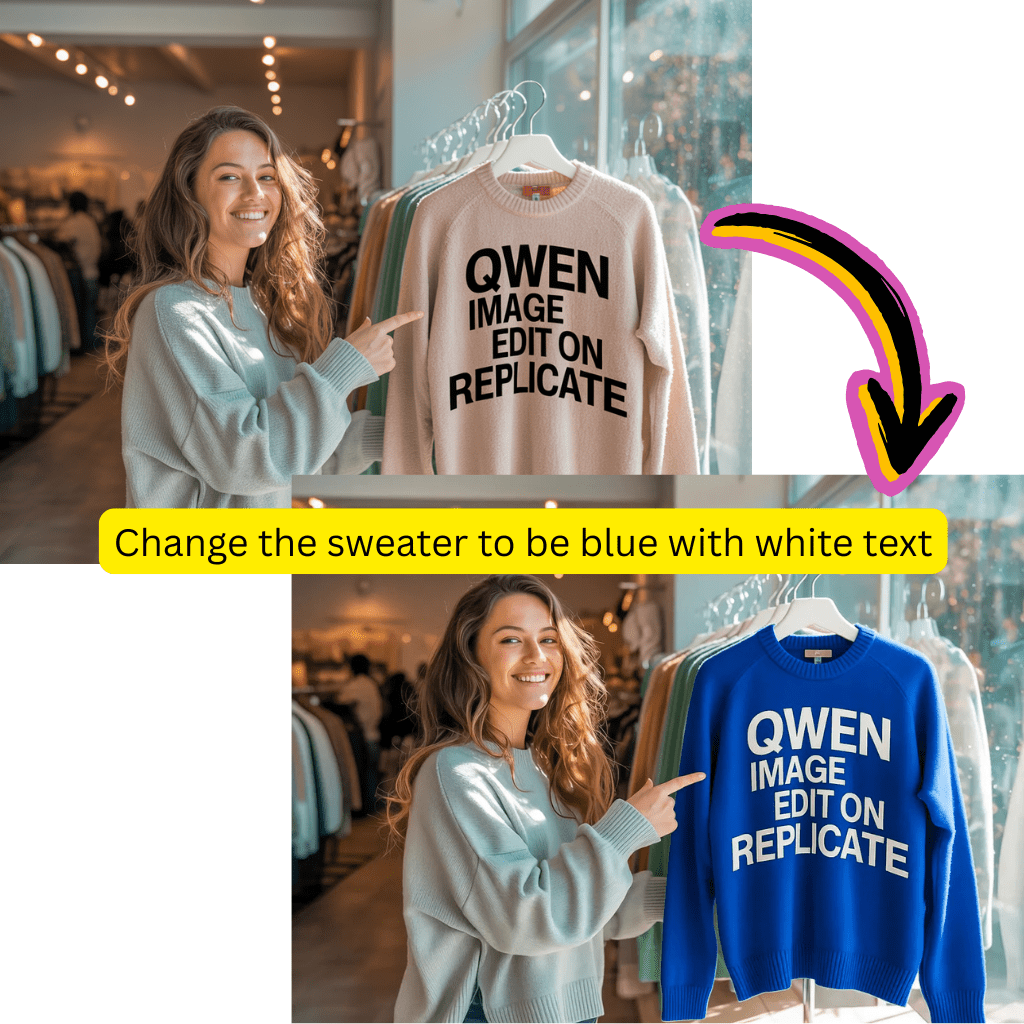
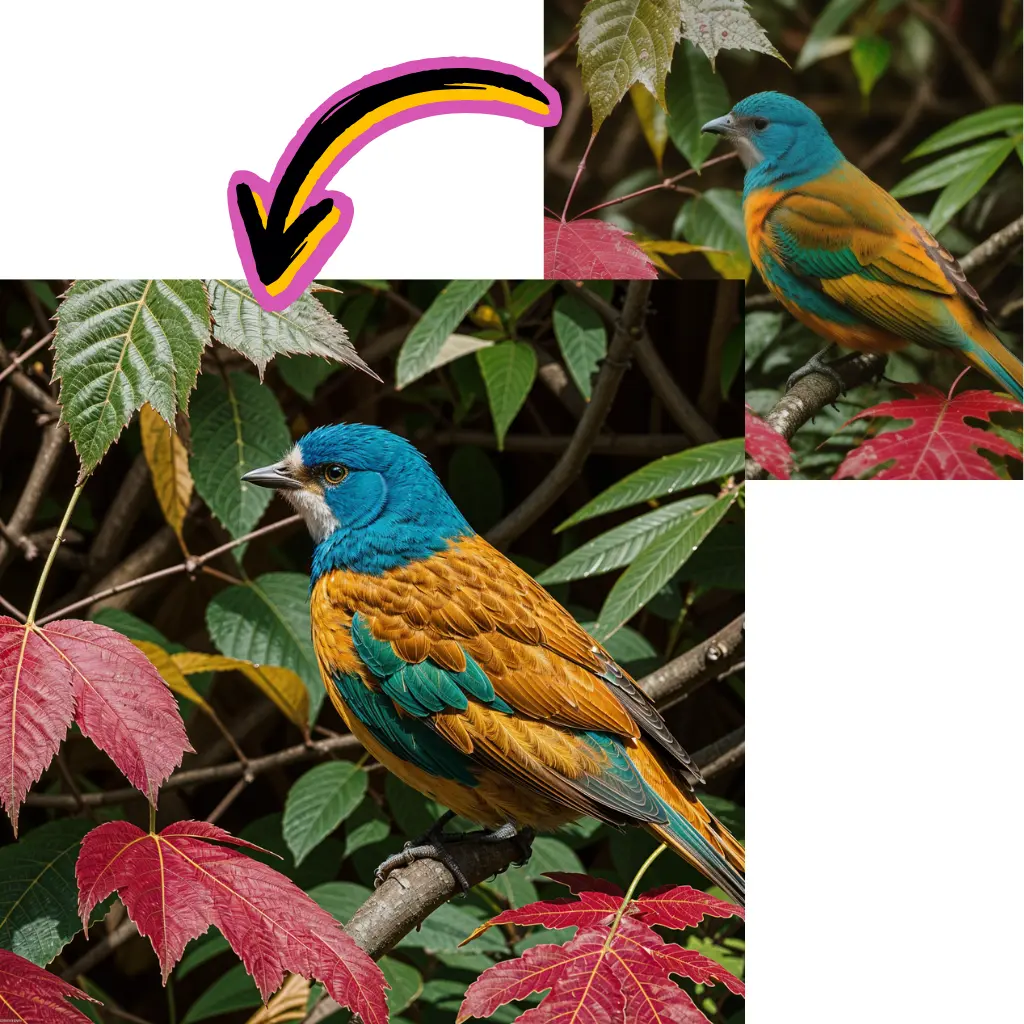
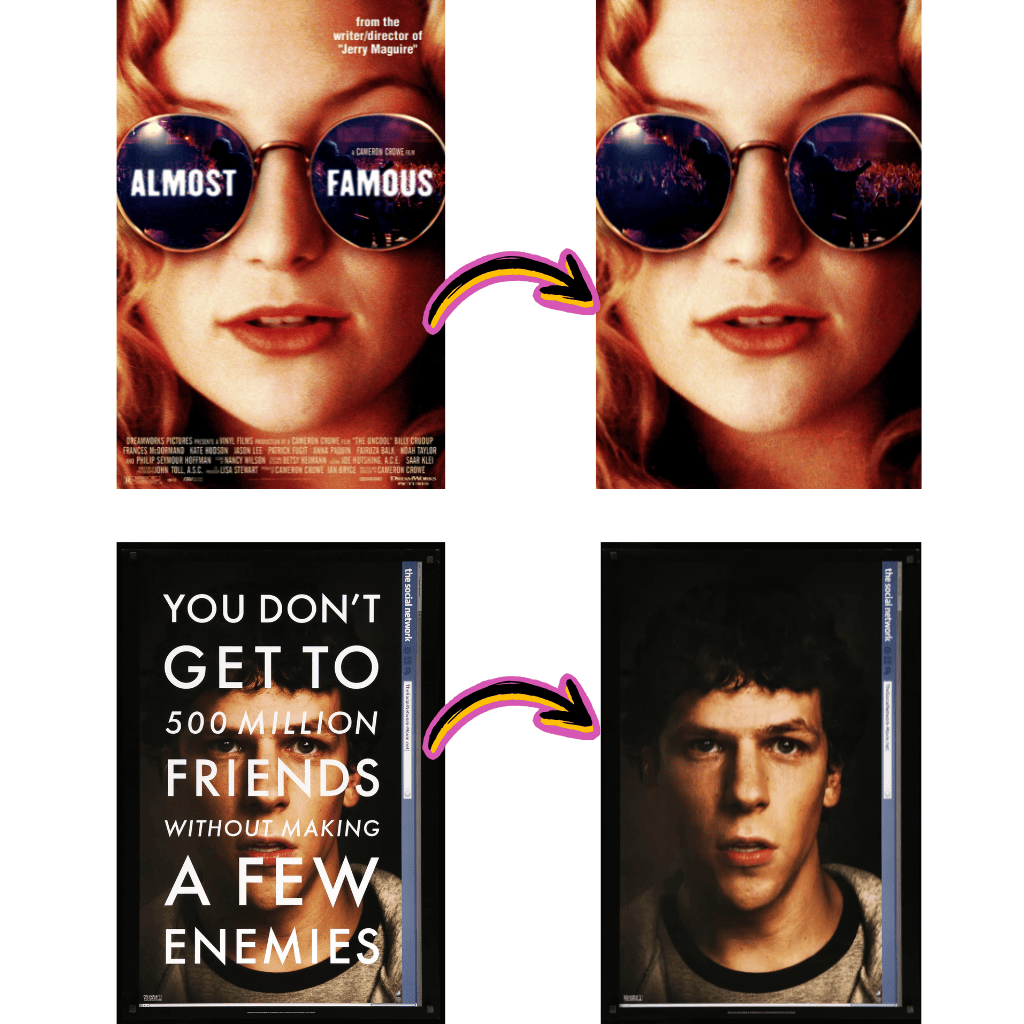
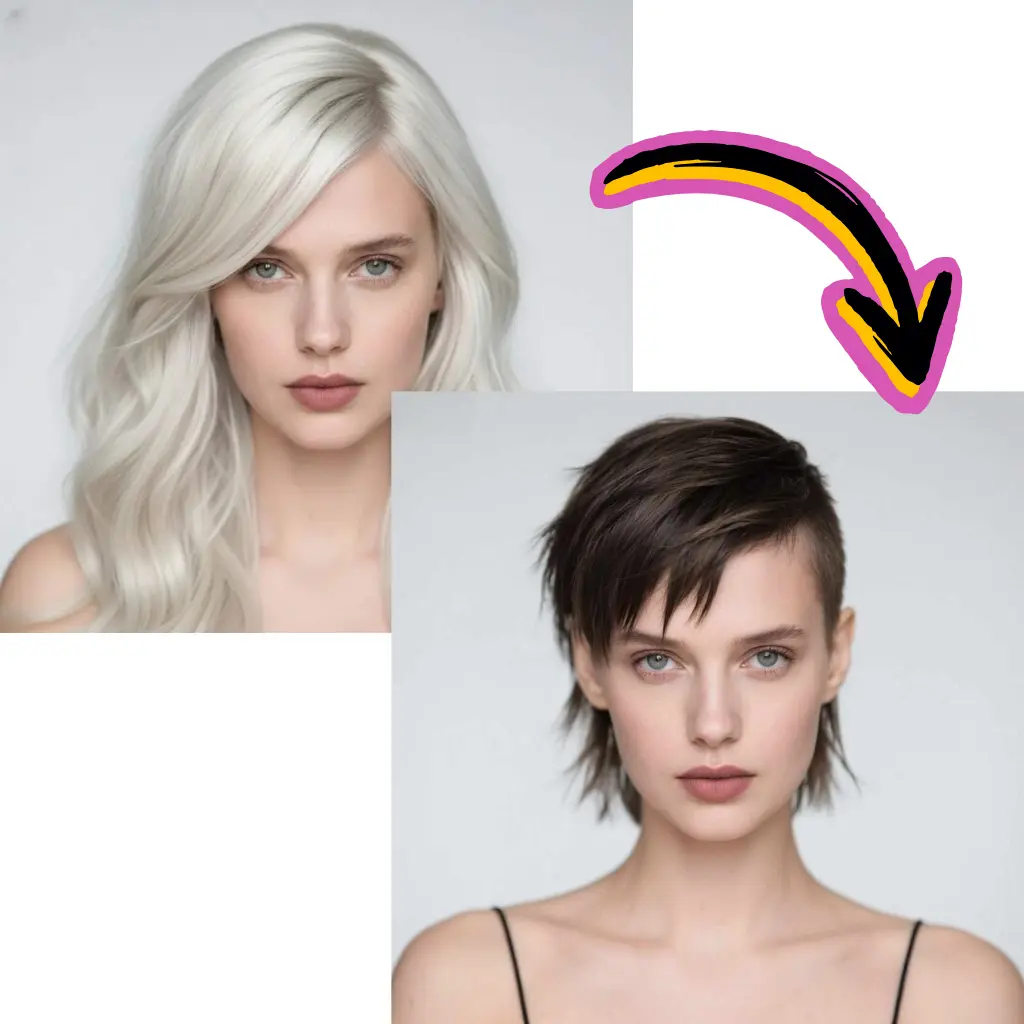
Edita fotos online con las mejores herramientas de edición de fotos AI. Elimina fondos de imágenes, intercambia rostros, mejora fotos y genera imágenes AI.

Mejor aplicación de editor de fotos con IA en línea

Edita o crea fotos con indicaciones de texto o imágenes usando los mejores modelos de editor de imágenes con IA
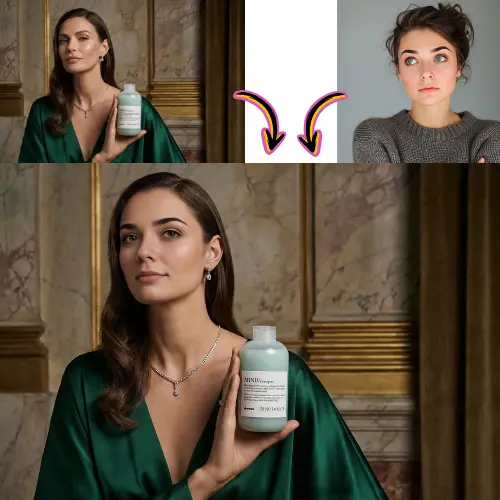
Ver en panel
Arrastre o haga clic
Público
Comercial
35 créditos
Resultados
Generated 1

Galería de Inspiración IA

Explore lo que es posible con las capacidades actuales de generación con IA. Haga clic en cualquier elemento para ver detalles y prompts.
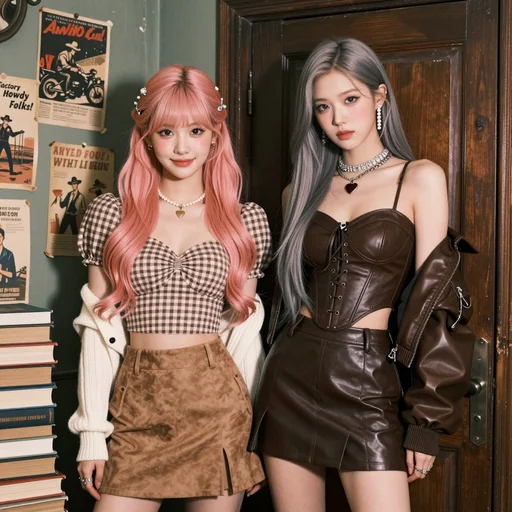
Vintage Western Pin-up with K-pop Model Aesthetic. Hyper-realistic editorial portrait photography.

Subject: A striking, slender young Korean woman in her mid-20s. Long, dark brown Hollywood waves. Soft "clean girl" makeup with peachy blush, subtle cat-eye, and nude-pink lips. Sultry, confident gaze directly at the viewer.

Attire: Brown/beige plaid bustier crop top with a dark brown lace-up waist cincher. Matching dark brown pleated faux-leather mini skirt. Rich chocolate brown leather bomber jacket draped off the shoulders. Heavy rhinestone choker necklaces with a small red heart pendant. Large pearl drop earrings. Jeweled butterfly hair clips.

Setting & Pose: Indoors, in a vintage American backroom. Leaning against a worn dark wooden door frame. Background: textured olive-green wall with faded vintage posters ("Cowboy Carnival", "Factory Howdy Folks!"). A stack of aged books to the side. Medium full shot, cropped at upper thighs. Hands not visible, focus on face and torso.

Photography Style: Ultra-detailed photo-realism, cinematic soft lighting, subtle analog film grain. Soft, cool, high-key lighting with minimal shadows. Shallow depth of field (bokeh). Shot on a professional camera (Sony A1/Canon R5) with an 85mm f/1.4 portrait lens at f/2.2. 8K resolution, hyper-detailed skin and fabric textures.
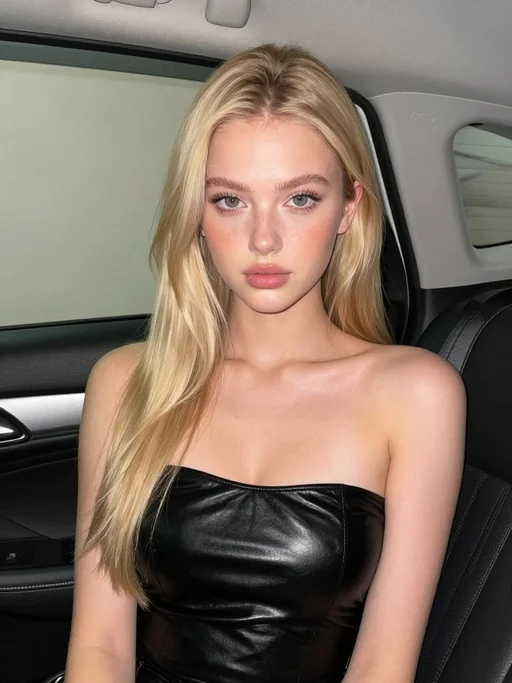
Stunning beautiful European 18 year old girl, fuller chest, seated inside a car interior at night. A black open car door is visible behind her. Soft flash lighting creates sharp highlights and shadows. She wears a glossy black strapless top wrapping tightly across the chest. Smooth matte skin glows from the flash. Clean background with light wall tones. The right side of the frame shows dark leather seat and chrome door latch. Camera angle is straight on at chest and face height. Tight close-up framing, centered composition. 4K resolution.
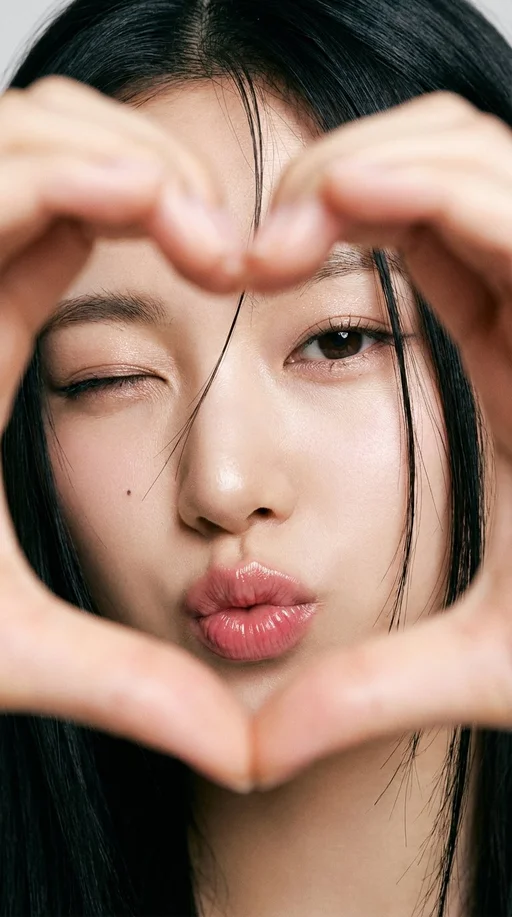
An extreme close-up portrait of a young East Asian woman making a heart shape with her hands in the foreground, her head gently tilted. Soft, playful, and intimate aesthetic.

Shot Details: Framing: Extreme close-up, filling the frame with her face and foreground hands. Background is not visible. Focus & DOF: Very shallow depth of field. Focus is razor-sharp on her eyes and lips, with the heart-shaped hands slightly softer in the immediate foreground. Angle: Straight-on, direct camera angle. Lighting: Soft, diffused light creating even illumination with minimal shadows and a natural glow on the skin.

Subject Details: Face: Smooth skin with a natural glow. A small beauty mark under the left eye. Eyes: Almond-shaped, dark brown. One eye is winked, the other is softly open. Makeup includes subtle eyeliner, defined lashes, and soft shimmer on the lids. Eyebrows: Natural, slightly arched. Lips: Full lips making a kiss face (puckered), with a pink glossy tint. Hair: Straight, black hair with loose strands falling naturally across the face. Pose: Head is gently tilted. Her hands form a heart shape directly in front of the camera, framing her face.

Style: High-resolution portrait with a film-like softness. Cute, expressive, and flirtatious vibe.
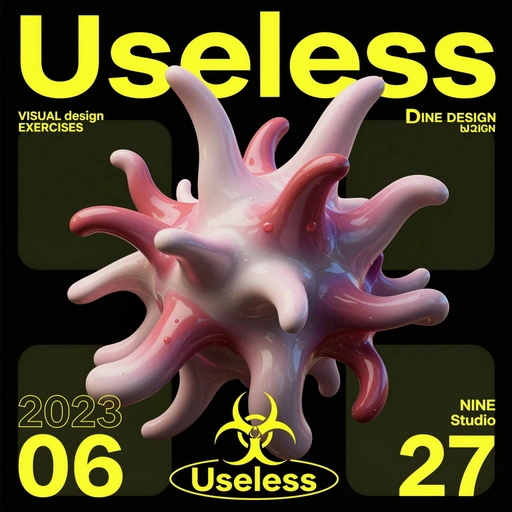
A stylized, 3D-rendered abstract form dominates the image, positioned in the center. The central subject resembles a biological structure, possibly a virus or a cell, with multiple protruding, tentacle-like elements radiating outward. The object features a glossy, reflective surface with a gradient color scheme of pale pink and deep red. Small, droplet-like details are scattered across its surface. The background is a solid black, contrasting with the vibrant colors of the central figure. Large, bold yellow text arcs across the top, reading "Useless". Additional text appears in smaller, white and yellow fonts, including "VISUAL design EXERCISES", "DINE DESIGN by ZIQN", "2023 06 27", and "NINE Studio." A stylized biohazard symbol with the word "Useless" beneath it is present. The lighting suggests a studio environment, highlighting the form's textures. The overall style is modern and graphic, with a focus on abstract, organic shapes.
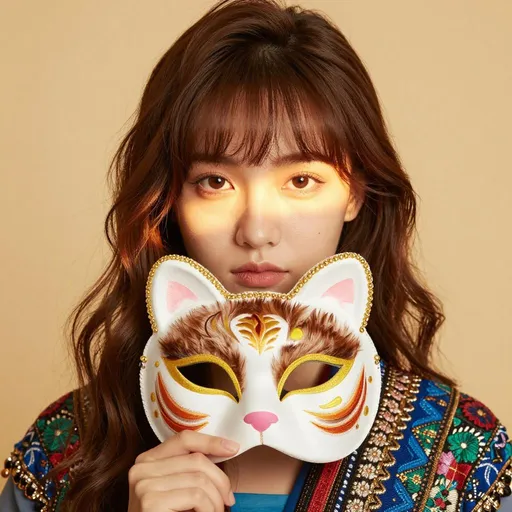
A young woman, likely in her early twenties, is centered in a portrait. She is wearing a colorful, intricately embroidered top with floral and geometric patterns in shades of blue, green, red, and gold. Her long, brown hair frames her face, with a fringe of bangs across her forehead. The woman is holding a decorative cat mask in front of her lower face, revealing only her eyes. The mask is richly detailed with embroidered features, including a brown and white fur pattern, yellow eyes, and a pink nose, outlined with gold beadwork. Her facial expression is calm and neutral. The lighting is soft and warm, with gentle light rays creating a glowing effect on her face and hair. The background is a soft, warm yellow. The composition is a close-up shot, focusing on the woman's face and the mask. The style is modern and fashion-focused, with a playful and artistic atmosphere.
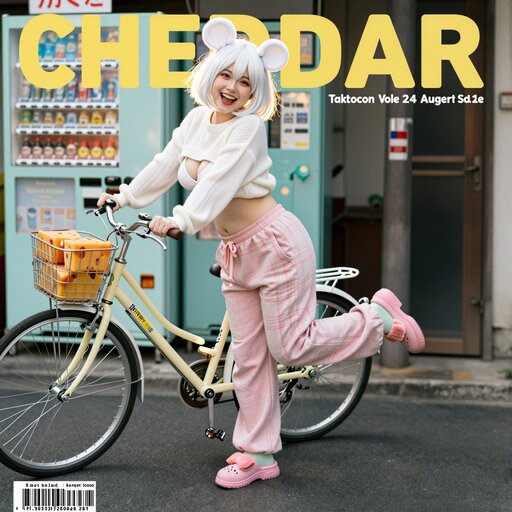
A magazine cover photo of a smiling energetic cute girl with short white hair in a bobcut, red eyes, and white mouse ears, pushing a vintage bicycle in front of a retro mint green vending machine. Cheerful expression, lively posture, summer vibe. She is voluptuous, has large breasts, and thick thighs but a thin waist with an exposed midrif. She is wearing a white knit sweater with a boob window, pink plaid sweatpants and fuzzy pink slippers. Wedges of cheddar in the bike basket. Background of messy telephone poles and nostalgic Japanese shop signs. Side sunlight creating a golden halo on her hair. Fujifilm Pro 400H style, grainy film texture, low saturation, slightly overexposed, cinematic composition, unique camera angle. Fashion editorial style, 8k resolution.
Magazine cover layout with visible text:
Large title "CHEDDAR" in yellow at the top.
Small cover text: "Calcium & Flavor", "Tokyo Street Issue", "Vol. 24 | August 2025".
Barcode at the bottom corner.
[Art Style & Viewpoint]:
Hyper-realistic 8k product photography, macro lens perspective, strict 90-degree overhead flat-lay (knolling).
[Aesthetic Philosophy]: "Sublime Micro-Engineering Narratives". A blend of surgical precision and artistic interpretation of technical components.
[Subject Input]:
Target Object: Deconstructed Leica M3 Camera Body
[Action]: Forensic Technical Exploded View. Disassemble into 8-12 primary components, but with an emphasis on secondary and tertiary sub-components (e.g., individual gears within a gearbox, micro-switches on a circuit board, specific spring types, internal wiring harnesses).
[Detail Emphasis]: Each component is meticulously rendered.
Metals: Highlight brushed grains, polished edges, anodic oxidation sheen, laser-etched serial numbers or specific alloy markings. Show microscopic tolerances between parts.
Plastics: Reveal injection molding marks, precise seam lines, and subtle textural variations.
Circuitry: Emphasize the solder joints, traces, tiny capacitors, and integrated chip details.
Glass/Optics: Render reflections, anti-reflective coatings, and subtle refractions.
[Background]: Premium matte cool-grey workbench surface.
[Interactive Schematics]: Ultra-fine Cyan/Tech-Blue vector lines. Include cross-sectional views, exploded assembly sequence lines (dashed arrows), and material call-outs (e.g., "Alloy 7075", "Carbon Fiber Weave").
[Artistic Title Style]: "Industrial Stencil" Aesthetic. Large, bold, semi-transparent text (e.g., "PROJECT: ALPHA" or "ENGINE MODEL: X9") laser-etched onto the background surface.
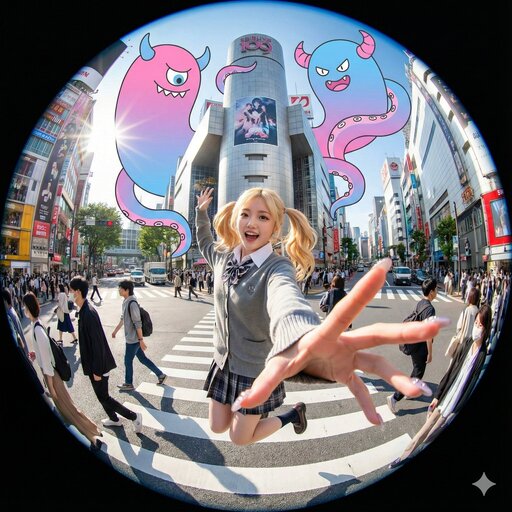
An extreme fisheye lens photograph with a circular frame. A young woman with blonde twin-tails jumps excitedly in the middle of the Shibuya Scramble Crossing. She wears a gray cardigan over a plaid skirt school uniform. One hand is dramatically stretched towards the foreground of the lens, with fingernails clearly visible. In the distorted background, the iconic Shibuya 109 building and other city structures loom, with streets crowded with pedestrians and vehicles. Massive pink and blue gradient cartoon monsters with giant tentacles and horns float above the city, entwining the twisted urban skyline. The scene is bathed in bright, sunny light with strong contrast between highlights and shadows. The atmosphere is hyper-energetic, surreal, and chaotic.
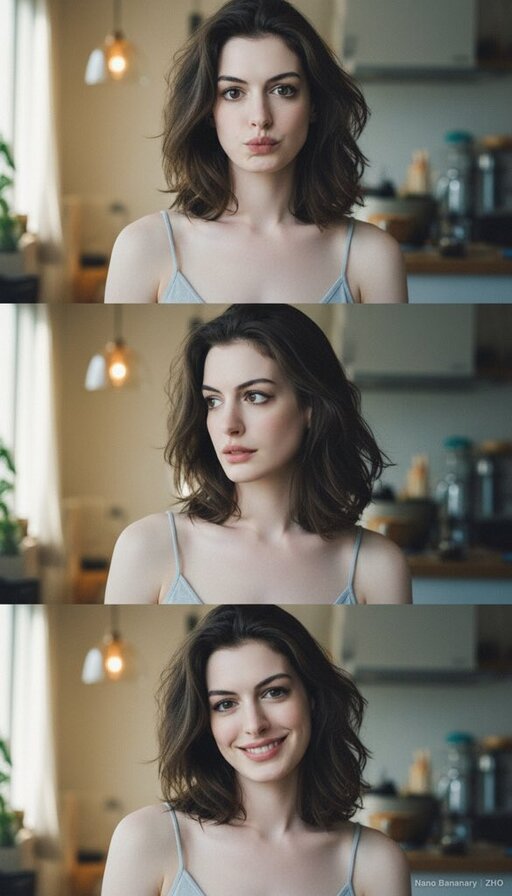
Overall Composition & Atmosphere

The three images are arranged vertically, forming a continuous visual narrative, similar to a portrait photography sequence. The setting is a warm, cozy, everyday IKEA-style interior space — with kitchen elements, lighting, and home decor in the background — creating a natural, lived-in atmosphere illuminated by soft ambient light. The light comes from the front-side at a gentle angle, highlighting the skin with a delicate, natural glow.

The overall color tone leans toward cool white, conveying a light, fresh, soft, and airy mood.

Pose & Emotional Expression

All three images capture the same subject at different moments, showing subtle emotional shifts:
1.First photo – Slightly playful and cute. Lips gently pursed, eyes looking directly into the camera. Shoulders relaxed, facing forward.
2.Second photo – Slightly turned to the side, head softly tilted. The eyes look gentle, hinting at subtle emotion, as if transitioning between calm and a faint smile.
3.Third photo – More relaxed, showing a soft smile. Hair falls naturally. The posture appears comfortable, confident, and at ease.

The progression of calm → relaxed → smiling creates a fluid sense of motion and visual storytelling.

Lighting & Skin Texture
•The lighting is soft and even, without harsh shadows.
•Subtle shading around the cheeks and nose adds light dimension without appearing sharp.
•The skin texture looks smooth with a gentle reflective glow, slightly reminiscent of soft-focus film or Japanese aesthetic color grading.

Clothing & Material Details

The subject wears a light gray-blue camisole with thin straps. The fabric is soft and form-fitting, reflecting light delicately and emphasizing natural body lines. The low-saturation tone blends harmoniously with the background, keeping the visual clean and minimal.

The hair is naturally loose, with soft volume and airy texture. Strands catch the light gently, adding depth and softness.

Facial Features & Expression
•Eyes are slightly large with a soft shape; the outer corners extend subtly, giving an expressive, engaging gaze.
•The nose is slim and natural.
•Lips are full with a light pink tone, showing different textures as expressions change.
•Facial proportions are balanced, with visual emphasis on the changing gaze and smile.

Overall, the portrait style feels warm, expressive, bright, and emotionally inviting.

Emotion & Style Summary

These photos feel like a moment captured in the late morning or sunlit afternoon — perhaps just waking up or starting the day — peaceful and unguarded.

The overall atmosphere is natural, warm, soft, relaxed, and effortlessly beautiful.

There is no exaggerated posing or heavy styling — instead, the focus lies in capturing genuine moments through light, expression, and subtle emotion.
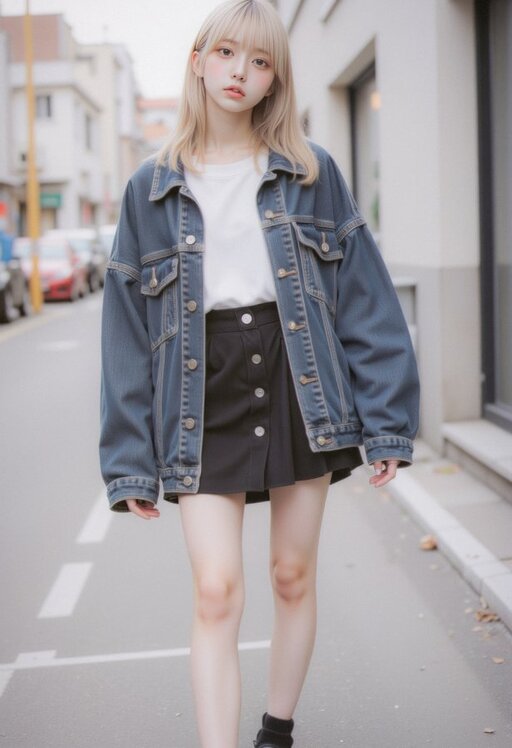
Full-body street style portrait of an Asian woman in her early 20s. She wears a monochrome outfit with a dominant black color scheme, accented by denim blue. Key items: an oversized, dark denim jacket with subtle distressed details, a black A-line mini skirt, a simple white crew-neck T-shirt underneath, and chunky black platform oxfords. The ensemble creates a casual, urban streetwear aesthetic with an effortless vibe and personal details.

Her hair is medium-length, straight, and black, styled with blunt bangs. It has a clean, sleek look with natural shine, parted to the side. The hairstyle is minimalist and modern, suitable for everyday wear. The overall style is non-formal, non-bright, and non-romantically feminine.

The setting is an urban street or modern alley with clean concrete walls and minimal background distractions. Lighting is natural daylight or soft diffused light, casting clean, subtle shadows. Shot from a low angle to emphasize the silhouette and platform shoes. The pose is relaxed and confident, with a neutral or slightly cool expression. Photography style is sharp, high-resolution, with a focus on fabric textures and clean lines.
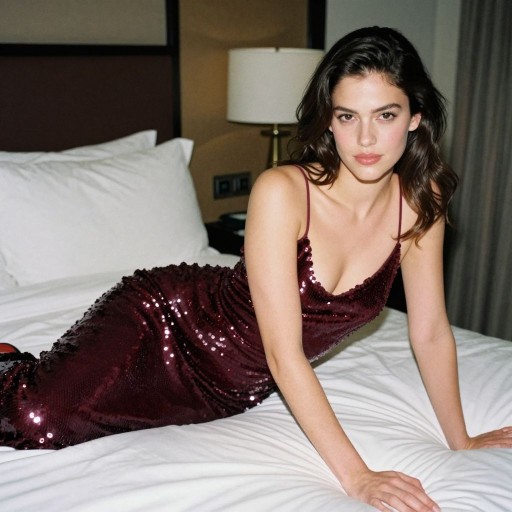
A natural, candid film snapshot of a captivating American young woman (25-30 years old) with a youthful face and smooth skin. She wears a glamorous, deep burgundy sequined slip evening dress. Her expression is confident, sexy, and elegant, carrying an alluring atmosphere. A full-body shot in a lifestyle setting within a high-end, luxurious hotel room. She lies boldly on the bed, her body in an S-curve pose that perfectly accentuates her waistline. Her expression is full of story and mood.

Aesthetics & Technicals: Natural film photography shot on 35mm Kodak Portra 400. Soft fill-flash lighting, subtle film grain. Authentic skin texture, visible pores, slight imperfections, no retouching. Anti-AI aesthetic, snapshot film photography style, high-fidelity detail.
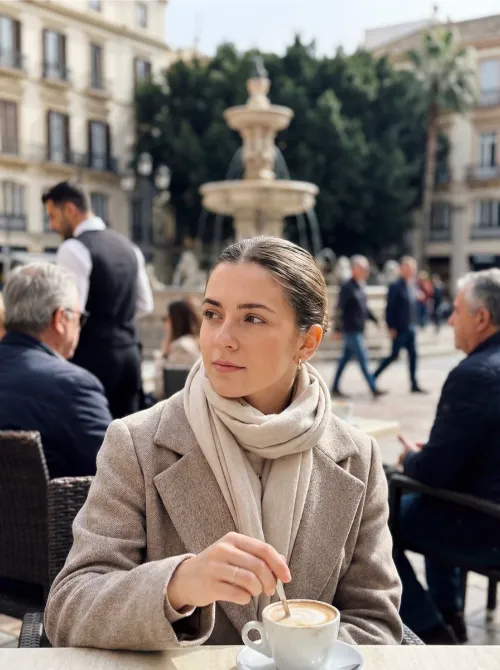
A photorealistic image captured with an iPhone 17 on a Wednesday morning in March 2025. The scene is set in Plaza de la Constitución, Málaga, Spain. The atmosphere is bright but cool, filled with soft, clear spring light that illuminates the entire square. On a café terrace, locals sit at tables enjoying coffee and conversation. In sharp focus is a young woman wearing a light, patterned scarf, stirring a cappuccino in a ceramic cup. She gazes thoughtfully to the side, lost in a quiet moment. In the background, a waiter moves between tables, and people walk casually across the square, with movement visible around the central fountain. These background elements are naturally blurred, rendered with a subtle, authentic depth-of-field effect. The overall image feels candid, unstaged, and documentary-style, with the crisp, high-detail realism characteristic of a modern iPhone photo.
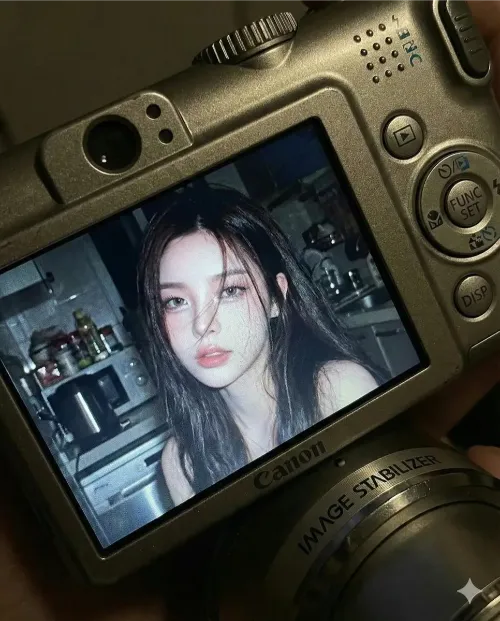
A close-up of a young woman appears on the screen of a small Canon compact digital camera, her face softly lit by a bright built-in flash. She has long dark hair falling loosely beside her cheeks, her lips slightly parted in a gentle, thoughtful expression. The flash creates sharp highlights on her skin and hair, while the background reveals a dim, cluttered kitchen with faint outlines of appliances and shelves, softened by a natural bokeh effect.

Surrounding the screen, the detailed body of the camera is clearly visible—showing textured surfaces, buttons, the FUNC/SET wheel, the DISP button, and the “IMAGE STABILIZER” label on the side.

The image carries the nostalgic feel of an early‑2000s digital snapshot, with cool, soft color tones, strong flash contrast, and fine screen grain—no text or logos appear on the photo itself. It looks like a real, unstyled moment frozen in time, captured indoors at night with the candid realism of a compact digital camera.
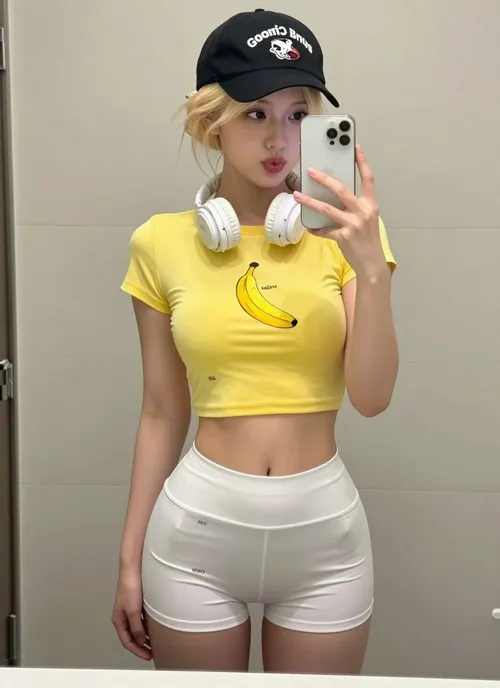
A young woman in her early 20s poses in her bathroom mirror for a casual iPhone selfie. She faces the mirror with her hips angled slightly, filling the frame. Her expression is all feigned innocence: big, doe eyes look up through her lashes with a “who, me?” energy, her mouth in a soft pout, lips slightly parted, a tiny tongue just touching the corner. Her brows are soft and slightly raised—a perfectly faux-innocent face that starkly contrasts with her outfit.

Her body is the real focus: a tiny waist gives way to a full, round backside, with the fabric of her tight white athletic shorts clinging and riding up between her cheeks, leaving nothing to the imagination. Her thick, soft thighs stretch the thin material. She wears an ultra-mini yellow crop tee with a single banana graphic, the fabric stretched tight across her chest and ending just below, revealing her full stomach. Her platinum blonde hair is pulled into a messy bun or claw clip, with loose strands framing her face.

On her head is a black Goorin Bros cap with an animal patch, worn backwards or tilted, and a pair of white over-ear headphones hangs around her neck. In her hand, an iPhone is visible in the mirror, held at chest level. Her makeup is minimal and natural—just lip gloss and a no-makeup-makeup look.

The setting is a normal, lived-in NYC apartment bathroom. The background features white subway tile walls, a basic bathroom mirror with good vanity lighting above it, a simple white sink vanity with skincare bottles and a small plant, a towel hanging on a hook, and the edge of a shower curtain. The lighting is bright, even, and flattering—just good bathroom lighting.

The overall vibe is the playful contrast between an angelic face and a body in a barely-there outfit. The mood is “just got ready for tennis, but making content first,” with a caption-ready energy like, “Tennis anyone? 🍌” The photo has the authentic, slightly grainy texture of a real iPhone mirror selfie—not professional, just candid, realistic social-media content shot in a 9:16 vertical aspect ratio.
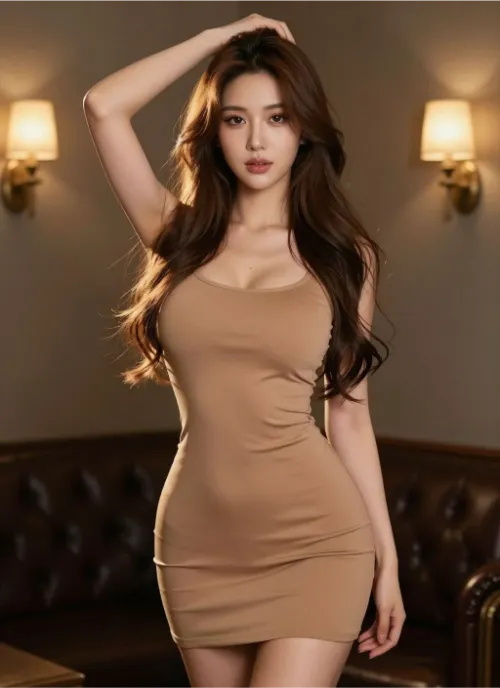
A beautiful woman with long, flowing brown hair poses confidently. She is wearing a form-fitting, light brown mini dress that accentuates her figure. Her left hand is raised to her head, and she looks directly at the viewer with a captivating gaze. The background is dimly lit, featuring warm wall sconces and a glimpse of a dark leather couch, creating an intimate and stylish atmosphere. The lighting highlights her hair and the contours of her body.
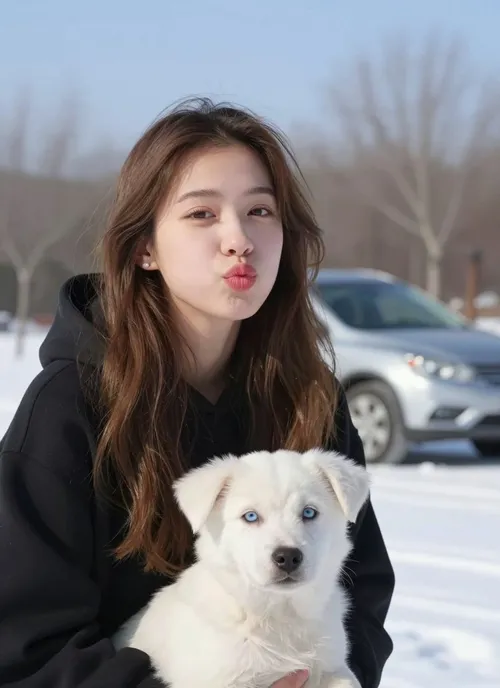
A young American girl puckers her lips playfully toward the camera. She has long, wavy brown hair and is wearing a black hooded sweatshirt. Held gently in her arms is a small white puppy with light blue eyes, looking calm and forward. The girl's face—her features, expression, and identity—must remain exactly the same as in the reference image.

They are outdoors in a gentle winter scene. The ground is covered with snow, and bare trees stand in the background. A silver car is slightly blurred behind them. The sky above is a clear, light blue.

The mood is cute, natural, and quietly wintry. The photo has a soft depth of field, lit by natural daylight, with subtle winter tones in the coloring.
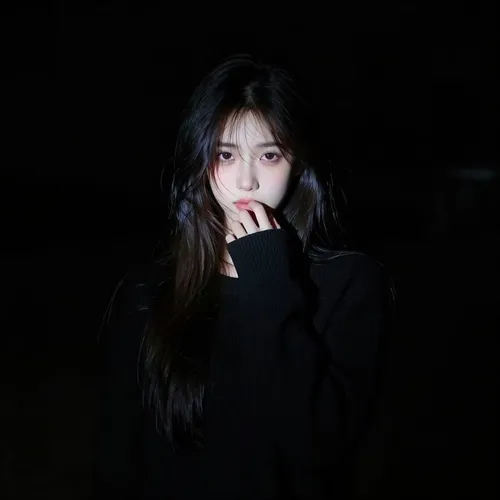
A hyperrealistic portrait of an American female character emerges from a pure black background. A narrow, sharp beam of light falls only on the very center of her face, creating a dramatic spotlight effect. The edges of the light are crisp and hard, with no soft diffusion. Everything outside the spotlight vanishes quickly into deep, velvety shadows—almost indistinguishable from the darkness behind her.

Her long dark hair frames her face, with a few loose strands falling across it. The lower part of her hair fades into the surrounding blackness. She wears a black long-sleeve knit sweater, which disappears almost entirely into the shadow, leaving only the suggestion of her form.

Her expression is shy and mysterious. One hand is raised gently to her lips in a hesitant gesture, while her eyes look directly at the viewer. The lighting creates extreme contrast—only the face within the spotlight is sharp and defined, with the rest of the scene falling away into near invisibility. The overall tone is dark, moody, and intensely dramatic, captured with a realistic-anime art style.
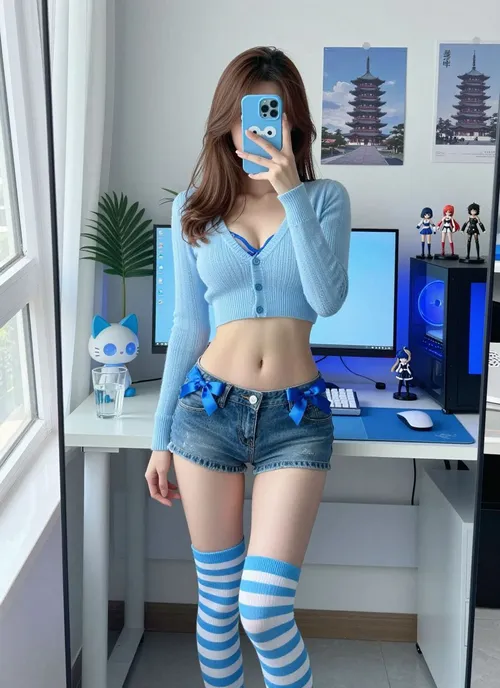
A young East Asian woman around 25 years old takes a mirror selfie in her otaku-style bedroom. The entire scene is rendered in a cool blue color tone, from her clothing to the room’s decor. She has a slim, natural build with a defined waist and light neutral skin. Her waist-length, straight medium-brown hair falls with slightly curled ends.

She stands in a slight contrapposto pose, her body leaning back just enough to subtly expose her waist and abdomen. Her right hand holds a smartphone in front of her face, hiding her identity, while her left arm hangs naturally at her side. She wears a light blue cropped knit cardigan, fastened with only the top two buttons, revealing a hint of a blue French-style bra underneath. Her denim ultra-short shorts feature small blue satin ribbon bows on each hip. Her legs are covered by blue and white horizontal striped over-the-knee socks. A cute blue mascot phone case is visible in her hand.

The scene is framed by a wall-mounted mirror, reflecting her and the room behind her. The environment is a dedicated computer corner. On a white desk sit a monitor displaying a soft blue wallpaper, a white mechanical keyboard on a blue desk mat, a mouse on a small blue pad, and a glass of water. To the right, a PC tower glows with blue internal lighting, flanked by three anime figures. A poster of a pagoda hangs on the wall, and a cat-shaped desk lamp with blue accents adds character. A tall green leafy plant stands by the window on the left, its vibrancy contrasting with the blue theme. Every element that would have been pink—clothing, accessories, decor—has been replaced with shades of baby blue, sky blue, and periwinkle.

Soft, diffused daylight streams in from a large window on the left, filtered through sheer curtains. The white balance is set to 5200K, giving the scene a clean, natural daylight look.

The photo is captured with a smartphone’s rear camera via the mirror reflection, without using any portrait or bokeh mode. The equivalent focal length is 26mm. The subject stands about 0.6 meters from the mirror, while the camera is held roughly 0.5 meters away. Exposure settings are aperture f/1.8, ISO 100, shutter speed 1/100s, with a slight -0.3 EV compensation for a crisp image. The focus is on her torso and shorts in the mirror. The depth of field is naturally deep, as typical for a smartphone, keeping the entire bedroom background in clear view without artificial blur.

The composition is a centered, 1:1 square crop, framed from the top of her head to mid-thigh. To avoid wide-angle distortion, she stands a bit farther back, and the image is cropped to a square in post. The angle is slightly high, looking down from the mirror’s perspective, capturing her, the desk, the monitor, the PC tower, and the plant in a balanced, aesthetically pleasing frame.
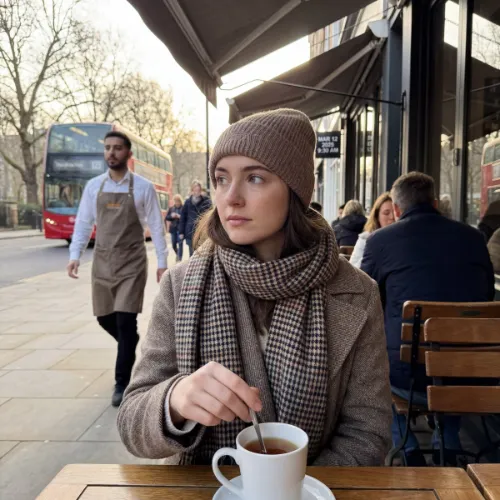
A photorealistic image captures a moment of quiet reflection on a cool Wednesday morning in March 2025, in London. The sky is a clear, pale blue, and the crisp spring air lends a calm stillness to the waking city.

At the center of the image, a young woman sits at a table on a relaxed outdoor restaurant terrace. She is the sharp, in-focus focal point. A light scarf is wrapped around her neck, and she holds a teacup, her fingers gently stirring the contents. Her gaze is directed thoughtfully off to the side, her expression one of peaceful contemplation.

The background is composed of smooth, natural bokeh, creating a dreamy separation from the foreground. The blurred shapes of a waiter moving between tables, pedestrians passing by, and the soft, early morning traffic on the street behind her blend into a wash of gentle colors and light. The composition and focus replicate the effortless, candid feel of a moment spontaneously captured on a modern smartphone, resulting in an image that feels both strikingly real and intimately personal.
Scene Description:
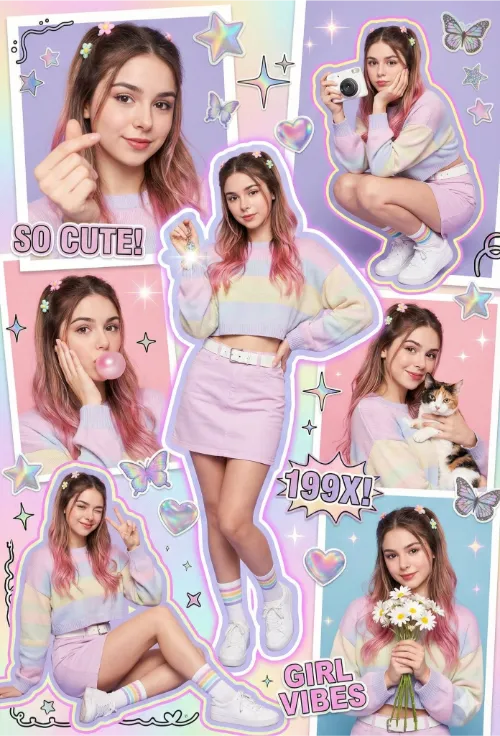
A colorful Y2K scrapbook poster aesthetic, filled with vibrant stickers and multiple subjects wearing the same outfit and hairstyle in different poses and cutouts. The style features colorful strokes and lines in a frameless collage layout. Includes:

A close-up shot with heart-shaped fingers

A full-body squatting pose, supporting the chin while holding a white Polaroid camera

A mid-shot touching the cheek while blowing pink bubblegum

A mid-shot smiling elegantly while holding a cat

A seated pose with one eye winking and a peace sign

A mid-shot holding daisy flowers

Enhanced with holographic textures, pastel gradients, glitter accents, playful doodles, and magazine cut-out graphics. The layout is chaotic yet balanced — extremely artistic and visually engaging.

Main Subject:
A young Y2K-styled woman is the central focus of the scrapbook collage.

Style & Pose: Playful and confident Y2K pose — slight hip pop to the side, one hand holding a lens-flare keychain, face turned toward the camera with a cute-cool expression and a slight pout. Evokes a candid early-2000s photo vibe.

Outfit:

Top: Cropped oversized sweater in a pastel color with embroidered patches

Bottom: Pastel skirt with a white belt

Socks: White ankle socks with colorful pastel stripes

Shoes: White sneakers

Accessories: Colorful plastic bracelets, chunky colorful rings, sparkling belly chain

Hairstyle:
Y2K half-up, half-down style with pastel flower clips, thin front tendrils, and wavy dark brown hair featuring a bubblegum-pink tint on the lower strands — an iconic early-2000s look.

Additional Visuals:
Heart, star, and butterfly stickers; retro sparkles; Polaroid frames; neon outlines; doodle borders; magazine cutout text saying “SO CUTE!”, “199X!”, “GIRL VIBES”; pastel lighting; glossy dreamy retro glow; ultra-aesthetic scrapbook layout.

Photography & Rendering:

Color Grading: Cinematic neon Y2K

Lighting: Soft flash lighting

Skin Texture: Smooth glossy finish

Rendering: High-detail hyperrealistic Y2K scrapbook tone

Quality: 8K

Composition: Perfectly balanced and artistic
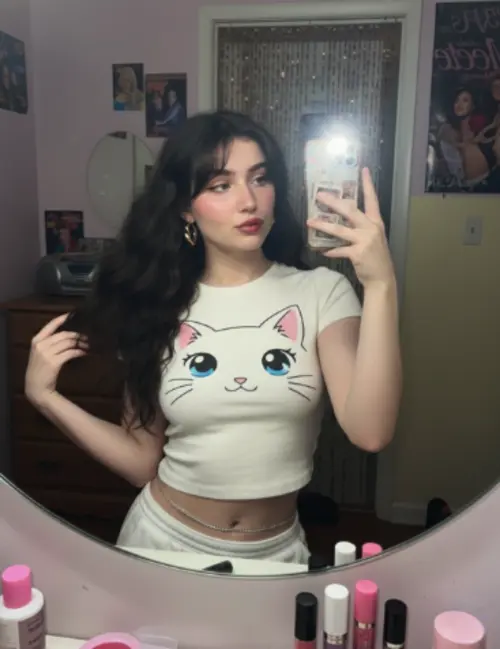
A young woman takes a confident and slightly playful mirror selfie. She has very long, voluminous dark waves with soft, wispy bangs. She wears a fitted, cream-white cropped t-shirt featuring a large, cute anime-style cat face graphic with big blue eyes, whiskers, and a small pink mouth. Her makeup is a natural glam look with soft pink dewy blush and glossy red pouty lips, and her original facial features are preserved.

For accessories, she sports gold geometric hoop earrings and a silver waistchain. She holds a smartphone in a patterned case.

The photo has the distinct aesthetic of an early-2000s digital camera. The lighting is a harsh, super-flash that creates bright, blown-out highlights while keeping the subject clearly visible. It’s a tight selfie composition shot from a mirror selfie angle. The texture includes subtle grain, retro highlights, V6 realism, crisp details, and soft shadows.

The background is a nostalgic early-2000s bedroom with pastel-toned walls. The room contains a chunky wooden dresser, a CD player, posters of 2000s pop icons, a hanging beaded door curtain, and a cluttered vanity with lip glosses. The atmosphere is an authentic 2000s nostalgic vibe, enhanced by retro-style lighting.
Santa Claus holding a dog
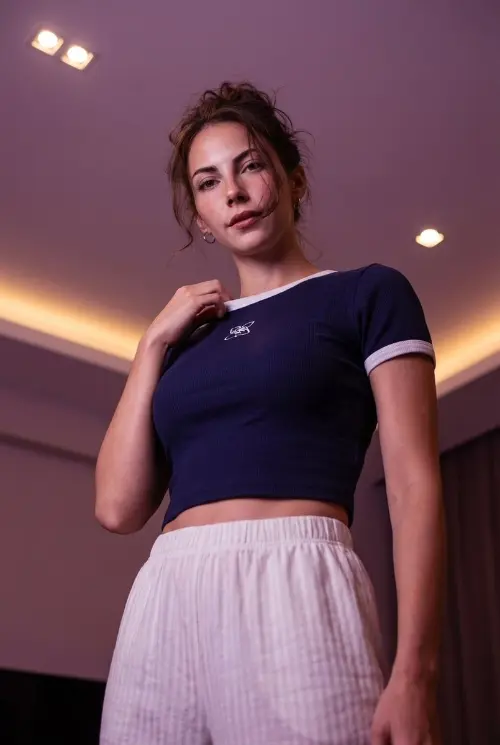
A high-definition photograph taken from a low-angle perspective. A young woman is standing stylishly, positioned so she looks effortlessly chic. She touches her collar with her hand, adding a thoughtful gesture to the pose.

Her hair is styled in a messy updo with a few loose strands framing her face. She wears a dark blue, ribbed, cropped t-shirt with white trim and a white logo. On the bottom, she has white striped pajama pants.

The scene is set in a dimly lit room. The warm, purple-toned lighting is enhanced, coming from a ceiling fixture and hidden cove lights, creating a moody and atmospheric vibe.

Most importantly, my facial features and face remain exactly the same as in the reference.
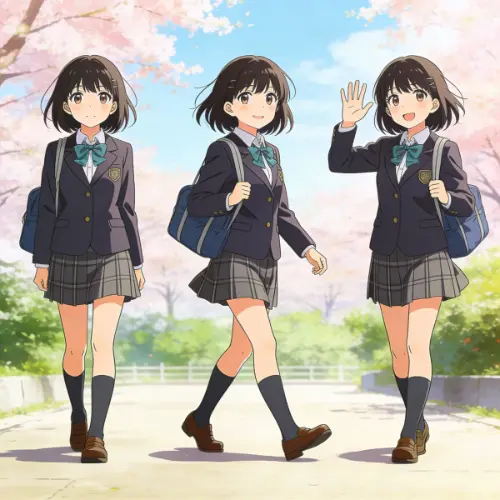
An anime-style illustration of the same girl depicted in three distinct poses.

In the first pose, she stands gracefully with a relaxed, confident posture. In the second, she is captured mid-stride in a gentle, natural walking motion. In the third, she smiles warmly, her hand raised in a friendly wave.

Throughout all three poses, her facial features—her eyes, nose, mouth, and expression—remain perfectly consistent. Her body proportions are also uniform, maintaining a cohesive character design.

The illustration is rendered with clean, crisp line art and vibrant cel shading, giving it a classic, polished anime look. The lighting is soft and natural, casting gentle highlights and shadows that enhance the three-dimensional feel of each pose without overwhelming the clear, graphic style.
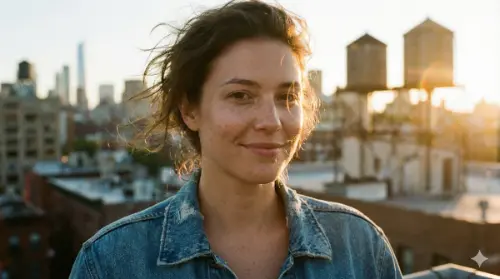
A person standing on a city rooftop during golden hour, warm sunlight wrapping around their face, subtle lens flare, wind brushing their hair, shallow depth of field, 35mm photography vibe, natural skin texture.
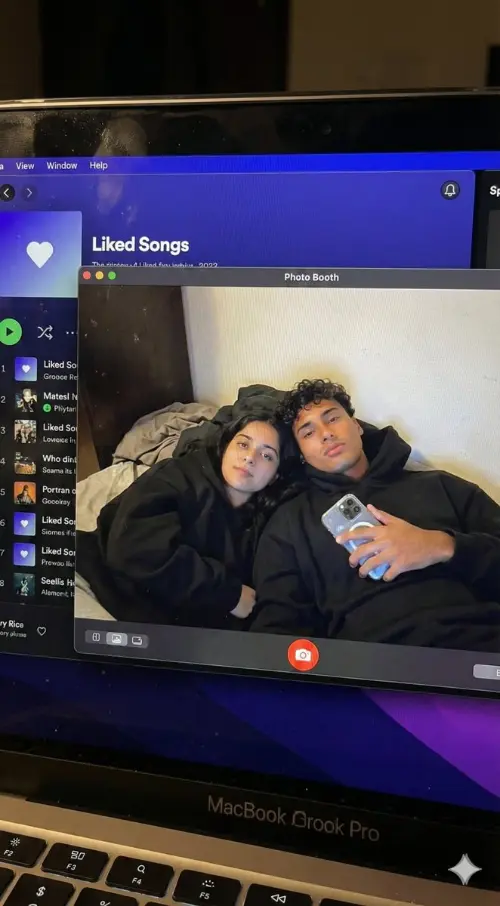
Create a hyper-realistic, downward-angled photograph of a MacBook screen. The screen should fill 95% of the frame, with the top edge of its physical keyboard visible along the bottom. The glossy screen surface must show realistic imperfections: a subtle pixel-grid texture (moire), tiny dust specks, a faint reflection of ambient light, and light fingerprint smudges.

The screen is in macOS Dark Mode. On the left, a dimmed Spotify window shows the “Liked Songs” playlist. On the right—and in sharp focus—is a full-screen Photo Booth live-preview window.

Inside the Photo Booth window, a couple is reclining together in a dim bedroom with an off-white wall and rumpled bedding in the background. Both are wearing oversized black hoodies with the hoods down, their faces fully visible. The guy, positioned on the right, is holding a phone with a clear reflective case in his right hand. The girl is resting closely beside him on the left. They are both looking directly at the screen—and by extension, at the viewer.

The lighting is low-key and nocturnal, blending cool bluish screen glow with warm skin tones, casting deep, natural shadows. The overall image should feel like a raw, unedited, candid photo—high-fidelity and completely authentic.

Important: The faces of both subjects must match exactly the faces in the provided reference images. Do not apply generic face restoration, to preserve a natural, non-plastic look.

Style to avoid: Vector art, flat digital screenshots, perfectly clean glass, bright daylight or studio lighting, cartoon styles, 3D renders, paintings, and watermarks.

Comparar Resultados de Modelos IA

Vea cómo diferentes modelos producen salidas variadas con prompts idénticos.

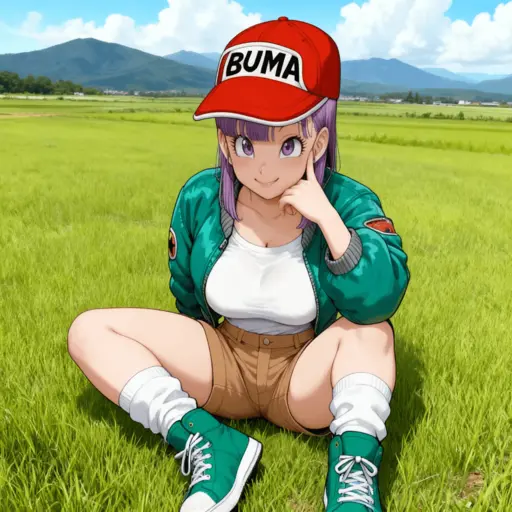
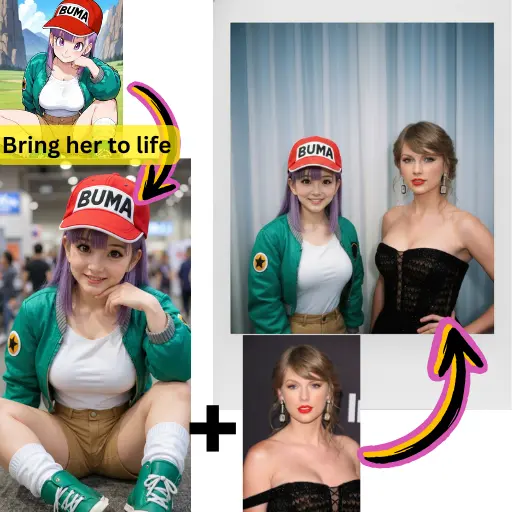
Imagen Original
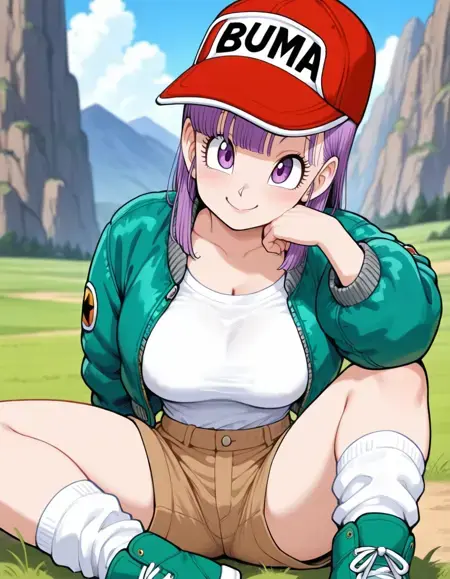
Imagen Original

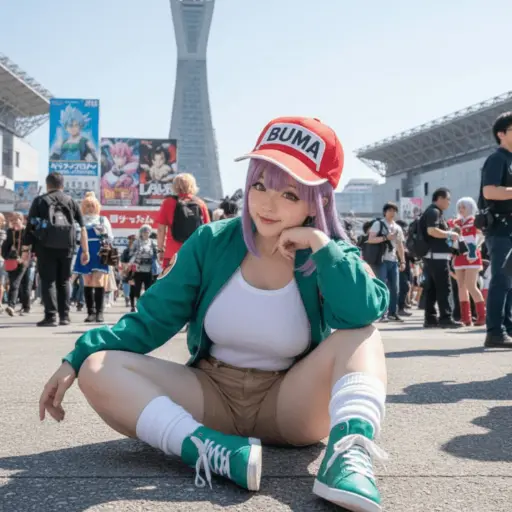
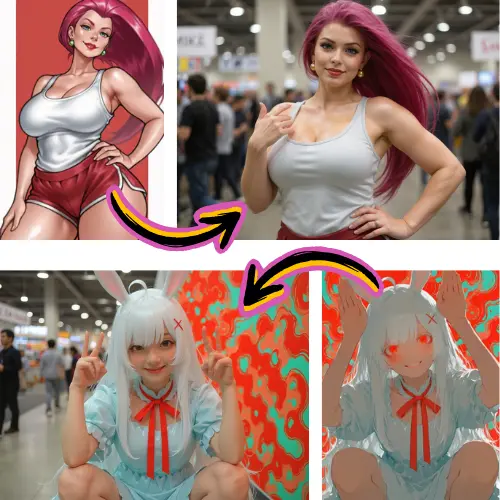
Genere una foto altamente detallada de una chica cosplayeando esta ilustración, en Comiket. Replique exactamente la misma pose, postura corporal, gestos de manos, expresión facial y encuadre de cámara que en la ilustración original. Mantenga el mismo ángulo, perspectiva y composición, sin ninguna desviación

Resultados Generados
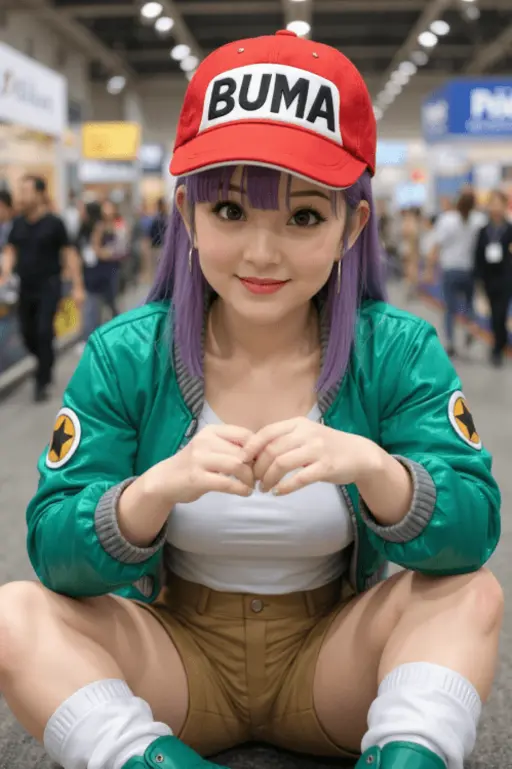
Flux Pro Resultado
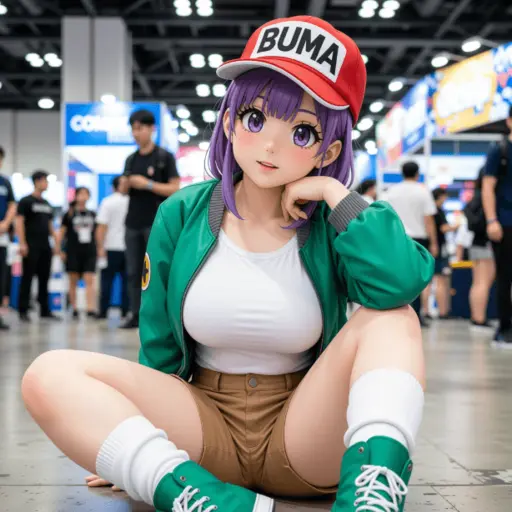
Flux Pro

Qwen Resultado

Qwen

Seedream Resultado

Seedream

Nano Banana Resultado

Nano Banana

Modelos

Nano Banana 2

Nano Banana 2

Nuevo

Latest generation with enhanced quality

Nano Banana

Nano Banana

Destacado

Consistencia de personajes ultra-alta

Seedream

Seedream

Nuevo

Soporta imágenes con estilos coherentes

Flux Dev

Flux Dev

Para escenas cortas y básicas

Qwen

Qwen

Nuevo

Experto en renderizado de texto complejo

Flux Schnell Lora

Flux Schnell Lora

Nuevo

Generación de imágenes rápida y creativa

Flux Kontext

Flux Kontext

Para fotorrealismo y control creativo

Introducción

Qué es el Editor de Fotos con IA

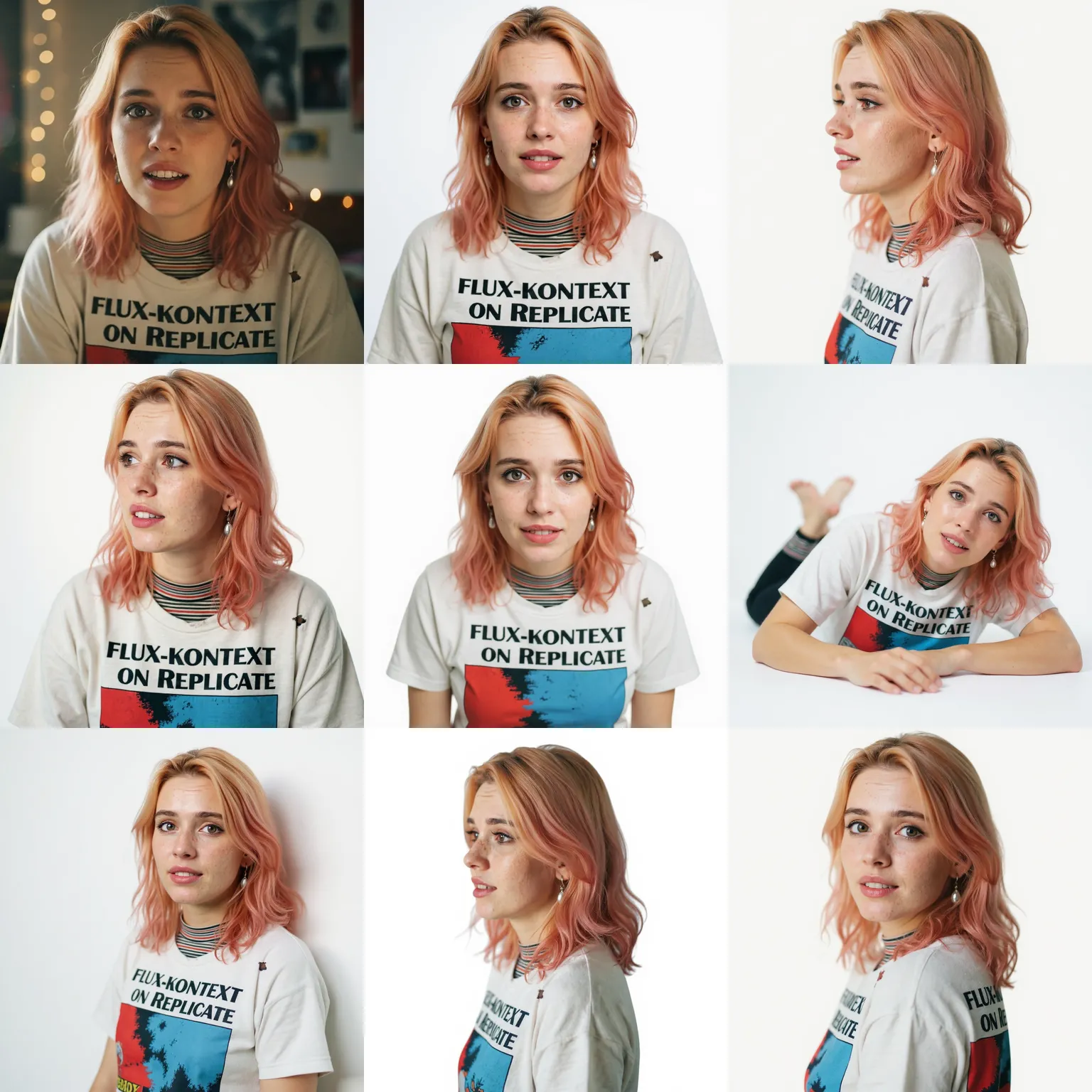
El Editor de Fotos con IA es una plataforma de edición de imágenes en línea gratuita. Edita fotos, genera imágenes con IA y mejora imágenes usando los modelos Google Gemini, Flux Kontext y Nano Banana.
Transforme fotos con edición inteligente

Editor de Imágenes AI Gratis

Edita fotos online gratis. Elimina fondos, borra objetos y mejora la calidad de imagen con tecnología AI.

Generador de Imágenes AI

Genera imágenes a partir de indicaciones de texto. Crea fotos AI y transforma imágenes con filtros artísticos gratis online.

Múltiples Modelos AI

Accede a Gemini AI, Grok AI, Kling AI, Veo, Hailuo y Nano Banana para diferentes necesidades creativas de edición de fotos.

Beneficios

Por Qué Elegir Este Editor de Fotos con IA

Obtén resultados profesionales de edición de fotos gratis online. Nuestro editor de imágenes AI funciona en tu navegador sin instalación.
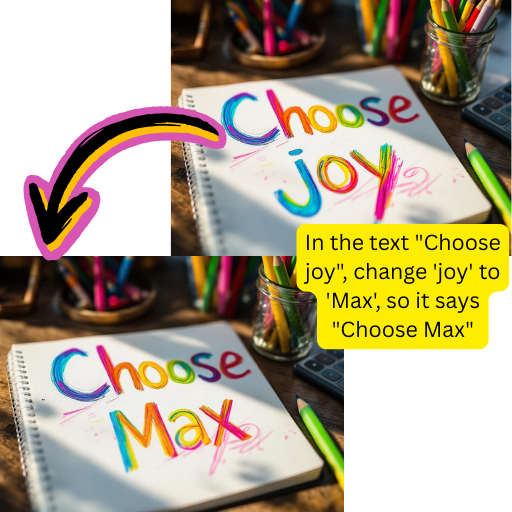
Editor de Fotos Online Gratis

Editor de Fotos Online Gratis

Edita fotos gratis con créditos diarios para generación de imágenes AI, mejora de fotos y eliminación de fondos. Actualiza solo cuando lo necesites.
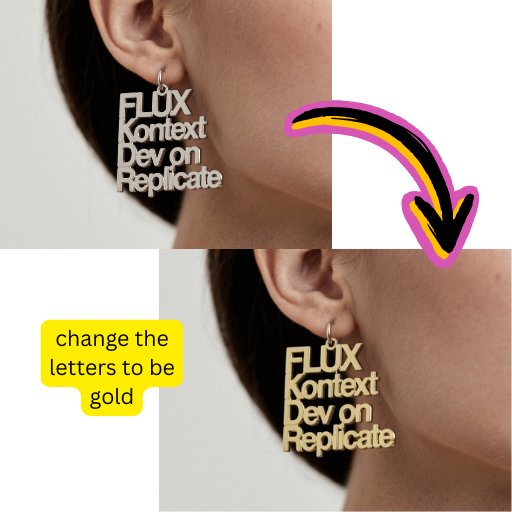
Editor de Fotos Online

Editor de Fotos Online

Usa nuestro editor de fotos online gratis en cualquier dispositivo. Sube fotos desde escritorio o cámara móvil y edita imágenes al instante.
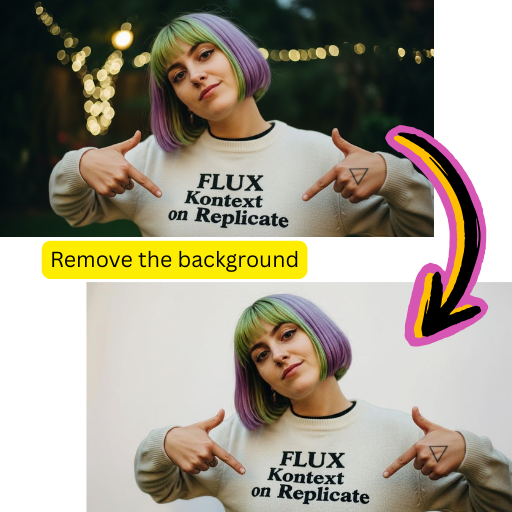
Editor AI Todo en Uno

Editor AI Todo en Uno

Eliminador de fondos AI gratis, intercambio de rostros, escalador de imágenes, eliminador de marcas de agua y generador de texto a imagen en una plataforma.

Cómo Editar Fotos Online Gratis

Usa nuestro editor de fotos AI gratis en cuatro simples pasos:
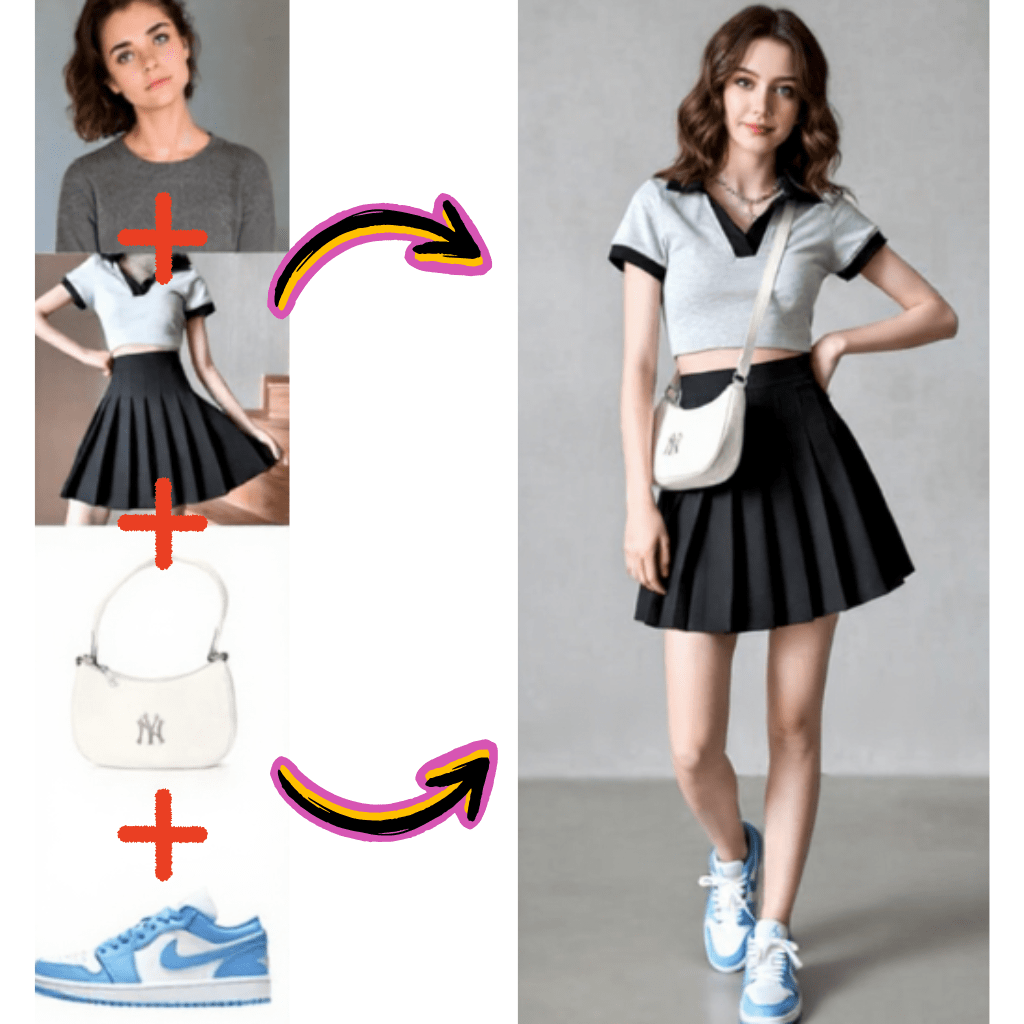
Transforme fotos con edición inteligente
Sube Foto o Imagen

Sube Foto o Imagen

Arrastra tu foto al editor AI o escribe qué imagen generar. Admite formatos JPG, PNG, WEBP y AVIF.
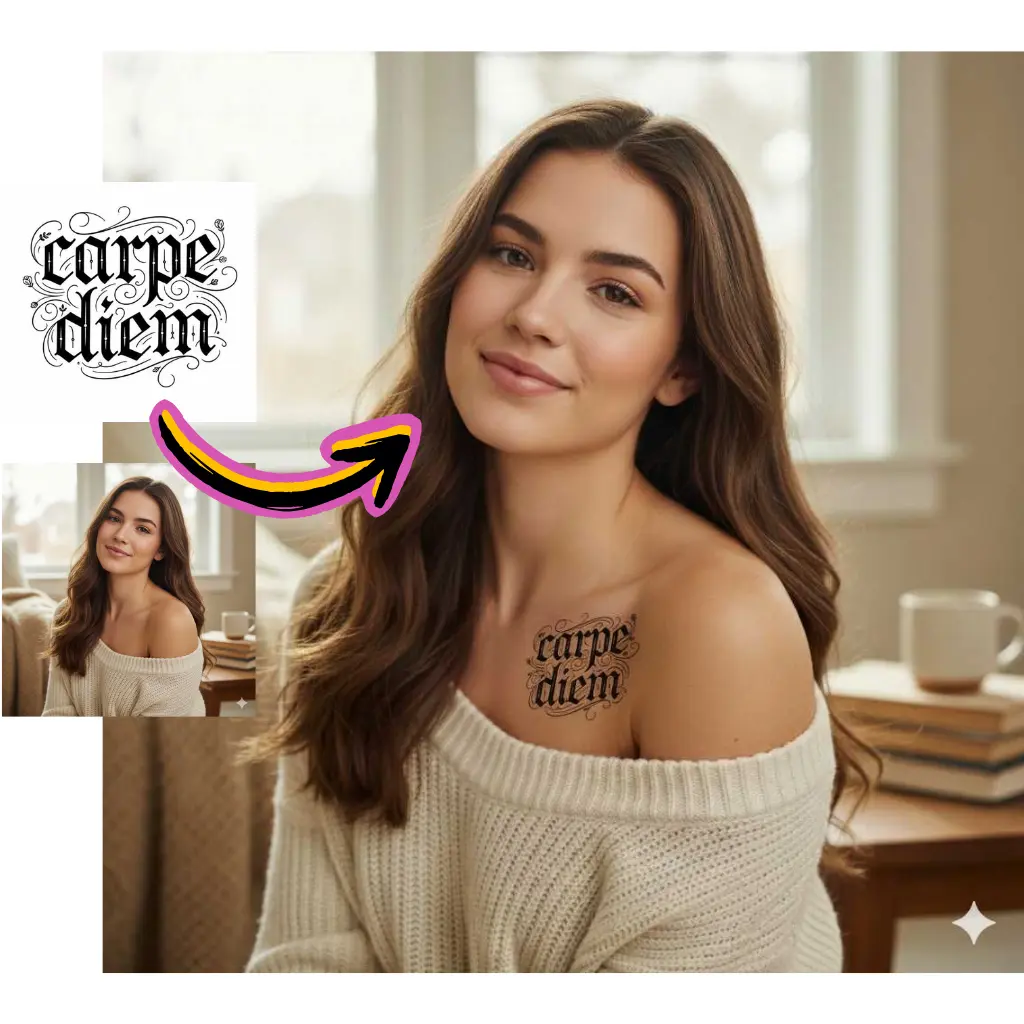
Selecciona Herramienta de Fotos AI

Selecciona Herramienta de Fotos AI

Elige entre eliminador de fondos AI, intercambio de rostros, escalador de imágenes o generador de imágenes AI gratis según tu objetivo.
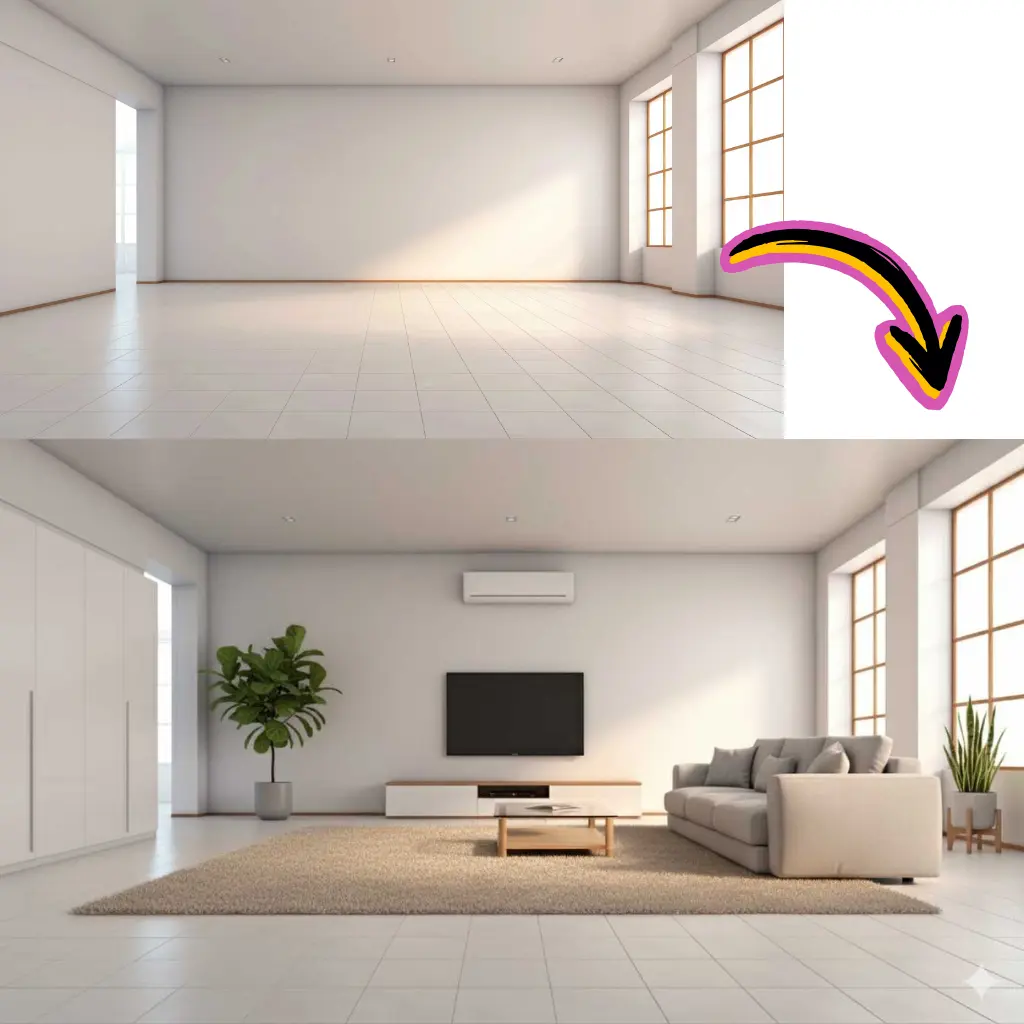
AI Edita Tu Foto

AI Edita Tu Foto

AI analiza tu foto y aplica ediciones automáticamente. La mayoría de las tareas de edición de imágenes se completan en menos de 30 segundos.
Descarga Imagen Editada

Descarga Imagen Editada

Guarda tu foto editada gratis en resolución original. Comparte imágenes directamente en plataformas sociales o continúa editando.

Funciones del Editor de Fotos con IA

Herramientas gratuitas de edición de fotos online y generación de imágenes AI:

Eliminador de Fondos AI

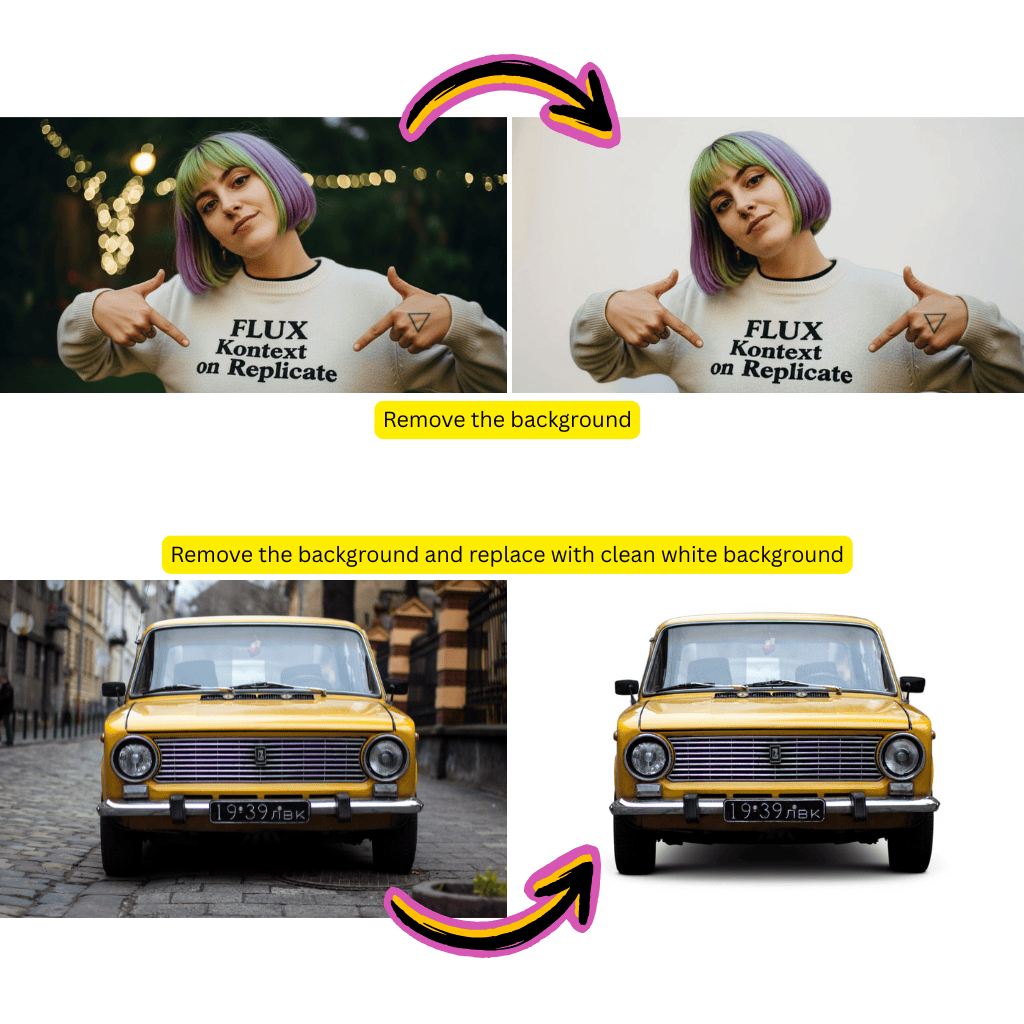
Elimina fondos de fotos gratis. AI maneja cabello, pelaje y bordes transparentes en cualquier imagen.

Escalador de Imágenes AI

Amplía fotos hasta 4x con AI. El mejorador de imágenes gratis añade detalles realistas para impresión.

Intercambio de Rostros AI

Herramienta gratuita de intercambio de rostros AI para fotos. Reemplaza rostros en imágenes naturalmente con procesamiento enfocado en privacidad.

AI de Texto a Imagen

Generador de imágenes AI gratis a partir de texto. Crea fotos y gráficos desde descripciones escritas online.

Eliminador de Marcas de Agua

Herramienta online gratuita para eliminar marcas de agua de tus propias fotos. AI elimina texto y logos de imágenes.

API de Editor de Fotos Gratis

Integra edición de fotos AI en tus aplicaciones. API RESTful para generación de imágenes y mejora de fotos.

Estadísticas

Editor de Fotos con IA de Confianza

Únete a millones que usan nuestro editor de fotos online gratis para edición y generación de imágenes AI.

Editores de Fotos

2M+

Usuarios Mensuales

Imágenes Editadas

15M+

Fotos Procesadas

Satisfacción

97%

Reseñas Positivas

Testimonios

Lo Que Dicen los Usuarios Sobre Nuestro Editor de Fotos con IA

Comentarios reales de creadores que usan nuestras herramientas de edición de fotos online gratis diariamente.

David

Creador de YouTube

Este editor de fotos AI elimina fondos mejor que software de escritorio costoso. El editor de imágenes online gratis me ahorra horas cada semana.

Rachel

Directora de Marketing

Usamos el escalador de imágenes AI para fotos de productos. Este editor de fotos online gratis convierte imágenes de baja resolución a calidad de impresión al instante.

Marcus

Desarrollador de Apps

Integré la API del generador de imágenes AI gratis en nuestra app. A los usuarios les encanta crear fotos desde indicaciones de texto con este editor online.

Sofia

Gerente de Redes Sociales

El mejor editor de fotos gratis para contenido de Instagram. Las funciones de intercambio de rostros AI y editor de imágenes obtienen resultados realistas cada vez.

James

Propietario de E-commerce

Este editor de fotos AI gratis mejoró mis imágenes de productos para Amazon. El editor de imágenes online mejoró mis tasas de conversión notablemente.

Anna

Diseñadora Freelance

Tener modelos Gemini AI, Flux y Nano Banana en un editor de imágenes gratis es increíble. Este editor de fotos online cubre toda mi edición diaria.
FAQ

Preguntas Frecuentes

Encuentra respuestas sobre nuestras herramientas de edición y generación. Contacta a soporte para ayuda adicional.

1

¿Qué es exactamente esta plataforma?

Esta es una suite creativa basada en navegador para editar imágenes, eliminar fondos, intercambiar rostros, escalar resolución y generar visuales originales desde descripciones de texto. Combina múltiples modelos de redes neuronales incluyendo Google Gemini, Flux Kontext, Grok, Kling y Nano Banana a través de una sola interfaz. No se requiere descarga de software: todo funciona en tu navegador web en dispositivos de escritorio o móviles.

2

¿El plan gratuito es realmente gratis?

Sí. El plan gratuito incluye créditos diarios para eliminación de fondos, intercambio de rostros, escalado y tareas de generación. No se requiere tarjeta de crédito para registrarse. Las salidas gratuitas no tienen marcas de agua en la mayoría de las herramientas. Los planes premium ofrecen mayor resolución, procesamiento por lotes, licencia comercial y acceso prioritario a cola para usuarios que necesitan más capacidad.

3

¿Qué formatos de archivo son compatibles?

Sube archivos JPG, JPEG, PNG, WEBP, AVIF, HEIC y BMP. Las salidas se descargan como PNG para soporte de transparencia o JPG para archivos más pequeños. La plataforma convierte automáticamente entre formatos según sea necesario. El tamaño máximo de carga es 20MB para usuarios gratuitos y 50MB para suscriptores premium.

4

¿Cómo funciona el eliminador de fondos?

Las redes neuronales analizan tu imagen para identificar sujetos en primer plano y separarlos de los fondos. El sistema maneja bordes complejos como cabello, pelaje y objetos transparentes automáticamente. El procesamiento toma 5-15 segundos dependiendo de la complejidad. Los resultados incluyen transparencia alfa para facilitar la composición en otras aplicaciones.

5

¿Puede el eliminador manejar bordes de cabello y pelaje?

Sí. El modelo de detección está específicamente entrenado en casos extremos desafiantes incluyendo hebras sueltas de cabello, pelaje animal, telas semitransparentes y follaje complejo. Los resultados rivalizan con software profesional de escritorio. Para mejores resultados, asegura buen contraste entre sujeto y fondo en tu imagen original.

6

¿Qué es la función de intercambio de rostros?

Sube dos retratos y el sistema transfiere un rostro al otro mientras iguala automáticamente iluminación, tono de piel y ángulo. Popular para proyectos creativos, memes y probar cómo aparecen diferentes looks en tu rostro. Todo el procesamiento ocurre en el servidor con eliminación inmediata después de la generación.

7

¿Es ético y seguro el intercambio de rostros?

Prohibimos el uso no consensuado y contenido que represente personas reales sin permiso. La herramienta está diseñada para proyectos creativos personales, creación de contenido profesional y propósitos de entretenimiento. Los usuarios aceptan nuestros términos que prohíben acoso, fraude o suplantación al registrarse.

8

¿Cómo funciona el escalado inteligente?

Las imágenes de baja resolución se analizan y mejoran usando redes neuronales que predicen el detalle faltante. A diferencia del redimensionamiento simple que crea desenfoque, nuestro escalador añade textura y nitidez realistas. Admite ampliación de 2x y 4x dependiendo de tu plan. Ideal para imprimir gráficos web pequeños o restaurar fotos familiares antiguas.

9

¿Qué calidad puedo esperar del escalado?

Los resultados dependen de la calidad de la fuente original. Las imágenes limpias se escalan dramáticamente bien: una miniatura de 500px puede convertirse en un archivo nítido de 2000px listo para imprimir. Las fuentes muy comprimidas o muy borrosas muestran mejora pero no pueden recuperar información que nunca fue capturada. Previsualiza antes de descargar para verificar resultados.

10

¿Puedo eliminar marcas de agua legalmente?

Solo elimina marcas de agua de contenido que poseas o tengas derechos para editar. Eliminar marcas de agua de material con derechos de autor sin autorización viola las leyes de propiedad intelectual. La herramienta está diseñada para limpiar tus propias imágenes: eliminar tu propia marca, marcas de tiempo o superposiciones de metadatos de cámara.

11

¿Cómo funciona la generación de texto a visual?

Describe lo que quieres en lenguaje sencillo y las redes neuronales generan gráficos originales que coinciden con tu indicación. Admite estilos de fotografía realista, ilustraciones artísticas y conceptos abstractos. Las indicaciones más detalladas producen mejores resultados. La generación toma 10-60 segundos dependiendo de la complejidad y el modelo seleccionado.

12

¿Qué modelos impulsan el generador?

Elige entre múltiples motores incluyendo Flux Kontext para fotorrealismo, Nano Banana para estilos artísticos y Seedream para composiciones creativas. Cada modelo tiene diferentes fortalezas: experimenta para encontrar cuál coincide con tus preferencias estéticas. La selección de modelo está disponible en la interfaz de generación.

13

¿Qué es Gemini y cómo ayuda?

Google Gemini es un modelo multimodal que entiende tanto contenido de texto como visual. Impulsa varias funciones incluyendo eliminación inteligente de objetos, relleno contextual de fondos y comprensión de instrucciones de edición complejas. Cuando describes qué eliminar o cambiar, Gemini interpreta tu intención con precisión.

14

¿Qué es Flux Kontext?

Flux Kontext es un modelo de generación especializado en salidas fotorrealistas con estilo consistente. Sobresale en fotografía de productos, retratos y escenas realistas. El modelo mantiene iluminación y física coherentes en los visuales generados. Disponible en el selector de modelo al crear nuevos gráficos desde texto.

15

¿Qué es Nano Banana?

Nano Banana es un modelo de generación artística con estilo visual distintivo. Produce salidas creativas y estilizadas en lugar de fotorrealistas. Popular para ilustraciones, arte conceptual y composiciones abstractas. La versión Nano Banana Pro ofrece mayor resolución y salidas más detalladas.

16

¿Cómo está integrado Grok?

Grok asiste con la comprensión de solicitudes de edición en lenguaje natural. Cuando describes cambios en términos conversacionales, Grok interpreta tu intención y dirige las solicitudes a las herramientas apropiadas. Maneja instrucciones ambiguas y hace preguntas aclaratorias cuando es necesario.

17

¿Qué hay de Kling y Veo?

Kling y Veo son modelos de generación de movimiento para crear clips desde imágenes o texto. Kling sobresale en movimiento humano y expresiones faciales. Google Veo maneja física realista y escenas complejas. Ambos están disponibles para animar contenido estático en clips de video cortos.

18

¿Puedo generar visuales para uso comercial?

Las salidas del plan gratuito tienen licencia para uso personal. Los suscriptores premium reciben derechos comerciales completos para todo el contenido generado sin atribución requerida. Los planes empresariales incluyen licencia extendida para producción a gran escala, reventa y aplicaciones de mercancía.

19

¿En qué resolución puedo generar?

Los usuarios gratuitos generan en resolución web estándar (1024px). Premium desbloquea salidas de hasta 2048px. Los planes empresariales admiten generación 4K para modelos seleccionados. La mayor resolución toma más tiempo procesar pero produce calidad significativamente mejor para impresión y aplicaciones profesionales.

20

¿Qué tan rápido es el procesamiento?

La eliminación de fondos se completa en 5-15 segundos. El intercambio de rostros toma 10-20 segundos. El escalado se ejecuta en 15-30 segundos dependiendo del tamaño objetivo. La generación varía según el modelo y la complejidad: las indicaciones simples terminan en 10 segundos mientras que escenas detalladas pueden tomar 60 segundos. Los usuarios premium obtienen acceso prioritario a cola.

21

¿Funciona la plataforma en móvil?

Sí. La interfaz web responsiva funciona en teléfonos inteligentes y tabletas a través de cualquier navegador moderno. Sube directamente desde tu galería de cámara, aplica ediciones y descarga resultados sin instalación de app. Chrome y Safari proporcionan la mejor experiencia móvil. Todas las funciones son accesibles en dispositivos táctiles.

22

¿Qué navegadores son compatibles?

Chrome, Firefox, Safari y Edge en escritorio. Chrome y Safari en móvil. Internet Explorer no es compatible. Para mejor rendimiento, usa la última versión del navegador. Algunas funciones avanzadas requieren soporte WebGL que está disponible en todos los navegadores modernos por defecto.

23

¿Puedo procesar múltiples archivos por lotes?

Los planes premium admiten procesamiento por lotes para eliminación de fondos y escalado. Encola hasta 20 archivos y procésalos simultáneamente. Descarga resultados como archivo ZIP. Los usuarios gratuitos procesan un archivo a la vez pero pueden encolar múltiples trabajos secuencialmente.

24

¿Hay una API para desarrolladores?

Los planes profesionales y empresariales incluyen acceso a API REST para integrar capacidades de edición y generación en aplicaciones externas. Los endpoints cubren eliminación de fondos, escalado, intercambio de rostros y generación de texto a visual. La documentación incluye muestras de código en Python, JavaScript, Ruby y cURL.

25

¿Qué límites de tasa de API se aplican?

Los planes profesionales permiten 1,000 llamadas API mensuales. Enterprise ofrece 10,000+ llamadas con límites personalizados disponibles. La tasa de ráfaga es 10 solicitudes por minuto para profesional y 60 para enterprise. Contacta a ventas para requisitos de alto volumen que excedan los planes estándar.

26

¿Qué tan seguro es mi contenido cargado?

Las cargas están encriptadas en tránsito y en reposo. El procesamiento ocurre en instancias aisladas. El contenido se elimina automáticamente dentro de 24 horas después de la generación, a menudo mucho antes. No usamos contenido cargado para entrenamiento de modelos. Los planes empresariales ofrecen eliminación inmediata y entornos de procesamiento dedicados.

27

¿Almacenan mis imágenes?

Temporalmente solo durante el procesamiento. El contenido se purga automáticamente después de descargar resultados o dentro de 24 horas como máximo. No ocurre almacenamiento a largo plazo. El historial de descargas muestra lo que creaste pero no retiene datos de archivo reales. Elimina tu cuenta para remover todos los registros asociados inmediatamente.

28

¿Puedo usar esto para fotografía de productos?

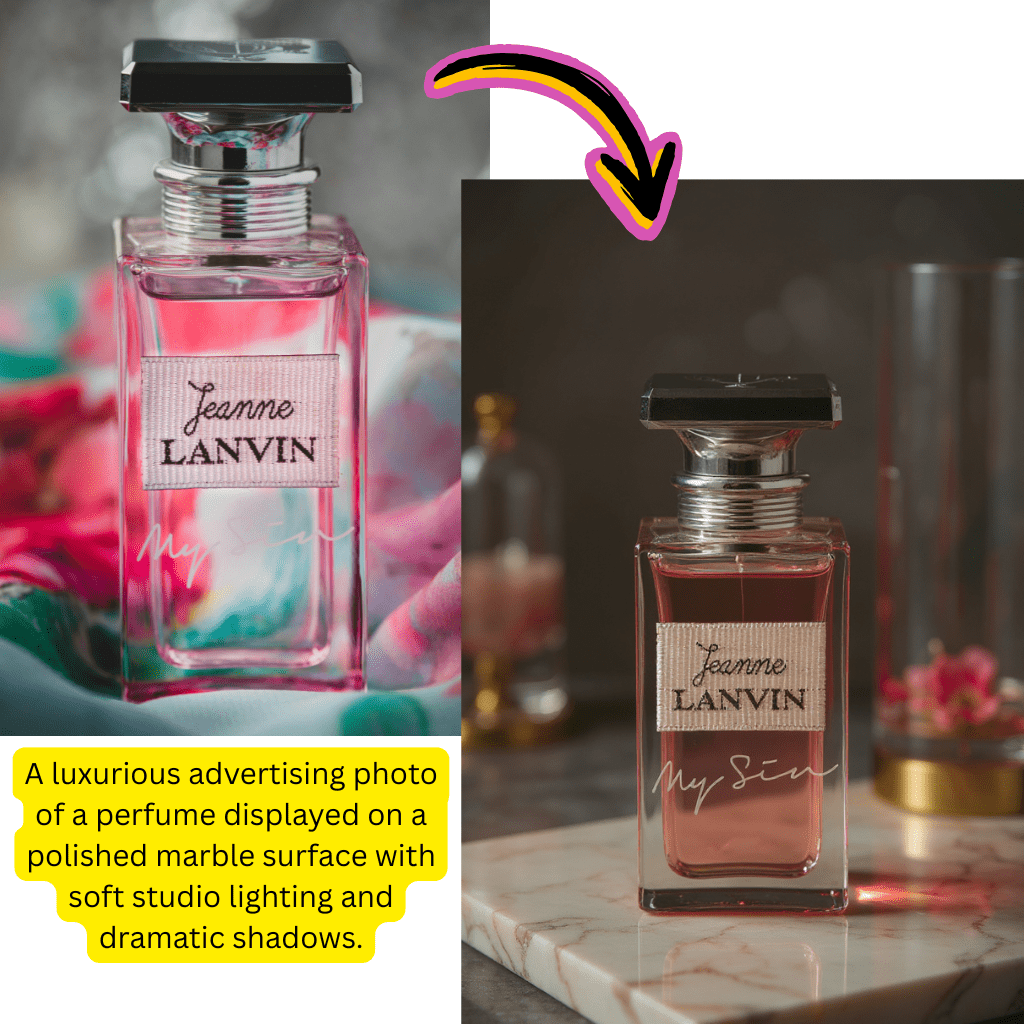
Absolutamente. Los casos de uso comunes incluyen eliminar fondos de fotos de productos para listados de e-commerce, escalar imágenes de catálogo para impresión, generar contexto de estilo de vida alrededor de productos y crear tomas consistentes con fondo blanco. Muchos vendedores de Shopify y Amazon usan la plataforma diariamente.

29

¿Qué hay del retoque de retratos?

La plataforma maneja mejora facial, suavizado de piel y ajuste de iluminación a través de las herramientas de edición. Elimina imperfecciones, ajusta tono de piel y mejora rasgos faciales mientras mantiene apariencia natural. Los fotógrafos profesionales lo usan para vistas previas rápidas de clientes antes del retoque detallado.

30

¿Puedo crear contenido de redes sociales?

Sí. Genera gráficos para Instagram, TikTok, LinkedIn y otras plataformas. Exporta en relaciones de aspecto comunes (1:1, 4:5, 9:16, 16:9) con resolución óptima para cada red. Muchos gerentes de redes sociales usan el generador de texto a visual para creación rápida de publicaciones cuando las bibliotecas de stock se quedan cortas.

31

¿Cómo obtengo mejores resultados de generación?

Escribe indicaciones detalladas describiendo sujeto, entorno, iluminación, estilo y estado de ánimo. Especifica ángulo de cámara, hora del día y paleta de colores cuando sea relevante. Evita solicitudes vagas como 'hazlo bonito': en su lugar describe exactamente qué significa bonito para ti. Experimenta con diferentes modelos para encontrar cuál coincide con tu estética.

32

¿Qué pasa si la generación falla?

Las generaciones fallidas no consumen créditos. Si el procesamiento agota el tiempo o produce errores, reintenta con la misma indicación sin costo. El sistema reembolsa automáticamente créditos por intentos fallidos. Contacta a soporte si ocurren fallas repetidas con indicaciones específicas.

33

¿Puedo editar salidas generadas?

Sí. Ejecuta cualquier gráfico generado a través de las herramientas de edición: elimina elementos, cambia fondos, escala resolución o intercambia rostros. Trata salidas generadas como cualquier otra imagen cargada. Muchos flujos de trabajo involucran generar una base y luego refinar con herramientas de edición.

34

¿Qué es la transformación de imagen a imagen?

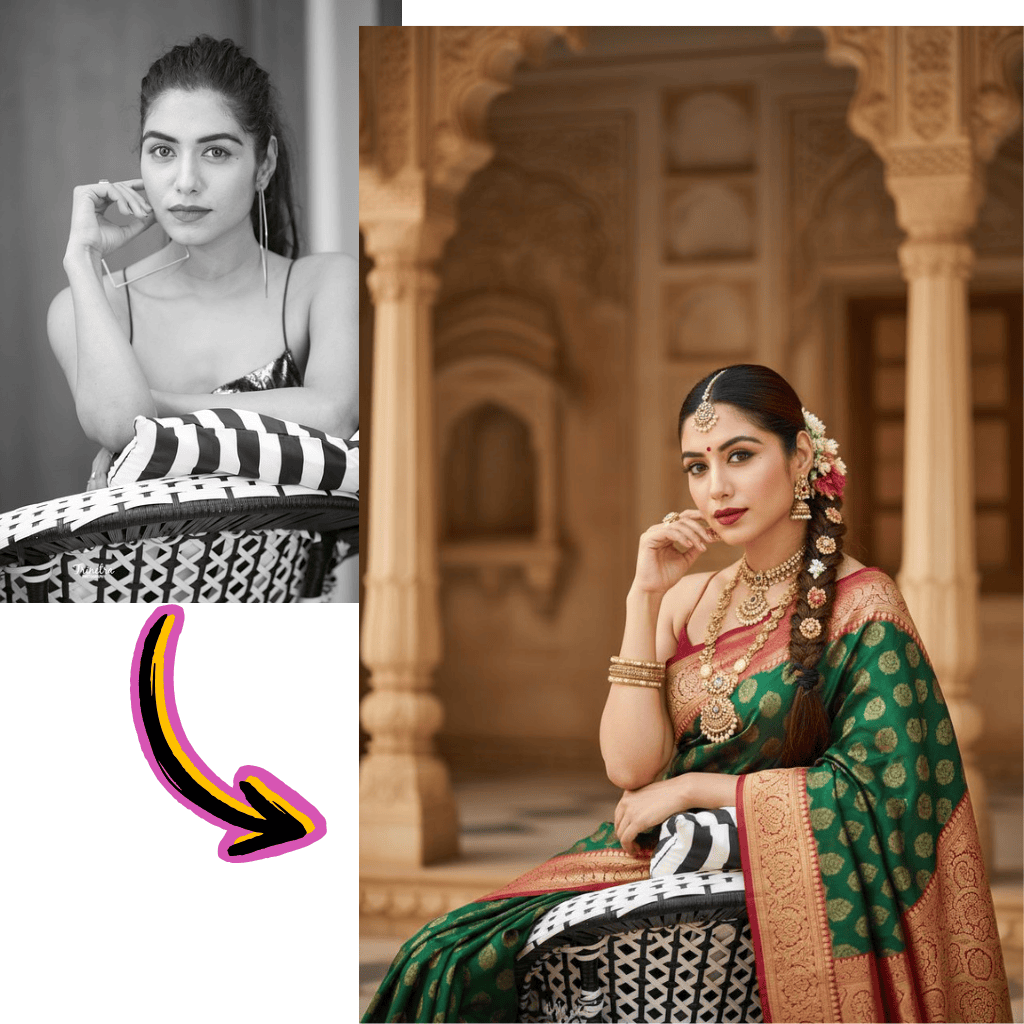
Sube una imagen existente y transfórmala usando instrucciones de texto. Cambia estaciones, altera iluminación, aplica estilos artísticos o modifica elementos específicos mientras preservas la composición general. Diferente de la generación que crea desde cero: la transformación usa tu imagen como punto de partida.

35

¿Cómo funciona la transferencia de estilo?

Selecciona un estilo de referencia y aplícalo a tu imagen. Convierte fotografías en ilustraciones, pinturas u obras de arte de estilo anime mientras preservas la identidad del sujeto. Funciona con retratos, paisajes y fotos de productos. El procesamiento toma 15-30 segundos dependiendo de la complejidad.

36

¿Puedo animar imágenes en videos?

Sí. Selecciona entre modelos de movimiento incluyendo Kling, Veo, Hailuo y Pixverse para animar imágenes estáticas. Añade movimiento de cámara, movimiento de sujeto o efectos ambientales. Los clips se exportan como archivos MP4 listos para redes sociales. La duración varía de 3-10 segundos dependiendo del modelo y plan.

37

¿Qué formatos de video son compatibles?

Las salidas animadas se exportan como MP4 con codificación H.264 para máxima compatibilidad. La resolución coincide con los límites de tu plan. Los usuarios gratuitos obtienen clips 720p mientras que premium desbloquea 1080p y 4K en modelos seleccionados. Todas las plataformas principales incluyendo YouTube, Instagram y TikTok aceptan el formato de salida.

38

¿Hay una aplicación de escritorio?

No. La plataforma es completamente basada en web, lo que significa que no se requieren descargas o instalaciones. Esto asegura que siempre uses la última versión con los modelos y funciones más nuevos. Funciona en Windows, Mac, Linux, iOS y Android a través de cualquier navegador moderno.

39

¿Cómo funcionan los créditos?

Cada operación consume créditos según la complejidad. La eliminación de fondos usa 1 crédito. La generación usa 2-5 créditos dependiendo de resolución y modelo. Los usuarios gratuitos reciben actualización de créditos diaria. Los suscriptores premium obtienen grupos de créditos mensuales que se transfieren parcialmente. Verifica tu panel para el saldo actual.

40

¿Qué pasa cuando se acaban los créditos?

Los usuarios gratuitos esperan la actualización diaria o actualizan a premium. Los usuarios premium pueden comprar paquetes de créditos adicionales o esperar la actualización mensual. Los planes empresariales no tienen límites duros: los excedentes se facturan a tarifas contratadas. La interfaz muestra el costo de crédito antes de confirmar cada operación.

41

¿Puedo cancelar premium en cualquier momento?

Sí. Cancela a través de la configuración de cuenta sin penalización. El acceso continúa hasta que termine el período de facturación actual. Los créditos restantes no se reembolsan pero permanecen utilizables hasta su expiración. Cambia al plan gratuito en cualquier momento: tu cuenta e historial permanecen intactos.

42

¿Hay una política de reembolso?

Contacta a soporte dentro de 7 días de la compra para consideración de reembolso. Los créditos no utilizados son reembolsables. Las cuentas muy usadas se evalúan caso por caso. Los contratos empresariales siguen sus términos específicos. Aspiramos a resolver preocupaciones rápidamente y justamente.

43

¿Qué hace esto diferente de Photoshop?

Esta plataforma se enfoca en operaciones automatizadas impulsadas por AI en lugar de edición manual. Sin curva de aprendizaje: describe lo que quieres y las redes neuronales ejecutan. Photoshop requiere habilidad y tiempo significativos. Usa esto para tareas de producción rápidas; usa Photoshop para control manual detallado cuando sea necesario.

44

¿Cómo se compara esto con Canva?

Canva se enfoca en plantillas y diseño gráfico. Esta plataforma se especializa en edición inteligente y generación: eliminación de fondos, escalado, intercambio de rostros y creación de visuales desde texto. Muchos usuarios combinan ambos: generan o editan aquí, luego organizan en Canva para composición final.

45

¿Qué hay de DALL-E y Midjourney?

Esas son plataformas dedicadas de generación. Esta plataforma ofrece generación más herramientas de edición en un solo lugar. Si solo necesitas generación, las herramientas dedicadas funcionan bien. Si necesitas editar resultados, eliminar fondos, escalar o intercambiar rostros: este enfoque integrado ahorra cambiar entre múltiples servicios.

46

¿Pueden maestros y estudiantes usar esto?

Sí. El uso educativo califica para el plan gratuito con límites generosos. Contacta a ventas sobre licencias institucionales para implementación en aulas. Los usos educativos comunes incluyen ayudas visuales, gráficos de presentación y proyectos creativos. Se aplican restricciones de edad: los usuarios deben tener 13+ o consentimiento del tutor.

47

¿Hay precios para equipos o agencias?

Los planes empresariales admiten múltiples asientos con grupos de créditos compartidos, facturación centralizada y controles de administrador. Se aplican descuentos por volumen para 10+ asientos. Las agencias que gestionan trabajo de clientes se benefician de las funciones de organización de espacios de trabajo. Contacta a ventas para cotización personalizada basada en tamaño de equipo y uso esperado.

48

¿Cómo contacto a soporte?

Envía un email a support@bestaiphotoeditor.app o usa el widget de chat en la esquina inferior derecha. Los usuarios premium reciben respuesta prioritaria dentro de 24 horas. Los clientes empresariales tienen gerentes de cuenta dedicados y soporte telefónico. El centro de ayuda contiene tutoriales y guías de solución de problemas para preguntas comunes.

49

¿Dónde puedo aprender más sobre la tecnología?

Nuestro blog cubre detalles técnicos sobre los modelos y enfoques que impulsan cada función. Sigue actualizaciones para nuevos lanzamientos de modelos y anuncios de capacidades. La comunidad Discord comparte consejos, flujos de trabajo e inspiración creativa de otros usuarios.

Comienza a Editar Fotos Gratis Hoy

Usa nuestro editor de fotos AI gratis online. Edita imágenes, genera fotos y mejora imágenes sin tarjeta de crédito requerida.