Meilleure Application d'Édition Photo IA en Ligne | Texte & Image vers Image IA
4.7

de plus de 52472 utilisateurs satisfaits

Éditeur photo IA

Éditez vos photos en ligne avec les meilleurs outils d'édition AI. Supprimez les arrière-plans, échangez les visages, agrandissez les photos et générez des images AI.

Meilleure application d'édition photo IA en ligne

Modifiez ou créez des photos à partir de descriptions textuelles ou d'images avec les meilleurs modèles d'édition d'images à l'IA

Voir sur le tableau de bord
Déposer ou cliquer
Public
Commercial
35 crédits
Résultats
Generated 1

Galerie d'Inspiration IA

Explorez ce qui est possible avec les capacités actuelles de génération IA. Cliquez sur n'importe quel élément pour voir les détails et les prompts.

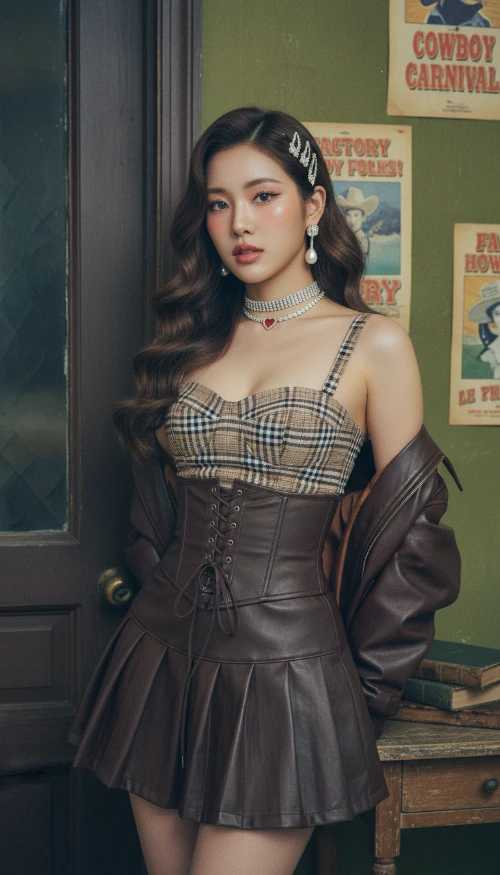
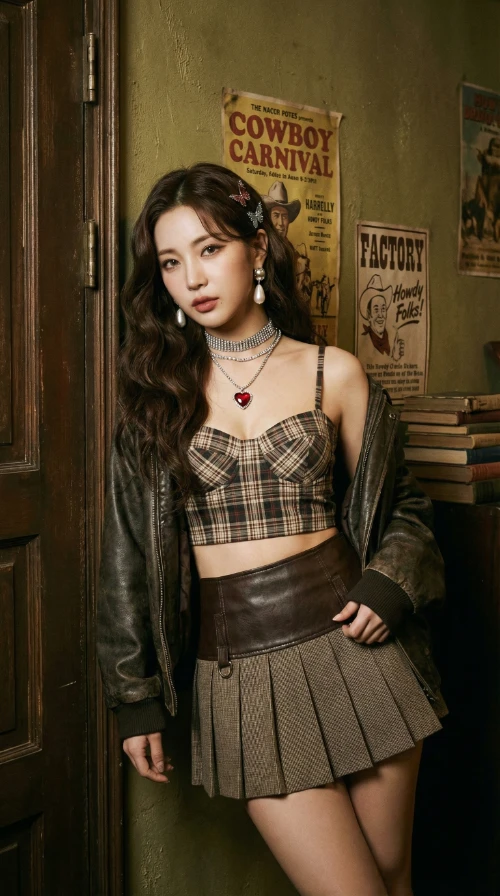
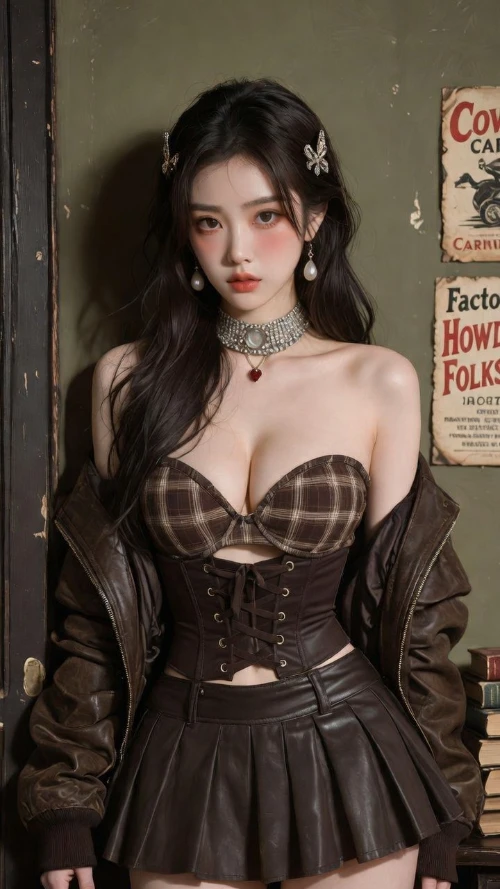
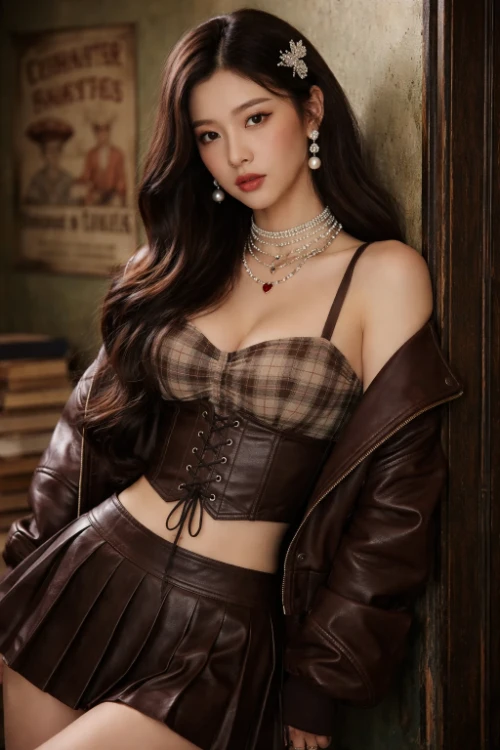
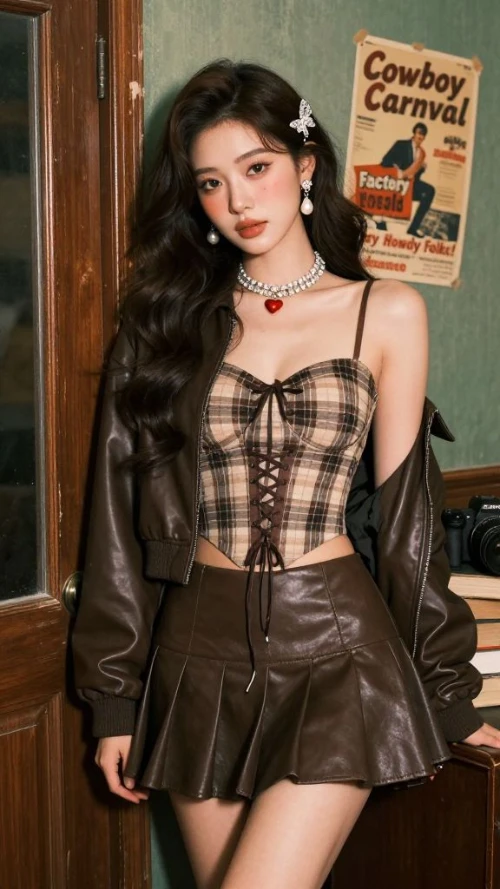
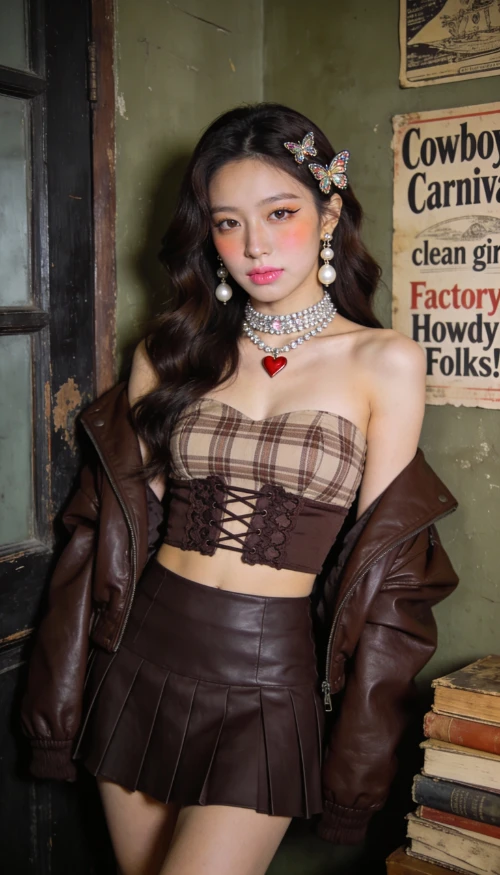
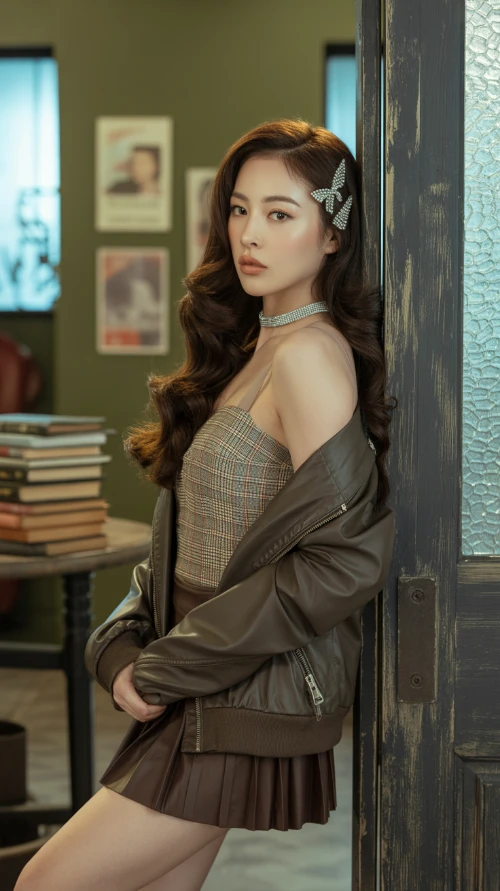
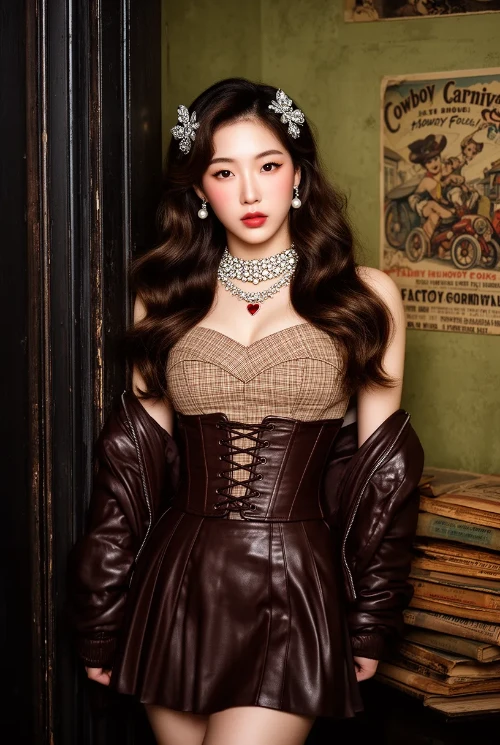
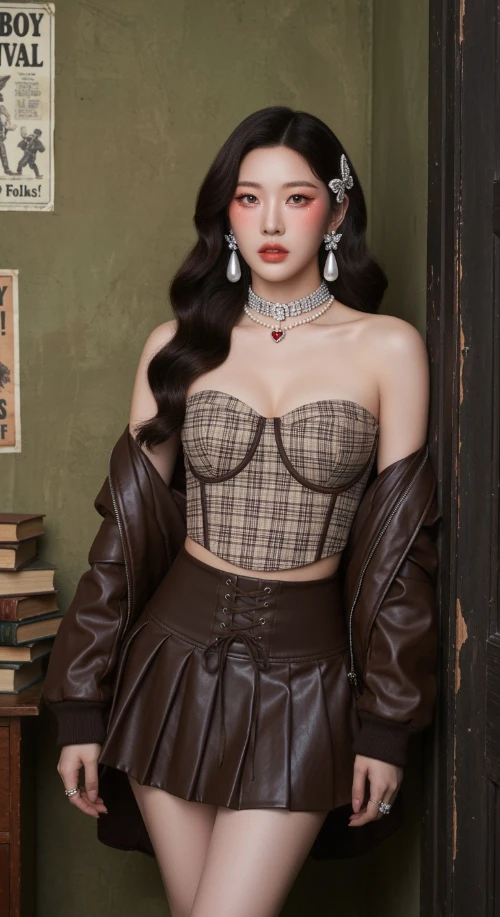
Vintage Western Pin-up with K-pop Model Aesthetic. Hyper-realistic editorial portrait photography.

Subject: A striking, slender young Korean woman in her mid-20s. Long, dark brown Hollywood waves. Soft "clean girl" makeup with peachy blush, subtle cat-eye, and nude-pink lips. Sultry, confident gaze directly at the viewer.

Attire: Brown/beige plaid bustier crop top with a dark brown lace-up waist cincher. Matching dark brown pleated faux-leather mini skirt. Rich chocolate brown leather bomber jacket draped off the shoulders. Heavy rhinestone choker necklaces with a small red heart pendant. Large pearl drop earrings. Jeweled butterfly hair clips.

Setting & Pose: Indoors, in a vintage American backroom. Leaning against a worn dark wooden door frame. Background: textured olive-green wall with faded vintage posters ("Cowboy Carnival", "Factory Howdy Folks!"). A stack of aged books to the side. Medium full shot, cropped at upper thighs. Hands not visible, focus on face and torso.

Photography Style: Ultra-detailed photo-realism, cinematic soft lighting, subtle analog film grain. Soft, cool, high-key lighting with minimal shadows. Shallow depth of field (bokeh). Shot on a professional camera (Sony A1/Canon R5) with an 85mm f/1.4 portrait lens at f/2.2. 8K resolution, hyper-detailed skin and fabric textures.
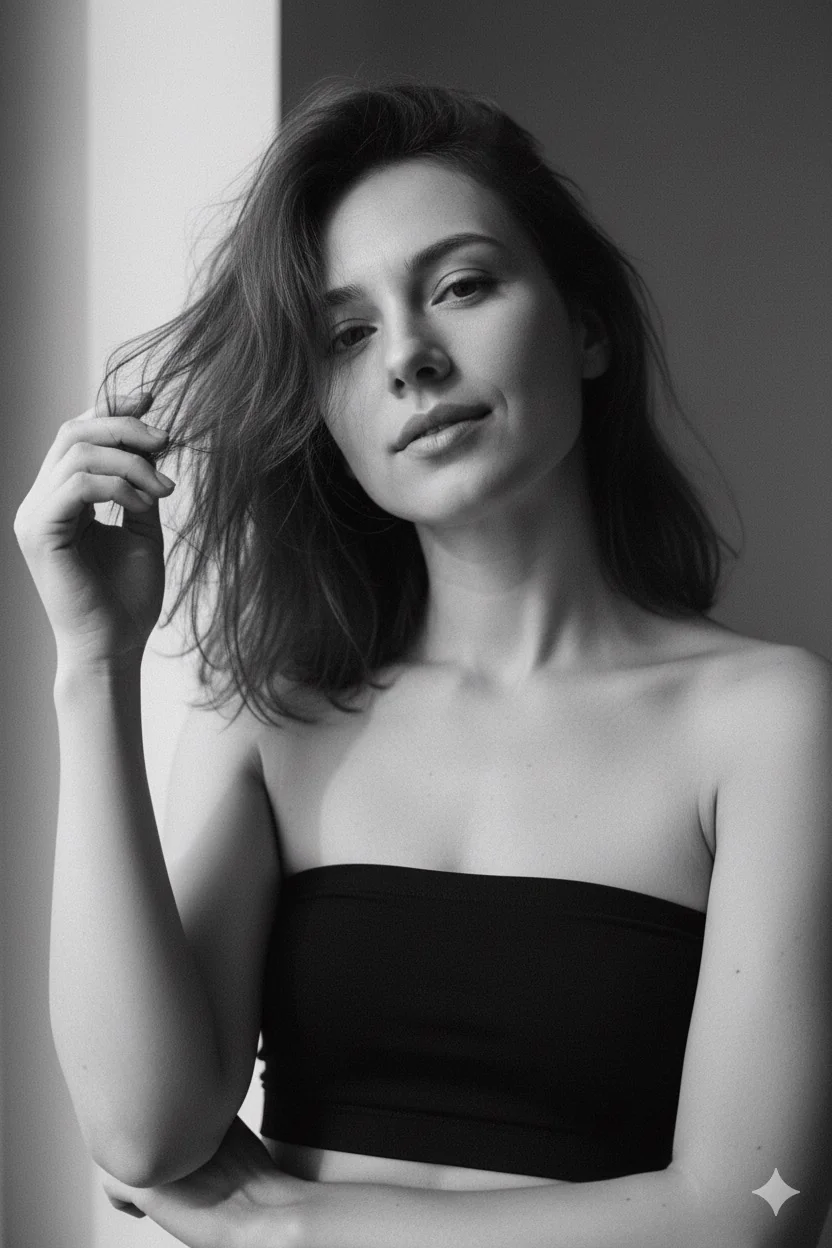
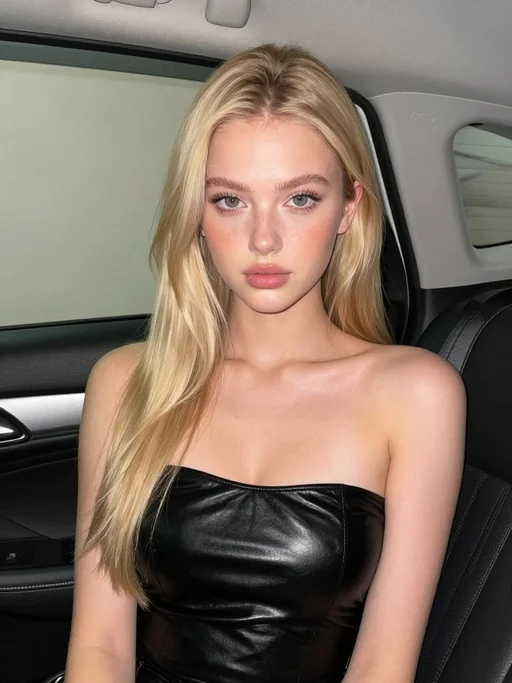
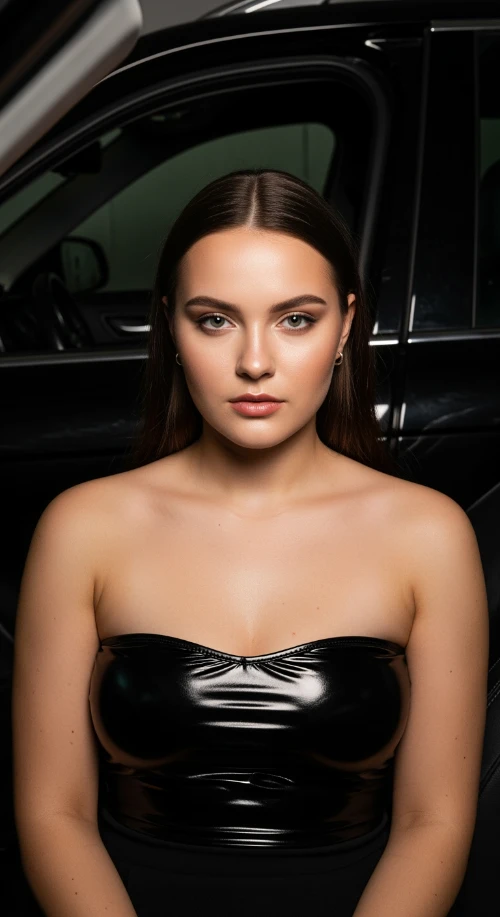
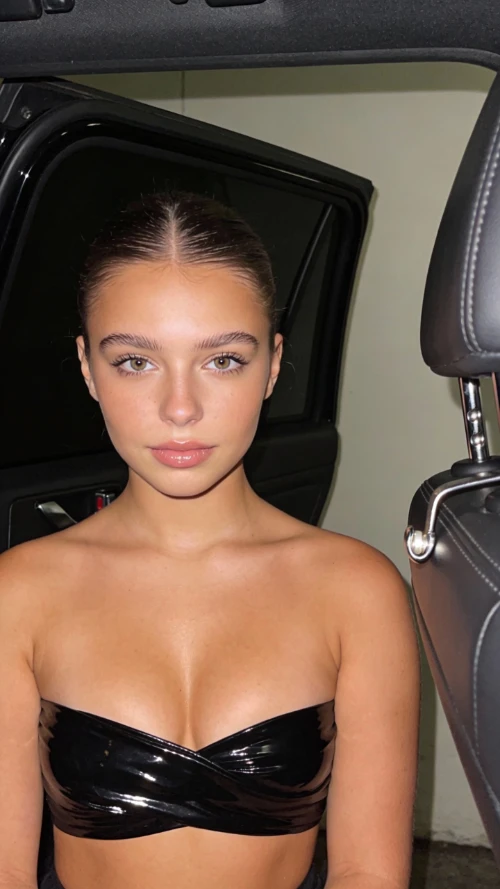
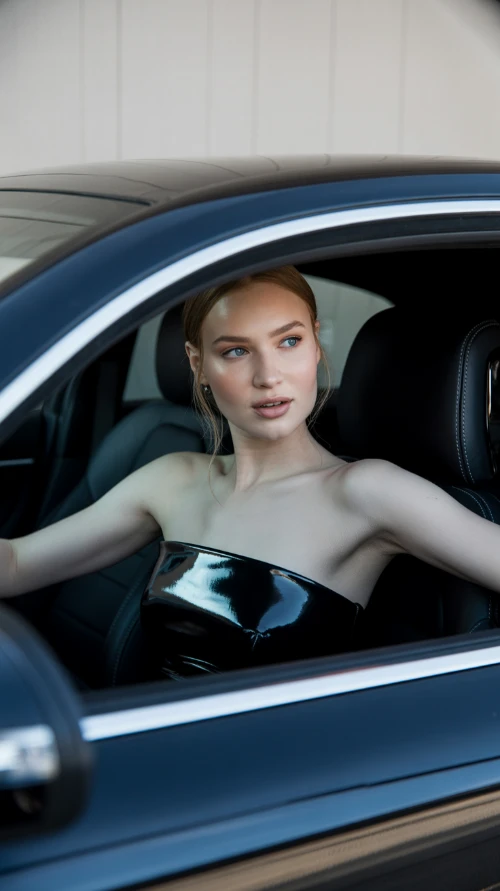
Stunning beautiful European 18 year old girl, fuller chest, seated inside a car interior at night. A black open car door is visible behind her. Soft flash lighting creates sharp highlights and shadows. She wears a glossy black strapless top wrapping tightly across the chest. Smooth matte skin glows from the flash. Clean background with light wall tones. The right side of the frame shows dark leather seat and chrome door latch. Camera angle is straight on at chest and face height. Tight close-up framing, centered composition. 4K resolution.
An extreme close-up portrait of a young East Asian woman making a heart shape with her hands in the foreground, her head gently tilted. Soft, playful, and intimate aesthetic.

Shot Details: Framing: Extreme close-up, filling the frame with her face and foreground hands. Background is not visible. Focus & DOF: Very shallow depth of field. Focus is razor-sharp on her eyes and lips, with the heart-shaped hands slightly softer in the immediate foreground. Angle: Straight-on, direct camera angle. Lighting: Soft, diffused light creating even illumination with minimal shadows and a natural glow on the skin.

Subject Details: Face: Smooth skin with a natural glow. A small beauty mark under the left eye. Eyes: Almond-shaped, dark brown. One eye is winked, the other is softly open. Makeup includes subtle eyeliner, defined lashes, and soft shimmer on the lids. Eyebrows: Natural, slightly arched. Lips: Full lips making a kiss face (puckered), with a pink glossy tint. Hair: Straight, black hair with loose strands falling naturally across the face. Pose: Head is gently tilted. Her hands form a heart shape directly in front of the camera, framing her face.

Style: High-resolution portrait with a film-like softness. Cute, expressive, and flirtatious vibe.
A stylized, 3D-rendered abstract form dominates the image, positioned in the center. The central subject resembles a biological structure, possibly a virus or a cell, with multiple protruding, tentacle-like elements radiating outward. The object features a glossy, reflective surface with a gradient color scheme of pale pink and deep red. Small, droplet-like details are scattered across its surface. The background is a solid black, contrasting with the vibrant colors of the central figure. Large, bold yellow text arcs across the top, reading "Useless". Additional text appears in smaller, white and yellow fonts, including "VISUAL design EXERCISES", "DINE DESIGN by ZIQN", "2023 06 27", and "NINE Studio." A stylized biohazard symbol with the word "Useless" beneath it is present. The lighting suggests a studio environment, highlighting the form's textures. The overall style is modern and graphic, with a focus on abstract, organic shapes.
A young woman, likely in her early twenties, is centered in a portrait. She is wearing a colorful, intricately embroidered top with floral and geometric patterns in shades of blue, green, red, and gold. Her long, brown hair frames her face, with a fringe of bangs across her forehead. The woman is holding a decorative cat mask in front of her lower face, revealing only her eyes. The mask is richly detailed with embroidered features, including a brown and white fur pattern, yellow eyes, and a pink nose, outlined with gold beadwork. Her facial expression is calm and neutral. The lighting is soft and warm, with gentle light rays creating a glowing effect on her face and hair. The background is a soft, warm yellow. The composition is a close-up shot, focusing on the woman's face and the mask. The style is modern and fashion-focused, with a playful and artistic atmosphere.
A magazine cover photo of a smiling energetic cute girl with short white hair in a bobcut, red eyes, and white mouse ears, pushing a vintage bicycle in front of a retro mint green vending machine. Cheerful expression, lively posture, summer vibe. She is voluptuous, has large breasts, and thick thighs but a thin waist with an exposed midrif. She is wearing a white knit sweater with a boob window, pink plaid sweatpants and fuzzy pink slippers. Wedges of cheddar in the bike basket. Background of messy telephone poles and nostalgic Japanese shop signs. Side sunlight creating a golden halo on her hair. Fujifilm Pro 400H style, grainy film texture, low saturation, slightly overexposed, cinematic composition, unique camera angle. Fashion editorial style, 8k resolution.
Magazine cover layout with visible text:
Large title "CHEDDAR" in yellow at the top.
Small cover text: "Calcium & Flavor", "Tokyo Street Issue", "Vol. 24 | August 2025".
Barcode at the bottom corner.
[Art Style & Viewpoint]:
Hyper-realistic 8k product photography, macro lens perspective, strict 90-degree overhead flat-lay (knolling).
[Aesthetic Philosophy]: "Sublime Micro-Engineering Narratives". A blend of surgical precision and artistic interpretation of technical components.
[Subject Input]:
Target Object: Deconstructed Leica M3 Camera Body
[Action]: Forensic Technical Exploded View. Disassemble into 8-12 primary components, but with an emphasis on secondary and tertiary sub-components (e.g., individual gears within a gearbox, micro-switches on a circuit board, specific spring types, internal wiring harnesses).
[Detail Emphasis]: Each component is meticulously rendered.
Metals: Highlight brushed grains, polished edges, anodic oxidation sheen, laser-etched serial numbers or specific alloy markings. Show microscopic tolerances between parts.
Plastics: Reveal injection molding marks, precise seam lines, and subtle textural variations.
Circuitry: Emphasize the solder joints, traces, tiny capacitors, and integrated chip details.
Glass/Optics: Render reflections, anti-reflective coatings, and subtle refractions.
[Background]: Premium matte cool-grey workbench surface.
[Interactive Schematics]: Ultra-fine Cyan/Tech-Blue vector lines. Include cross-sectional views, exploded assembly sequence lines (dashed arrows), and material call-outs (e.g., "Alloy 7075", "Carbon Fiber Weave").
[Artistic Title Style]: "Industrial Stencil" Aesthetic. Large, bold, semi-transparent text (e.g., "PROJECT: ALPHA" or "ENGINE MODEL: X9") laser-etched onto the background surface.
An extreme fisheye lens photograph with a circular frame. A young woman with blonde twin-tails jumps excitedly in the middle of the Shibuya Scramble Crossing. She wears a gray cardigan over a plaid skirt school uniform. One hand is dramatically stretched towards the foreground of the lens, with fingernails clearly visible. In the distorted background, the iconic Shibuya 109 building and other city structures loom, with streets crowded with pedestrians and vehicles. Massive pink and blue gradient cartoon monsters with giant tentacles and horns float above the city, entwining the twisted urban skyline. The scene is bathed in bright, sunny light with strong contrast between highlights and shadows. The atmosphere is hyper-energetic, surreal, and chaotic.
Overall Composition & Atmosphere

The three images are arranged vertically, forming a continuous visual narrative, similar to a portrait photography sequence. The setting is a warm, cozy, everyday IKEA-style interior space — with kitchen elements, lighting, and home decor in the background — creating a natural, lived-in atmosphere illuminated by soft ambient light. The light comes from the front-side at a gentle angle, highlighting the skin with a delicate, natural glow.

The overall color tone leans toward cool white, conveying a light, fresh, soft, and airy mood.

Pose & Emotional Expression

All three images capture the same subject at different moments, showing subtle emotional shifts:
1.First photo – Slightly playful and cute. Lips gently pursed, eyes looking directly into the camera. Shoulders relaxed, facing forward.
2.Second photo – Slightly turned to the side, head softly tilted. The eyes look gentle, hinting at subtle emotion, as if transitioning between calm and a faint smile.
3.Third photo – More relaxed, showing a soft smile. Hair falls naturally. The posture appears comfortable, confident, and at ease.

The progression of calm → relaxed → smiling creates a fluid sense of motion and visual storytelling.

Lighting & Skin Texture
•The lighting is soft and even, without harsh shadows.
•Subtle shading around the cheeks and nose adds light dimension without appearing sharp.
•The skin texture looks smooth with a gentle reflective glow, slightly reminiscent of soft-focus film or Japanese aesthetic color grading.

Clothing & Material Details

The subject wears a light gray-blue camisole with thin straps. The fabric is soft and form-fitting, reflecting light delicately and emphasizing natural body lines. The low-saturation tone blends harmoniously with the background, keeping the visual clean and minimal.

The hair is naturally loose, with soft volume and airy texture. Strands catch the light gently, adding depth and softness.

Facial Features & Expression
•Eyes are slightly large with a soft shape; the outer corners extend subtly, giving an expressive, engaging gaze.
•The nose is slim and natural.
•Lips are full with a light pink tone, showing different textures as expressions change.
•Facial proportions are balanced, with visual emphasis on the changing gaze and smile.

Overall, the portrait style feels warm, expressive, bright, and emotionally inviting.

Emotion & Style Summary

These photos feel like a moment captured in the late morning or sunlit afternoon — perhaps just waking up or starting the day — peaceful and unguarded.

The overall atmosphere is natural, warm, soft, relaxed, and effortlessly beautiful.

There is no exaggerated posing or heavy styling — instead, the focus lies in capturing genuine moments through light, expression, and subtle emotion.
Full-body street style portrait of an Asian woman in her early 20s. She wears a monochrome outfit with a dominant black color scheme, accented by denim blue. Key items: an oversized, dark denim jacket with subtle distressed details, a black A-line mini skirt, a simple white crew-neck T-shirt underneath, and chunky black platform oxfords. The ensemble creates a casual, urban streetwear aesthetic with an effortless vibe and personal details.

Her hair is medium-length, straight, and black, styled with blunt bangs. It has a clean, sleek look with natural shine, parted to the side. The hairstyle is minimalist and modern, suitable for everyday wear. The overall style is non-formal, non-bright, and non-romantically feminine.

The setting is an urban street or modern alley with clean concrete walls and minimal background distractions. Lighting is natural daylight or soft diffused light, casting clean, subtle shadows. Shot from a low angle to emphasize the silhouette and platform shoes. The pose is relaxed and confident, with a neutral or slightly cool expression. Photography style is sharp, high-resolution, with a focus on fabric textures and clean lines.
A natural, candid film snapshot of a captivating American young woman (25-30 years old) with a youthful face and smooth skin. She wears a glamorous, deep burgundy sequined slip evening dress. Her expression is confident, sexy, and elegant, carrying an alluring atmosphere. A full-body shot in a lifestyle setting within a high-end, luxurious hotel room. She lies boldly on the bed, her body in an S-curve pose that perfectly accentuates her waistline. Her expression is full of story and mood.

Aesthetics & Technicals: Natural film photography shot on 35mm Kodak Portra 400. Soft fill-flash lighting, subtle film grain. Authentic skin texture, visible pores, slight imperfections, no retouching. Anti-AI aesthetic, snapshot film photography style, high-fidelity detail.
A photorealistic image captured with an iPhone 17 on a Wednesday morning in March 2025. The scene is set in Plaza de la Constitución, Málaga, Spain. The atmosphere is bright but cool, filled with soft, clear spring light that illuminates the entire square. On a café terrace, locals sit at tables enjoying coffee and conversation. In sharp focus is a young woman wearing a light, patterned scarf, stirring a cappuccino in a ceramic cup. She gazes thoughtfully to the side, lost in a quiet moment. In the background, a waiter moves between tables, and people walk casually across the square, with movement visible around the central fountain. These background elements are naturally blurred, rendered with a subtle, authentic depth-of-field effect. The overall image feels candid, unstaged, and documentary-style, with the crisp, high-detail realism characteristic of a modern iPhone photo.
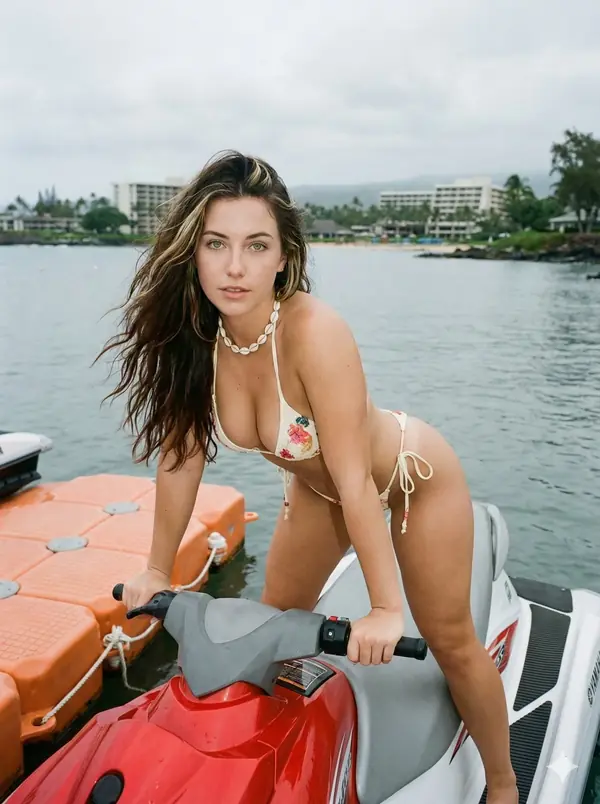
A close-up of a young woman appears on the screen of a small Canon compact digital camera, her face softly lit by a bright built-in flash. She has long dark hair falling loosely beside her cheeks, her lips slightly parted in a gentle, thoughtful expression. The flash creates sharp highlights on her skin and hair, while the background reveals a dim, cluttered kitchen with faint outlines of appliances and shelves, softened by a natural bokeh effect.

Surrounding the screen, the detailed body of the camera is clearly visible—showing textured surfaces, buttons, the FUNC/SET wheel, the DISP button, and the “IMAGE STABILIZER” label on the side.

The image carries the nostalgic feel of an early‑2000s digital snapshot, with cool, soft color tones, strong flash contrast, and fine screen grain—no text or logos appear on the photo itself. It looks like a real, unstyled moment frozen in time, captured indoors at night with the candid realism of a compact digital camera.
A young woman in her early 20s poses in her bathroom mirror for a casual iPhone selfie. She faces the mirror with her hips angled slightly, filling the frame. Her expression is all feigned innocence: big, doe eyes look up through her lashes with a “who, me?” energy, her mouth in a soft pout, lips slightly parted, a tiny tongue just touching the corner. Her brows are soft and slightly raised—a perfectly faux-innocent face that starkly contrasts with her outfit.

Her body is the real focus: a tiny waist gives way to a full, round backside, with the fabric of her tight white athletic shorts clinging and riding up between her cheeks, leaving nothing to the imagination. Her thick, soft thighs stretch the thin material. She wears an ultra-mini yellow crop tee with a single banana graphic, the fabric stretched tight across her chest and ending just below, revealing her full stomach. Her platinum blonde hair is pulled into a messy bun or claw clip, with loose strands framing her face.

On her head is a black Goorin Bros cap with an animal patch, worn backwards or tilted, and a pair of white over-ear headphones hangs around her neck. In her hand, an iPhone is visible in the mirror, held at chest level. Her makeup is minimal and natural—just lip gloss and a no-makeup-makeup look.

The setting is a normal, lived-in NYC apartment bathroom. The background features white subway tile walls, a basic bathroom mirror with good vanity lighting above it, a simple white sink vanity with skincare bottles and a small plant, a towel hanging on a hook, and the edge of a shower curtain. The lighting is bright, even, and flattering—just good bathroom lighting.

The overall vibe is the playful contrast between an angelic face and a body in a barely-there outfit. The mood is “just got ready for tennis, but making content first,” with a caption-ready energy like, “Tennis anyone? 🍌” The photo has the authentic, slightly grainy texture of a real iPhone mirror selfie—not professional, just candid, realistic social-media content shot in a 9:16 vertical aspect ratio.
A beautiful woman with long, flowing brown hair poses confidently. She is wearing a form-fitting, light brown mini dress that accentuates her figure. Her left hand is raised to her head, and she looks directly at the viewer with a captivating gaze. The background is dimly lit, featuring warm wall sconces and a glimpse of a dark leather couch, creating an intimate and stylish atmosphere. The lighting highlights her hair and the contours of her body.
A young American girl puckers her lips playfully toward the camera. She has long, wavy brown hair and is wearing a black hooded sweatshirt. Held gently in her arms is a small white puppy with light blue eyes, looking calm and forward. The girl's face—her features, expression, and identity—must remain exactly the same as in the reference image.

They are outdoors in a gentle winter scene. The ground is covered with snow, and bare trees stand in the background. A silver car is slightly blurred behind them. The sky above is a clear, light blue.

The mood is cute, natural, and quietly wintry. The photo has a soft depth of field, lit by natural daylight, with subtle winter tones in the coloring.
A hyperrealistic portrait of an American female character emerges from a pure black background. A narrow, sharp beam of light falls only on the very center of her face, creating a dramatic spotlight effect. The edges of the light are crisp and hard, with no soft diffusion. Everything outside the spotlight vanishes quickly into deep, velvety shadows—almost indistinguishable from the darkness behind her.

Her long dark hair frames her face, with a few loose strands falling across it. The lower part of her hair fades into the surrounding blackness. She wears a black long-sleeve knit sweater, which disappears almost entirely into the shadow, leaving only the suggestion of her form.

Her expression is shy and mysterious. One hand is raised gently to her lips in a hesitant gesture, while her eyes look directly at the viewer. The lighting creates extreme contrast—only the face within the spotlight is sharp and defined, with the rest of the scene falling away into near invisibility. The overall tone is dark, moody, and intensely dramatic, captured with a realistic-anime art style.
A young East Asian woman around 25 years old takes a mirror selfie in her otaku-style bedroom. The entire scene is rendered in a cool blue color tone, from her clothing to the room’s decor. She has a slim, natural build with a defined waist and light neutral skin. Her waist-length, straight medium-brown hair falls with slightly curled ends.

She stands in a slight contrapposto pose, her body leaning back just enough to subtly expose her waist and abdomen. Her right hand holds a smartphone in front of her face, hiding her identity, while her left arm hangs naturally at her side. She wears a light blue cropped knit cardigan, fastened with only the top two buttons, revealing a hint of a blue French-style bra underneath. Her denim ultra-short shorts feature small blue satin ribbon bows on each hip. Her legs are covered by blue and white horizontal striped over-the-knee socks. A cute blue mascot phone case is visible in her hand.

The scene is framed by a wall-mounted mirror, reflecting her and the room behind her. The environment is a dedicated computer corner. On a white desk sit a monitor displaying a soft blue wallpaper, a white mechanical keyboard on a blue desk mat, a mouse on a small blue pad, and a glass of water. To the right, a PC tower glows with blue internal lighting, flanked by three anime figures. A poster of a pagoda hangs on the wall, and a cat-shaped desk lamp with blue accents adds character. A tall green leafy plant stands by the window on the left, its vibrancy contrasting with the blue theme. Every element that would have been pink—clothing, accessories, decor—has been replaced with shades of baby blue, sky blue, and periwinkle.

Soft, diffused daylight streams in from a large window on the left, filtered through sheer curtains. The white balance is set to 5200K, giving the scene a clean, natural daylight look.

The photo is captured with a smartphone’s rear camera via the mirror reflection, without using any portrait or bokeh mode. The equivalent focal length is 26mm. The subject stands about 0.6 meters from the mirror, while the camera is held roughly 0.5 meters away. Exposure settings are aperture f/1.8, ISO 100, shutter speed 1/100s, with a slight -0.3 EV compensation for a crisp image. The focus is on her torso and shorts in the mirror. The depth of field is naturally deep, as typical for a smartphone, keeping the entire bedroom background in clear view without artificial blur.

The composition is a centered, 1:1 square crop, framed from the top of her head to mid-thigh. To avoid wide-angle distortion, she stands a bit farther back, and the image is cropped to a square in post. The angle is slightly high, looking down from the mirror’s perspective, capturing her, the desk, the monitor, the PC tower, and the plant in a balanced, aesthetically pleasing frame.
A photorealistic image captures a moment of quiet reflection on a cool Wednesday morning in March 2025, in London. The sky is a clear, pale blue, and the crisp spring air lends a calm stillness to the waking city.

At the center of the image, a young woman sits at a table on a relaxed outdoor restaurant terrace. She is the sharp, in-focus focal point. A light scarf is wrapped around her neck, and she holds a teacup, her fingers gently stirring the contents. Her gaze is directed thoughtfully off to the side, her expression one of peaceful contemplation.

The background is composed of smooth, natural bokeh, creating a dreamy separation from the foreground. The blurred shapes of a waiter moving between tables, pedestrians passing by, and the soft, early morning traffic on the street behind her blend into a wash of gentle colors and light. The composition and focus replicate the effortless, candid feel of a moment spontaneously captured on a modern smartphone, resulting in an image that feels both strikingly real and intimately personal.
Scene Description:
A colorful Y2K scrapbook poster aesthetic, filled with vibrant stickers and multiple subjects wearing the same outfit and hairstyle in different poses and cutouts. The style features colorful strokes and lines in a frameless collage layout. Includes:

A close-up shot with heart-shaped fingers

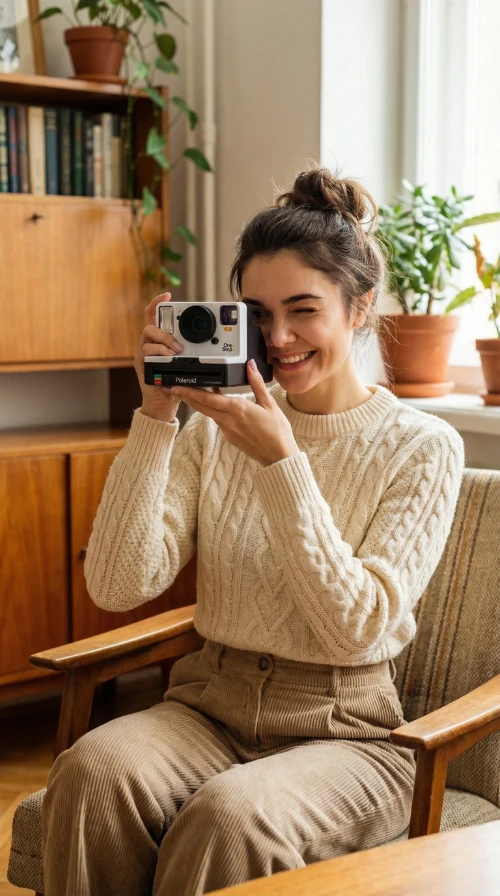
A full-body squatting pose, supporting the chin while holding a white Polaroid camera

A mid-shot touching the cheek while blowing pink bubblegum

A mid-shot smiling elegantly while holding a cat

A seated pose with one eye winking and a peace sign

A mid-shot holding daisy flowers

Enhanced with holographic textures, pastel gradients, glitter accents, playful doodles, and magazine cut-out graphics. The layout is chaotic yet balanced — extremely artistic and visually engaging.

Main Subject:
A young Y2K-styled woman is the central focus of the scrapbook collage.

Style & Pose: Playful and confident Y2K pose — slight hip pop to the side, one hand holding a lens-flare keychain, face turned toward the camera with a cute-cool expression and a slight pout. Evokes a candid early-2000s photo vibe.

Outfit:

Top: Cropped oversized sweater in a pastel color with embroidered patches

Bottom: Pastel skirt with a white belt

Socks: White ankle socks with colorful pastel stripes

Shoes: White sneakers

Accessories: Colorful plastic bracelets, chunky colorful rings, sparkling belly chain

Hairstyle:
Y2K half-up, half-down style with pastel flower clips, thin front tendrils, and wavy dark brown hair featuring a bubblegum-pink tint on the lower strands — an iconic early-2000s look.

Additional Visuals:
Heart, star, and butterfly stickers; retro sparkles; Polaroid frames; neon outlines; doodle borders; magazine cutout text saying “SO CUTE!”, “199X!”, “GIRL VIBES”; pastel lighting; glossy dreamy retro glow; ultra-aesthetic scrapbook layout.

Photography & Rendering:

Color Grading: Cinematic neon Y2K

Lighting: Soft flash lighting

Skin Texture: Smooth glossy finish

Rendering: High-detail hyperrealistic Y2K scrapbook tone

Quality: 8K

Composition: Perfectly balanced and artistic
A young woman takes a confident and slightly playful mirror selfie. She has very long, voluminous dark waves with soft, wispy bangs. She wears a fitted, cream-white cropped t-shirt featuring a large, cute anime-style cat face graphic with big blue eyes, whiskers, and a small pink mouth. Her makeup is a natural glam look with soft pink dewy blush and glossy red pouty lips, and her original facial features are preserved.

For accessories, she sports gold geometric hoop earrings and a silver waistchain. She holds a smartphone in a patterned case.

The photo has the distinct aesthetic of an early-2000s digital camera. The lighting is a harsh, super-flash that creates bright, blown-out highlights while keeping the subject clearly visible. It’s a tight selfie composition shot from a mirror selfie angle. The texture includes subtle grain, retro highlights, V6 realism, crisp details, and soft shadows.

The background is a nostalgic early-2000s bedroom with pastel-toned walls. The room contains a chunky wooden dresser, a CD player, posters of 2000s pop icons, a hanging beaded door curtain, and a cluttered vanity with lip glosses. The atmosphere is an authentic 2000s nostalgic vibe, enhanced by retro-style lighting.
Santa Claus holding a dog
A high-definition photograph taken from a low-angle perspective. A young woman is standing stylishly, positioned so she looks effortlessly chic. She touches her collar with her hand, adding a thoughtful gesture to the pose.

Her hair is styled in a messy updo with a few loose strands framing her face. She wears a dark blue, ribbed, cropped t-shirt with white trim and a white logo. On the bottom, she has white striped pajama pants.

The scene is set in a dimly lit room. The warm, purple-toned lighting is enhanced, coming from a ceiling fixture and hidden cove lights, creating a moody and atmospheric vibe.

Most importantly, my facial features and face remain exactly the same as in the reference.
An anime-style illustration of the same girl depicted in three distinct poses.

In the first pose, she stands gracefully with a relaxed, confident posture. In the second, she is captured mid-stride in a gentle, natural walking motion. In the third, she smiles warmly, her hand raised in a friendly wave.

Throughout all three poses, her facial features—her eyes, nose, mouth, and expression—remain perfectly consistent. Her body proportions are also uniform, maintaining a cohesive character design.

The illustration is rendered with clean, crisp line art and vibrant cel shading, giving it a classic, polished anime look. The lighting is soft and natural, casting gentle highlights and shadows that enhance the three-dimensional feel of each pose without overwhelming the clear, graphic style.
A person standing on a city rooftop during golden hour, warm sunlight wrapping around their face, subtle lens flare, wind brushing their hair, shallow depth of field, 35mm photography vibe, natural skin texture.
Create a hyper-realistic, downward-angled photograph of a MacBook screen. The screen should fill 95% of the frame, with the top edge of its physical keyboard visible along the bottom. The glossy screen surface must show realistic imperfections: a subtle pixel-grid texture (moire), tiny dust specks, a faint reflection of ambient light, and light fingerprint smudges.

The screen is in macOS Dark Mode. On the left, a dimmed Spotify window shows the “Liked Songs” playlist. On the right—and in sharp focus—is a full-screen Photo Booth live-preview window.

Inside the Photo Booth window, a couple is reclining together in a dim bedroom with an off-white wall and rumpled bedding in the background. Both are wearing oversized black hoodies with the hoods down, their faces fully visible. The guy, positioned on the right, is holding a phone with a clear reflective case in his right hand. The girl is resting closely beside him on the left. They are both looking directly at the screen—and by extension, at the viewer.

The lighting is low-key and nocturnal, blending cool bluish screen glow with warm skin tones, casting deep, natural shadows. The overall image should feel like a raw, unedited, candid photo—high-fidelity and completely authentic.

Important: The faces of both subjects must match exactly the faces in the provided reference images. Do not apply generic face restoration, to preserve a natural, non-plastic look.

Style to avoid: Vector art, flat digital screenshots, perfectly clean glass, bright daylight or studio lighting, cartoon styles, 3D renders, paintings, and watermarks.

Comparer les Résultats des Modèles IA

Voyez comment différents modèles produisent des sorties variées avec des prompts identiques.

Image Originale

Image Originale

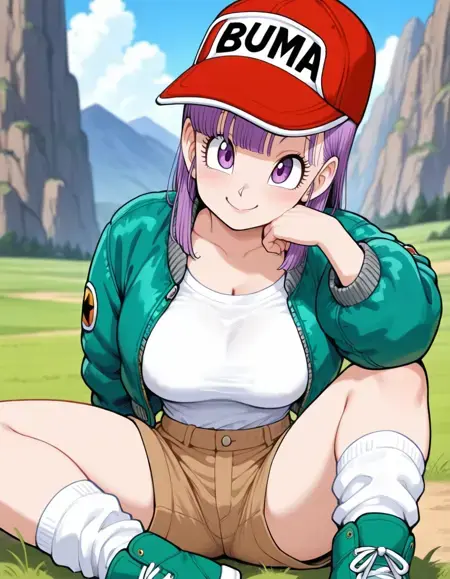
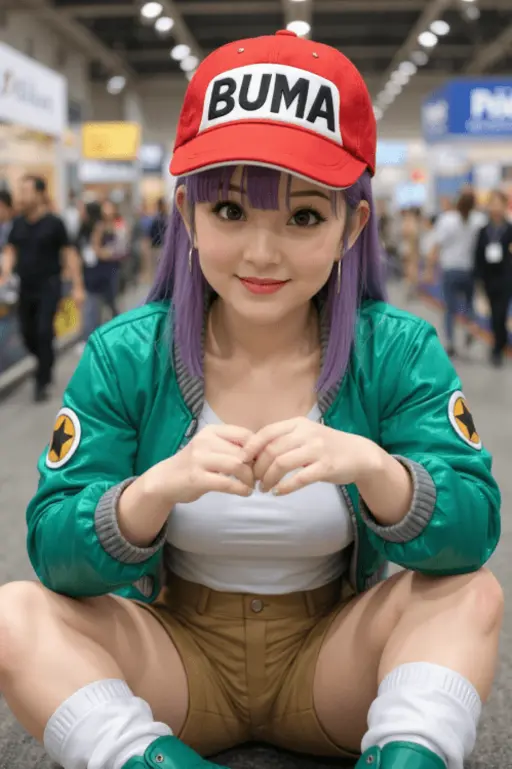
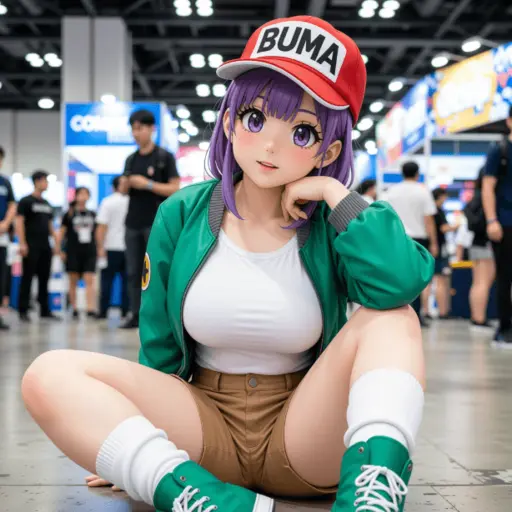
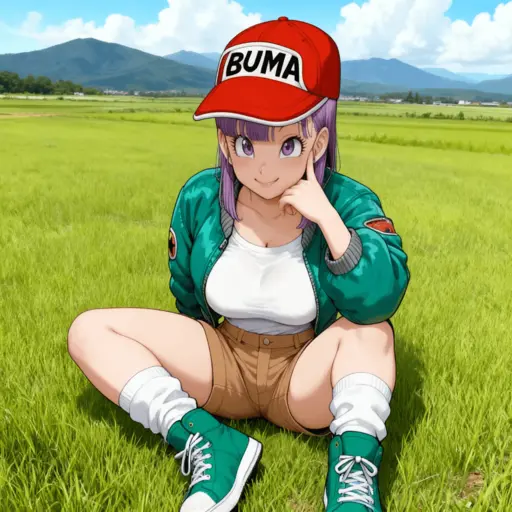
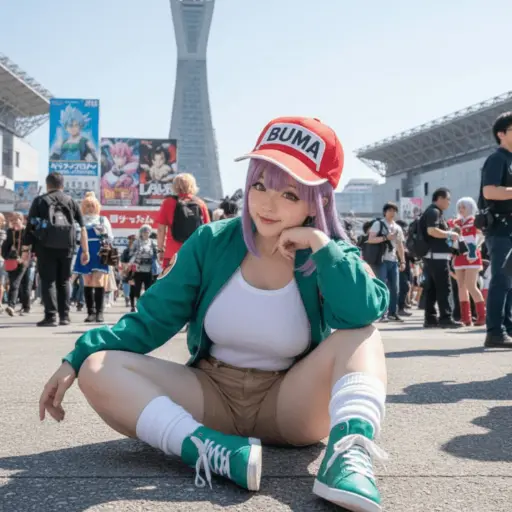
Générez une photo très détaillée d'une fille cosplayant cette illustration, à Comiket. Répliquez exactement la même pose, posture corporelle, gestes de la main, expression faciale et cadrage de caméra que dans l'illustration originale. Gardez le même angle, perspective et composition, sans aucune déviation

Résultats Générés

Flux Pro Résultat

Flux Pro

Qwen Résultat

Qwen

Seedream Résultat

Seedream

Nano Banana Résultat

Nano Banana

Modèles

Nano Banana 2

Nano Banana 2

Nouveau

Latest generation with enhanced quality

Nano Banana

Nano Banana

En vedette

Cohérence des personnages ultra-élevée

Seedream

Seedream

Nouveau

Prise en charge d'images aux styles cohérents

Flux Dev

Flux Dev

Pour des scènes courtes et simples

Qwen

Qwen

Nouveau

Excellent pour le rendu de texte complexe

Flux Schnell Lora

Flux Schnell Lora

Nouveau

Génération d'images rapide et créative

Flux Kontext

Flux Kontext

Pour le photoréalisme et le contrôle créatif

Introduction

Qu'est-ce que l'Éditeur photo IA

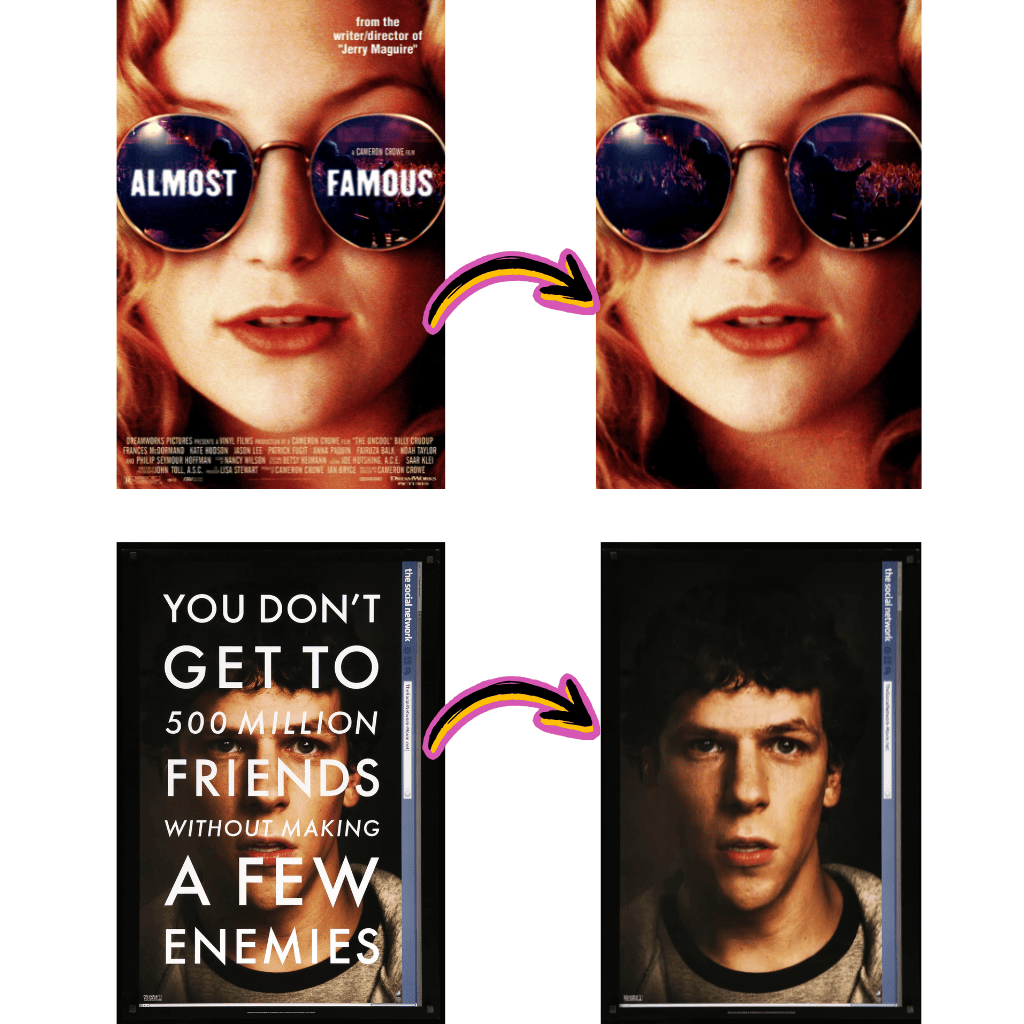
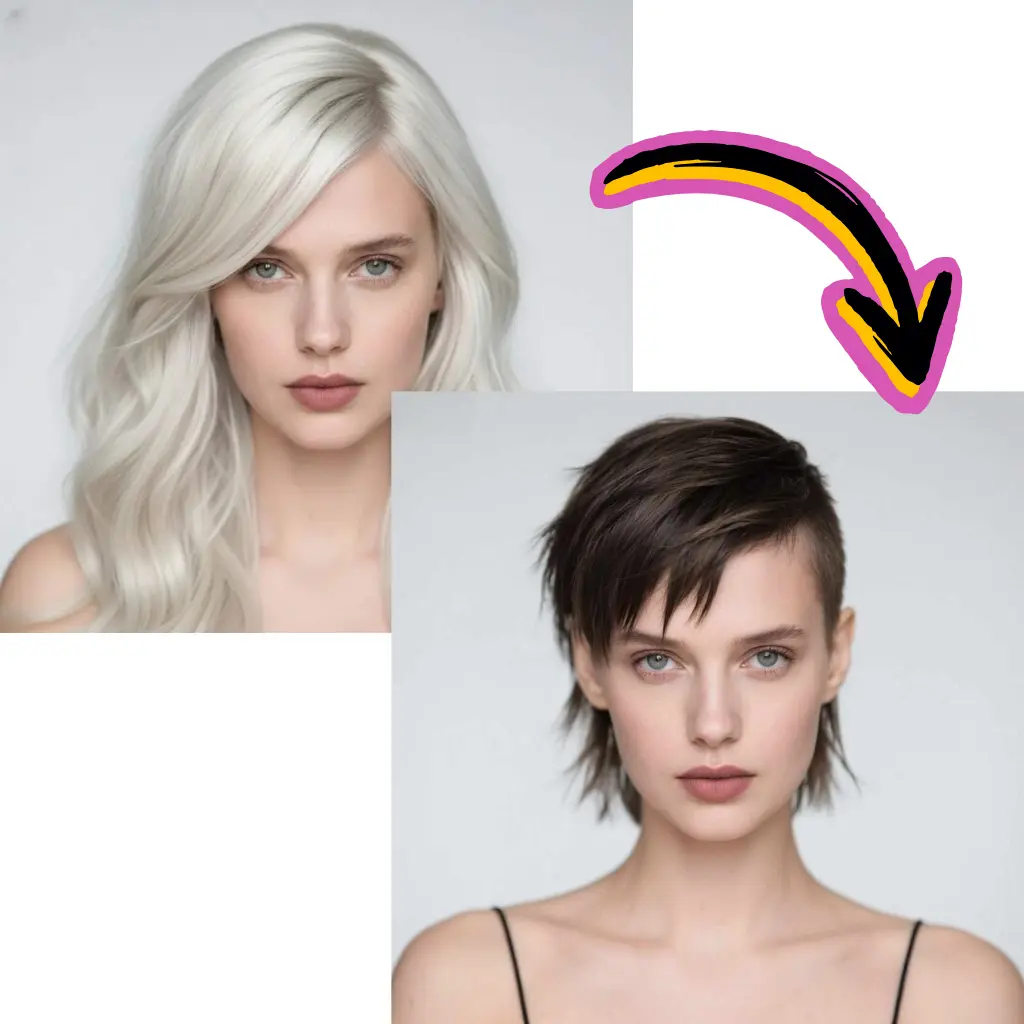
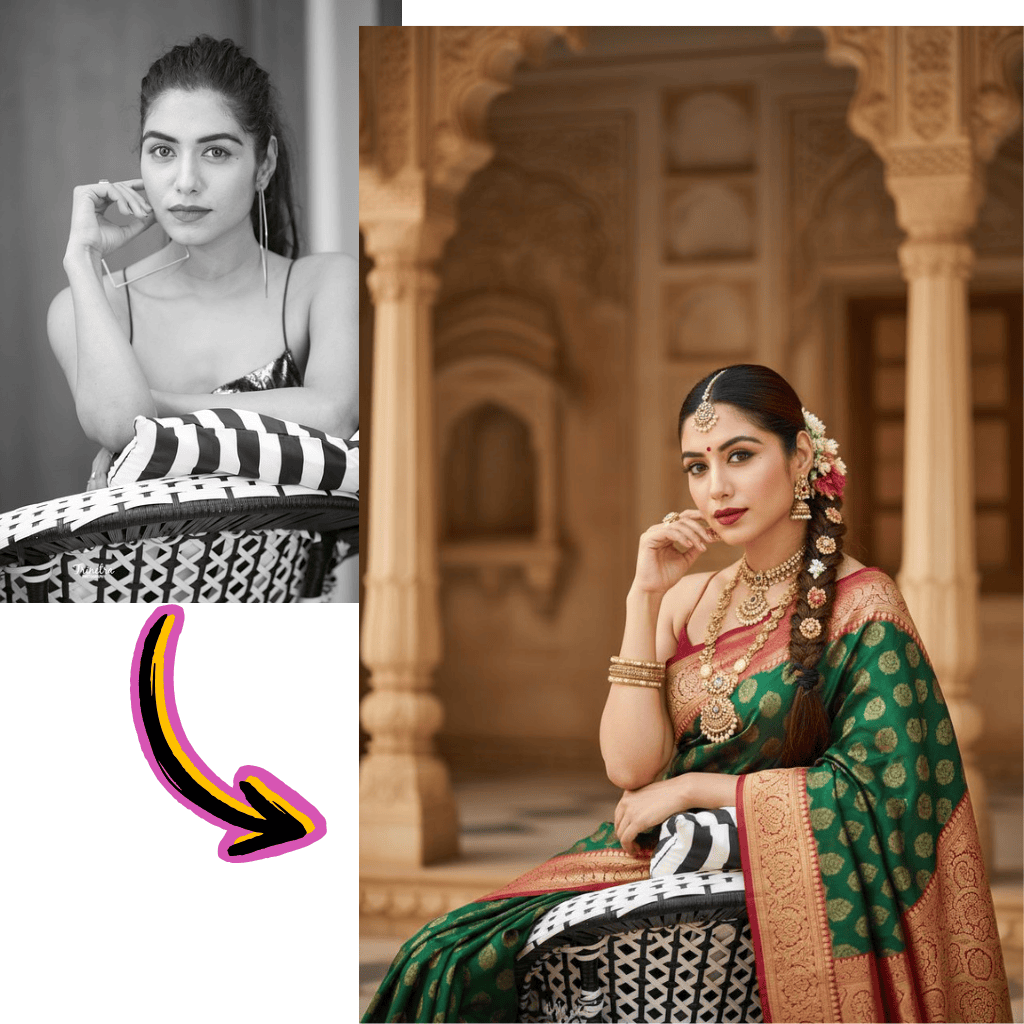
L'Éditeur photo IA est une plateforme gratuite d'édition d'images en ligne. Éditez vos photos, générez des images IA et améliorez vos images avec les modèles Google Gemini, Flux Kontext et Nano Banana.
Transformez des photos avec édition intelligente

Éditeur d'images AI gratuit

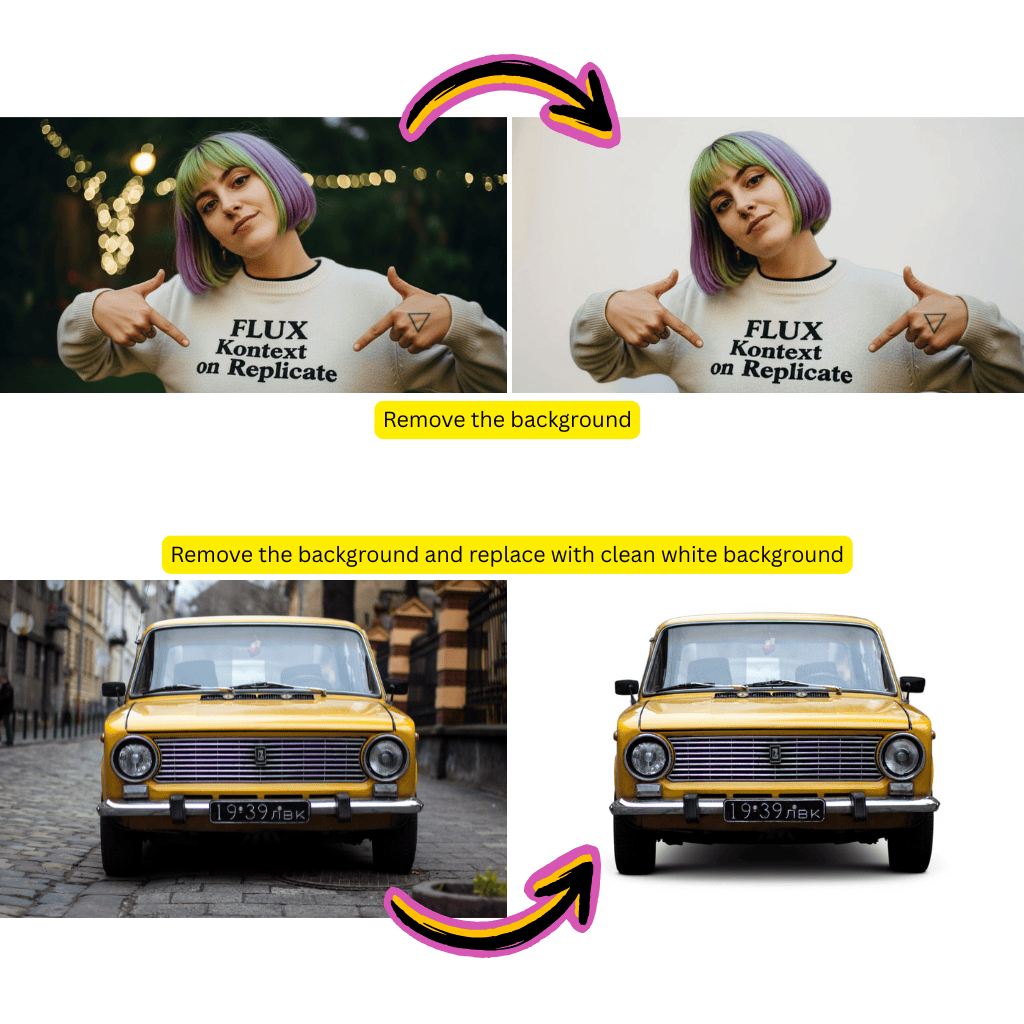
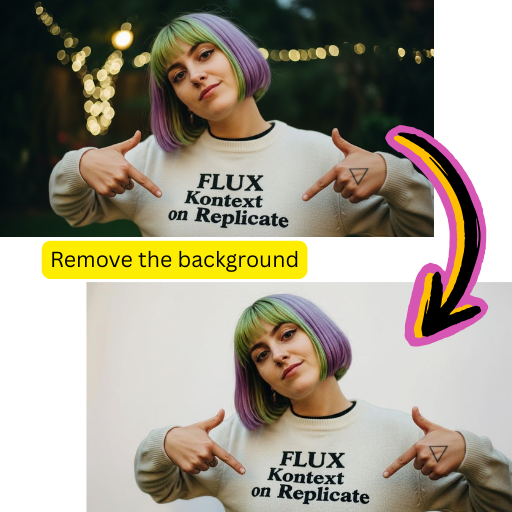
Éditez vos photos gratuitement en ligne. Supprimez les arrière-plans, effacez des objets et améliorez la qualité d'image avec la technologie AI.

Générateur d'images AI

Générez des images à partir de descriptions textuelles. Créez des photos AI et transformez vos images avec des filtres artistiques gratuitement en ligne.

Plusieurs modèles AI

Accédez à Gemini AI, Grok AI, Kling AI, Veo, Hailuo et Nano Banana pour différents besoins créatifs d'édition photo.
Avantages

Pourquoi choisir cet éditeur de photos AI

Obtenez des résultats d'édition photo professionnels gratuitement en ligne. Notre éditeur d'images AI fonctionne dans votre navigateur sans installation.

Éditeur de photos gratuit en ligne

Éditeur de photos gratuit en ligne

Éditez vos photos gratuitement avec des crédits quotidiens pour la génération d'images AI, l'amélioration de photos et la suppression d'arrière-plan. Passez à la version premium uniquement si nécessaire.
Éditeur de photos en ligne

Éditeur de photos en ligne

Utilisez notre éditeur de photos gratuit en ligne sur n'importe quel appareil. Téléchargez des photos depuis votre ordinateur ou l'appareil photo mobile et éditez instantanément.
Éditeur AI tout-en-un

Éditeur AI tout-en-un

Suppresseur d'arrière-plan AI gratuit, échange de visages, agrandisseur d'images, suppresseur de filigrane et générateur de texte vers image sur une seule plateforme.
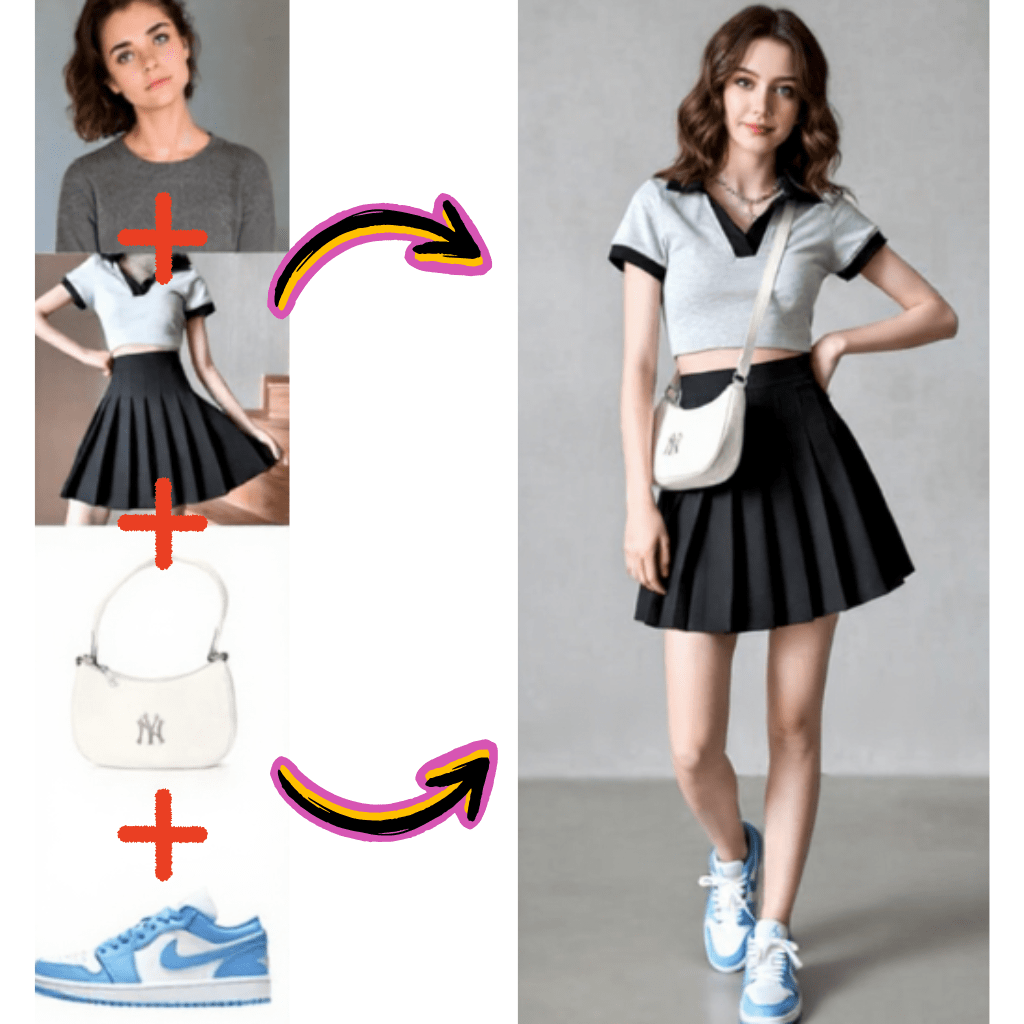
Comment éditer des photos gratuitement en ligne

Utilisez notre éditeur de photos AI gratuit en quatre étapes simples :

Transformez des photos avec édition intelligente
Télécharger une photo ou image

Télécharger une photo ou image

Glissez votre photo dans l'éditeur AI ou décrivez l'image à générer. Prend en charge les formats JPG, PNG, WEBP et AVIF.
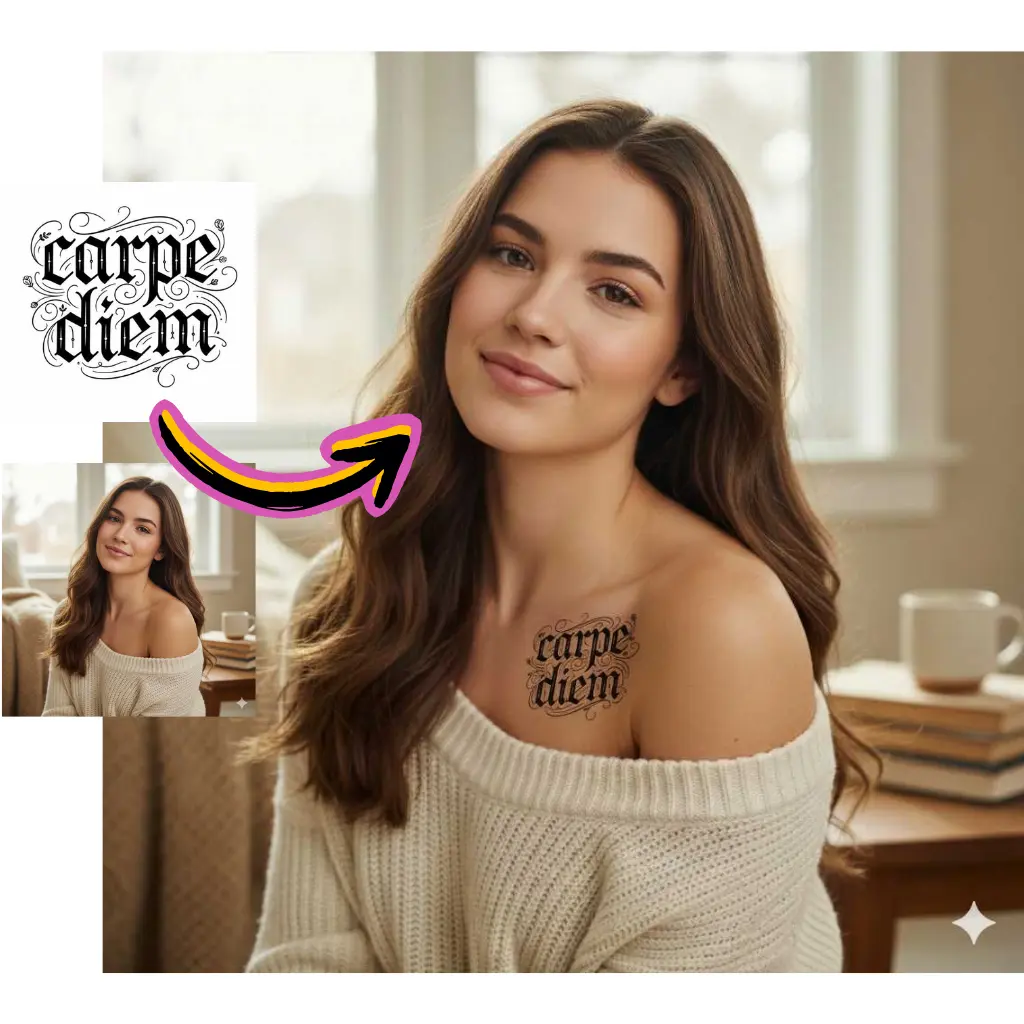
Sélectionner un outil photo AI

Sélectionner un outil photo AI

Choisissez parmi le suppresseur d'arrière-plan AI, l'échange de visages, l'agrandisseur d'images ou le générateur d'images AI gratuit selon votre objectif.
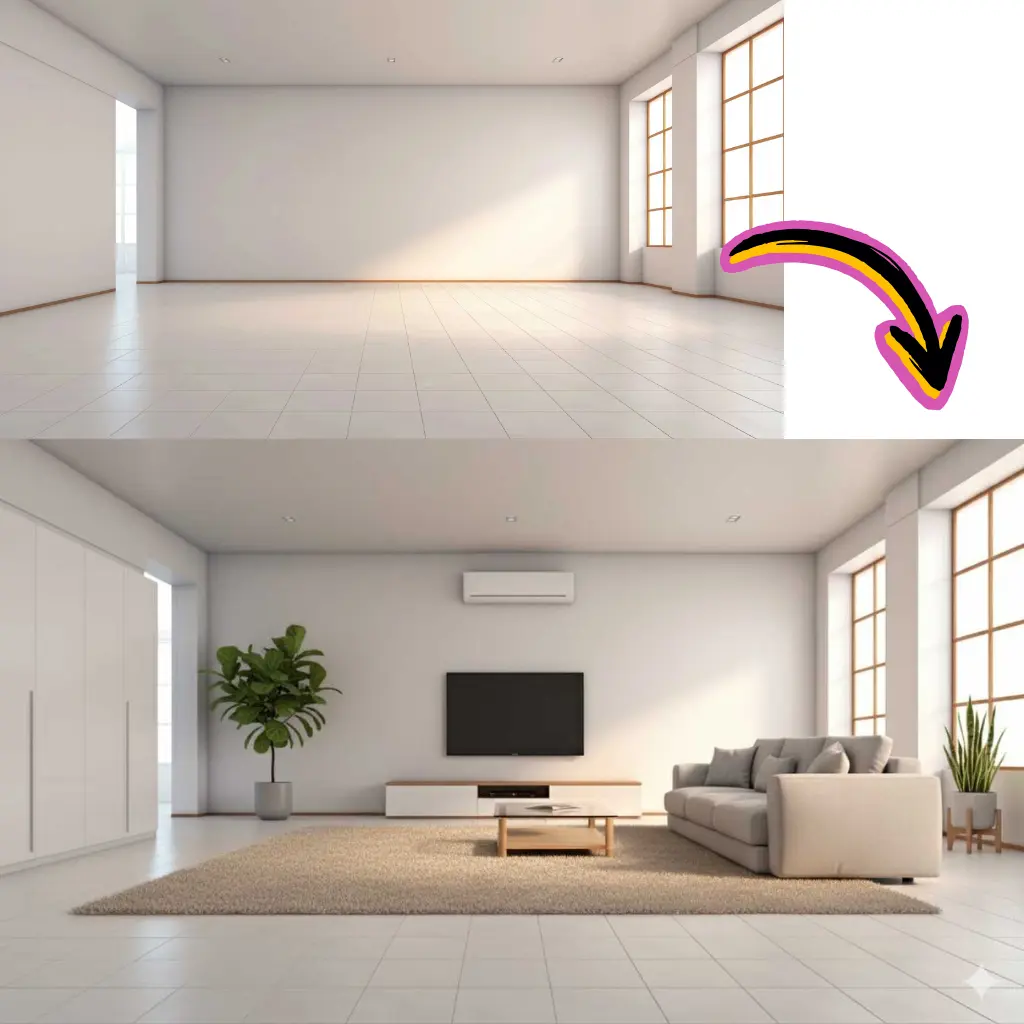
L'AI édite votre photo

L'AI édite votre photo

L'AI analyse votre photo et applique automatiquement les modifications. La plupart des tâches d'édition se terminent en moins de 30 secondes.
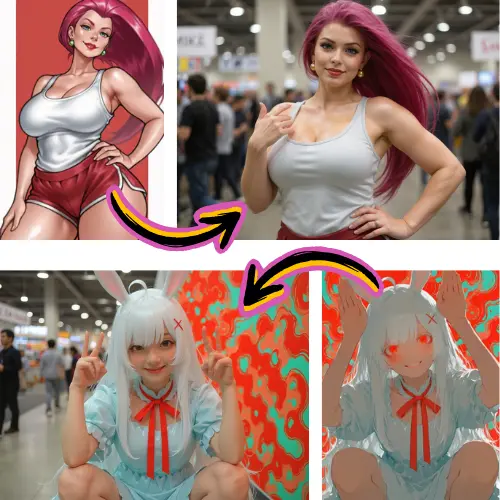
Télécharger l'image éditée

Télécharger l'image éditée

Enregistrez gratuitement votre photo éditée en résolution originale. Partagez directement sur les réseaux sociaux ou continuez l'édition.

Fonctionnalités de l'Éditeur photo IA

Outils gratuits d'édition photo en ligne et de génération d'images AI :

Suppresseur d'arrière-plan AI

Supprimez gratuitement les arrière-plans des photos. L'AI gère les cheveux, la fourrure et les bords transparents sur n'importe quelle image.

Agrandisseur d'images AI

Agrandissez vos photos jusqu'à 4x avec l'AI. L'améliorateur d'images gratuit ajoute des détails réalistes pour l'impression.

Échange de visages AI

Outil gratuit d'échange de visages pour photos. Remplacez naturellement les visages dans les images avec un traitement respectueux de la vie privée.

Texte vers image AI

Générateur d'images AI gratuit à partir de texte. Créez des photos et graphiques à partir de descriptions écrites en ligne.

Suppresseur de filigrane

Outil gratuit en ligne pour supprimer les filigranes de vos propres photos. L'AI supprime le texte et les logos des images.

API d'éditeur de photos gratuite

Intégrez l'édition photo AI dans vos applications. API RESTful pour la génération d'images et l'amélioration de photos.

Statistiques

Éditeur de photos IA de confiance

Rejoignez des millions d'utilisateurs utilisant notre éditeur de photos gratuit en ligne pour l'édition et la génération d'images AI.

Éditeurs de photos

2M+

Utilisateurs mensuels

Images éditées

15M+

Photos traitées

Satisfaction

97%

Avis positifs

Témoignages

Ce que les utilisateurs disent de notre éditeur de photos IA

Retours réels de créateurs utilisant quotidiennement nos outils gratuits d'édition photo en ligne.

David

Créateur YouTube

Cet éditeur de photos AI supprime les arrière-plans mieux que les logiciels de bureau coûteux. L'éditeur d'images gratuit en ligne me fait gagner des heures chaque semaine.

Rachel

Directrice marketing

Nous utilisons l'agrandisseur d'images AI pour les photos de produits. Cet éditeur de photos gratuit en ligne convertit instantanément les images basse résolution en qualité d'impression.

Marcus

Développeur d'applications

Intégré l'API du générateur d'images AI gratuit dans notre application. Les utilisateurs adorent créer des photos à partir de descriptions textuelles avec cet éditeur en ligne.

Sofia

Responsable réseaux sociaux

Meilleur éditeur de photos gratuit pour le contenu Instagram. Les fonctionnalités d'échange de visages AI et d'édition d'images donnent des résultats réalistes à chaque fois.

James

Propriétaire e-commerce

Cet éditeur de photos AI gratuit a amélioré mes images de produits pour Amazon. L'éditeur d'images en ligne a nettement amélioré mes taux de conversion.

Anna

Designer freelance

Avoir les modèles Gemini AI, Flux et Nano Banana dans un seul éditeur d'images gratuit est incroyable. Cet éditeur de photos en ligne couvre toutes mes éditions quotidiennes.
FAQ

Questions fréquemment posées

Trouvez des réponses sur nos outils d'édition et de génération. Contactez le support pour une aide supplémentaire.

1

Qu'est-ce que cette plateforme exactement ?

Il s'agit d'une suite créative basée sur navigateur pour éditer des images, supprimer des arrière-plans, échanger des visages, améliorer la résolution et générer des visuels originaux à partir de descriptions textuelles. Elle combine plusieurs modèles de réseaux neuronaux incluant Google Gemini, Flux Kontext, Grok, Kling et Nano Banana via une interface unique. Aucun téléchargement de logiciel requis - tout fonctionne dans votre navigateur web sur ordinateur ou appareil mobile.

2

La version gratuite est-elle vraiment gratuite ?

Oui. Le plan gratuit inclut des crédits quotidiens pour la suppression d'arrière-plan, l'échange de visages, l'agrandissement et les tâches de génération. Aucune carte bancaire requise pour s'inscrire. Les résultats gratuits n'ont pas de filigrane sur la plupart des outils. Les plans premium offrent une résolution supérieure, le traitement par lots, une licence commerciale et un accès prioritaire pour les utilisateurs ayant besoin de plus de capacité.

3

Quels formats de fichiers sont pris en charge ?

Téléchargez des fichiers JPG, JPEG, PNG, WEBP, AVIF, HEIC et BMP. Les résultats se téléchargent en PNG pour la prise en charge de la transparence ou en JPG pour des tailles de fichiers plus petites. La plateforme convertit automatiquement entre les formats selon les besoins. La taille maximale de téléchargement est de 20 Mo pour les utilisateurs gratuits et 50 Mo pour les abonnés premium.

4

Comment fonctionne le suppresseur d'arrière-plan ?

Les réseaux neuronaux analysent votre image pour identifier les sujets au premier plan et les séparer des arrière-plans. Le système gère automatiquement les bords complexes comme les cheveux, la fourrure et les objets transparents. Le traitement prend 5 à 15 secondes selon la complexité. Les résultats incluent la transparence alpha pour une composition facile dans d'autres applications.

5

Le suppresseur peut-il gérer les bords de cheveux et de fourrure ?

Oui. Le modèle de détection est spécifiquement entraîné sur les cas difficiles incluant les mèches de cheveux détachées, la fourrure animale, les tissus semi-transparents et le feuillage complexe. Les résultats rivalisent avec les logiciels de bureau professionnels. Pour de meilleurs résultats, assurez un bon contraste entre le sujet et l'arrière-plan dans votre image originale.

6

Qu'est-ce que la fonctionnalité d'échange de visages ?

Téléchargez deux portraits et le système transfère un visage sur l'autre tout en faisant correspondre automatiquement l'éclairage, le teint de peau et l'angle. Populaire pour les projets créatifs, les mèmes et pour tester l'apparence de différents looks sur votre visage. Tout le traitement se fait côté serveur avec suppression immédiate après génération.

7

L'échange de visages est-il éthique et sûr ?

Nous interdisons l'utilisation non consensuelle et le contenu représentant des personnes réelles sans autorisation. L'outil est conçu pour des projets créatifs personnels, la création de contenu professionnel et le divertissement. Les utilisateurs acceptent nos conditions interdisant le harcèlement, la fraude ou l'usurpation d'identité lors de l'inscription.

8

Comment fonctionne l'agrandissement intelligent ?

Les images basse résolution sont analysées et améliorées à l'aide de réseaux neuronaux qui prédisent les détails manquants. Contrairement au simple redimensionnement qui crée du flou, notre agrandisseur ajoute de la texture et de la netteté réalistes. Prend en charge l'agrandissement 2x et 4x selon votre plan. Idéal pour imprimer de petits graphiques web ou restaurer de vieilles photos de famille.

9

Quelle qualité puis-je attendre de l'agrandissement ?

Les résultats dépendent de la qualité de la source originale. Les images nettes s'agrandissent remarquablement bien - une miniature de 500px peut devenir un fichier net de 2000px prêt à imprimer. Les sources très compressées ou très floues montrent une amélioration mais ne peuvent pas récupérer des informations qui n'ont jamais été capturées. Prévisualisez avant de télécharger pour vérifier les résultats.

10

Puis-je supprimer légalement les filigranes ?

Ne supprimez que les filigranes du contenu que vous possédez ou pour lequel vous avez le droit d'éditer. Supprimer des filigranes de matériel protégé par le droit d'auteur sans autorisation viole les lois sur la propriété intellectuelle. L'outil est conçu pour nettoyer vos propres images - supprimer votre propre marque, horodatages ou superpositions de métadonnées de l'appareil photo.

11

Comment fonctionne la génération texte vers visuel ?

Décrivez ce que vous voulez en langage simple et les réseaux neuronaux génèrent des graphiques originaux correspondant à votre description. Prend en charge les styles de photographie réaliste, les illustrations artistiques et les concepts abstraits. Des descriptions plus détaillées produisent de meilleurs résultats. La génération prend 10 à 60 secondes selon la complexité et le modèle sélectionné.

12

Quels modèles alimentent le générateur ?

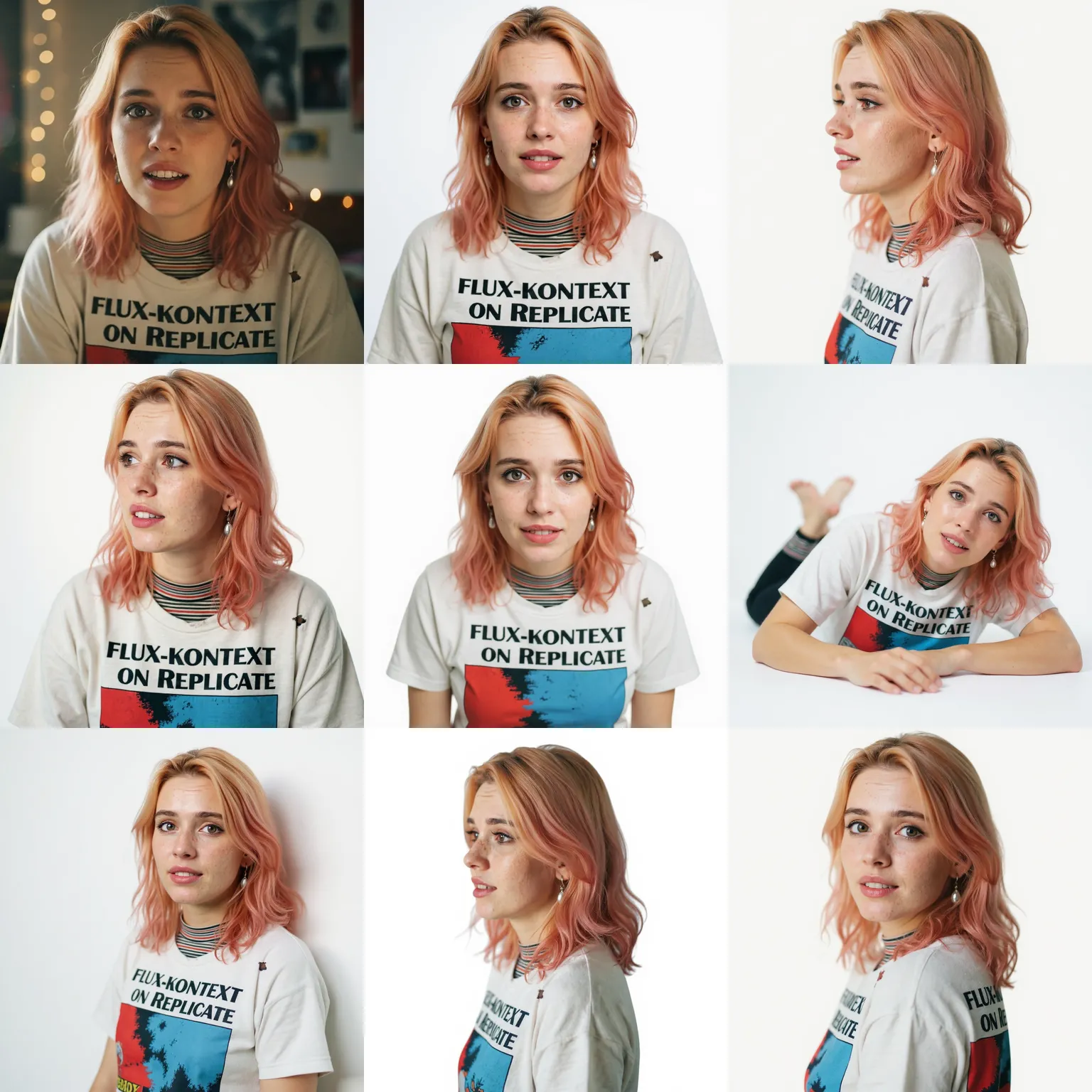
Choisissez parmi plusieurs moteurs incluant Flux Kontext pour le photoréalisme, Nano Banana pour les styles artistiques et Seedream pour les compositions créatives. Chaque modèle a des forces différentes - expérimentez pour trouver celui qui correspond à vos préférences esthétiques. La sélection du modèle est disponible dans l'interface de génération.

13

Qu'est-ce que Gemini et comment aide-t-il ?

Google Gemini est un modèle multimodal qui comprend à la fois le texte et le contenu visuel. Il alimente plusieurs fonctionnalités incluant la suppression intelligente d'objets, le remplissage contextuel d'arrière-plan et la compréhension d'instructions d'édition complexes. Lorsque vous décrivez ce qu'il faut supprimer ou changer, Gemini interprète votre intention avec précision.

14

Qu'est-ce que Flux Kontext ?

Flux Kontext est un modèle de génération spécialisé dans les sorties photoréalistes avec un style cohérent. Il excelle dans la photographie de produits, les portraits et les scènes réalistes. Le modèle maintient un éclairage et une physique cohérents dans les visuels générés. Disponible dans le sélecteur de modèle lors de la création de nouveaux graphiques à partir de texte.

15

Qu'est-ce que Nano Banana ?

Nano Banana est un modèle de génération artistique avec un style visuel distinctif. Il produit des sorties créatives et stylisées plutôt que photoréalistes. Populaire pour les illustrations, l'art conceptuel et les compositions abstraites. La version Nano Banana Pro offre une résolution supérieure et des sorties plus détaillées.

16

Comment Grok est-il intégré ?

Grok aide à comprendre les demandes d'édition en langage naturel. Lorsque vous décrivez des changements en termes conversationnels, Grok interprète votre intention et dirige les demandes vers les outils appropriés. Il gère les instructions ambiguës et pose des questions de clarification si nécessaire.

17

Qu'en est-il de Kling et Veo ?

Kling et Veo sont des modèles de génération de mouvement pour créer des clips à partir d'images ou de texte. Kling excelle dans le mouvement humain et les expressions faciales. Google Veo gère la physique réaliste et les scènes complexes. Les deux sont disponibles pour animer du contenu statique en courts clips vidéo.

18

Puis-je générer des visuels pour un usage commercial ?

Les sorties de la version gratuite sont sous licence pour usage personnel. Les abonnés premium reçoivent tous les droits commerciaux sur tout le contenu généré sans attribution requise. Les plans entreprise incluent une licence étendue pour la production à grande échelle, la revente et les applications de marchandisage.

19

Quelle résolution puis-je générer ?

Les utilisateurs gratuits génèrent à résolution web standard (1024px). Le premium débloque des sorties jusqu'à 2048px. Les plans entreprise prennent en charge la génération 4K pour certains modèles. Une résolution plus élevée prend plus de temps à traiter mais produit une qualité nettement meilleure pour l'impression et les applications professionnelles.

20

Quelle est la vitesse de traitement ?

La suppression d'arrière-plan se termine en 5 à 15 secondes. L'échange de visages prend 10 à 20 secondes. L'agrandissement prend 15 à 30 secondes selon la taille cible. La génération varie selon le modèle et la complexité - les descriptions simples se terminent en 10 secondes tandis que les scènes détaillées peuvent prendre 60 secondes. Les utilisateurs premium obtiennent un accès prioritaire à la file d'attente.

21

La plateforme fonctionne-t-elle sur mobile ?

Oui. L'interface web responsive fonctionne sur smartphones et tablettes via n'importe quel navigateur moderne. Téléchargez directement depuis votre pellicule, appliquez des modifications et téléchargez les résultats sans installation d'application. Chrome et Safari offrent la meilleure expérience mobile. Toutes les fonctionnalités sont accessibles sur les appareils tactiles.

22

Quels navigateurs sont pris en charge ?

Chrome, Firefox, Safari et Edge sur ordinateur. Chrome et Safari sur mobile. Internet Explorer n'est pas pris en charge. Pour de meilleures performances, utilisez la dernière version du navigateur. Certaines fonctionnalités avancées nécessitent le support WebGL qui est disponible par défaut dans tous les navigateurs modernes.

23

Puis-je traiter plusieurs fichiers par lots ?

Les plans premium prennent en charge le traitement par lots pour la suppression d'arrière-plan et l'agrandissement. Mettez en file d'attente jusqu'à 20 fichiers et traitez-les simultanément. Téléchargez les résultats sous forme d'archive ZIP. Les utilisateurs gratuits traitent un fichier à la fois mais peuvent mettre en file d'attente plusieurs tâches séquentiellement.

24

Y a-t-il une API pour les développeurs ?

Les plans professionnels et entreprise incluent l'accès API REST pour intégrer les capacités d'édition et de génération dans des applications externes. Les points de terminaison couvrent la suppression d'arrière-plan, l'agrandissement, l'échange de visages et la génération texte vers visuel. La documentation inclut des exemples de code en Python, JavaScript, Ruby et cURL.

25

Quelles sont les limites de taux API ?

Les plans professionnels permettent 1 000 appels API mensuels. L'entreprise offre 10 000+ appels avec des limites personnalisées disponibles. Le taux de rafale est de 10 requêtes par minute pour les professionnels et 60 pour les entreprises. Contactez les ventes pour des besoins de volume élevé dépassant les plans standard.

26

Dans quelle mesure mon contenu téléchargé est-il sécurisé ?

Les téléchargements sont chiffrés en transit et au repos. Le traitement se fait sur des instances isolées. Le contenu est automatiquement supprimé dans les 24 heures après la génération - souvent beaucoup plus tôt. Nous n'utilisons pas le contenu téléchargé pour l'entraînement des modèles. Les plans entreprise offrent une suppression immédiate et des environnements de traitement dédiés.

27

Stockez-vous mes images ?

Temporairement pendant le traitement uniquement. Le contenu est purgé automatiquement après avoir téléchargé les résultats ou dans un maximum de 24 heures. Aucun stockage à long terme n'est effectué. L'historique de téléchargement montre ce que vous avez créé mais ne conserve pas les données réelles des fichiers. Supprimez votre compte pour retirer immédiatement tous les enregistrements associés.

28

Puis-je utiliser cela pour la photographie de produits ?

Absolument. Les cas d'usage courants incluent la suppression d'arrière-plans des photos de produits pour les listes e-commerce, l'agrandissement d'images de catalogue pour l'impression, la génération de contexte lifestyle autour des produits et la création de prises de vue cohérentes sur fond blanc. Nombreux vendeurs Shopify et Amazon utilisent la plateforme quotidiennement.

29

Qu'en est-il de la retouche de portraits ?

La plateforme gère l'amélioration du visage, le lissage de la peau et l'ajustement de l'éclairage via les outils d'édition. Supprimez les imperfections, ajustez le teint de peau et améliorez les traits du visage tout en maintenant un aspect naturel. Les photographes professionnels l'utilisent pour des aperçus rapides des clients avant la retouche détaillée.

30

Puis-je créer du contenu pour les réseaux sociaux ?

Oui. Générez des graphiques pour Instagram, TikTok, LinkedIn et autres plateformes. Exportez dans les formats courants (1:1, 4:5, 9:16, 16:9) avec résolution optimale pour chaque réseau. Nombreux responsables de réseaux sociaux utilisent le générateur texte vers visuel pour une création rapide de publications quand les bibliothèques d'images ne suffisent pas.

31

Comment obtenir de meilleurs résultats de génération ?

Écrivez des descriptions détaillées décrivant le sujet, le cadre, l'éclairage, le style et l'ambiance. Spécifiez l'angle de caméra, l'heure de la journée et la palette de couleurs si pertinent. Évitez les demandes vagues comme 'rends-le joli' - décrivez plutôt exactement ce que joli signifie pour vous. Expérimentez avec différents modèles pour trouver celui qui correspond à votre esthétique.

32

Que se passe-t-il si la génération échoue ?

Les générations échouées ne consomment pas de crédits. Si le traitement expire ou produit des erreurs, réessayez avec la même description sans frais. Le système rembourse automatiquement les crédits pour les tentatives infructueuses. Contactez le support si des échecs répétés se produisent avec des descriptions spécifiques.

33

Puis-je éditer les sorties générées ?

Oui. Passez n'importe quel graphique généré à travers les outils d'édition - supprimez des éléments, changez les arrière-plans, améliorez la résolution ou échangez des visages. Traitez les sorties générées comme n'importe quelle autre image téléchargée. Nombreux flux de travail impliquent de générer une base puis d'affiner avec les outils d'édition.

34

Qu'est-ce que la transformation image vers image ?

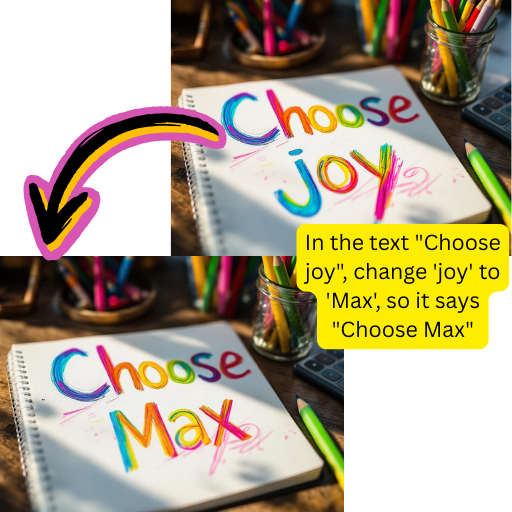
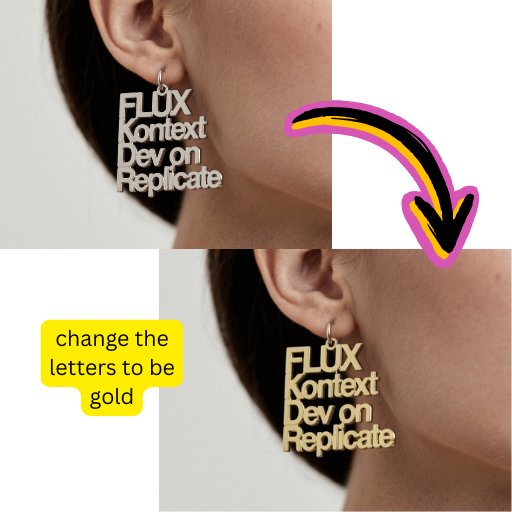
Téléchargez une image existante et transformez-la en utilisant des instructions textuelles. Changez les saisons, modifiez l'éclairage, appliquez des styles artistiques ou modifiez des éléments spécifiques tout en préservant la composition globale. Différent de la génération qui crée à partir de zéro - la transformation utilise votre image comme point de départ.

35

Comment fonctionne le transfert de style ?

Sélectionnez un style de référence et appliquez-le à votre image. Transformez des photographies en illustrations, peintures ou œuvres de style anime tout en préservant l'identité du sujet. Fonctionne avec les portraits, paysages et photos de produits. Le traitement prend 15 à 30 secondes selon la complexité.

36

Puis-je animer des images en vidéos ?

Oui. Sélectionnez parmi les modèles de mouvement incluant Kling, Veo, Hailuo et Pixverse pour animer des images fixes. Ajoutez un mouvement de caméra, un mouvement de sujet ou des effets environnementaux. Les clips s'exportent en fichiers MP4 prêts pour les réseaux sociaux. La durée varie de 3 à 10 secondes selon le modèle et le plan.

37

Quels formats vidéo sont pris en charge ?

Les sorties animées s'exportent en MP4 avec encodage H.264 pour une compatibilité maximale. La résolution correspond aux limites de votre plan. Les utilisateurs gratuits obtiennent des clips 720p tandis que le premium débloque 1080p et 4K sur certains modèles. Toutes les grandes plateformes incluant YouTube, Instagram et TikTok acceptent le format de sortie.

38

Y a-t-il une application de bureau ?

Non. La plateforme est entièrement basée sur le web, ce qui signifie qu'aucun téléchargement ou installation n'est requis. Cela garantit que vous utilisez toujours la dernière version avec les modèles et fonctionnalités les plus récents. Fonctionne sur Windows, Mac, Linux, iOS et Android via n'importe quel navigateur moderne.

39

Comment fonctionnent les crédits ?

Chaque opération consomme des crédits selon la complexité. La suppression d'arrière-plan utilise 1 crédit. La génération utilise 2 à 5 crédits selon la résolution et le modèle. Les utilisateurs gratuits reçoivent un renouvellement quotidien de crédits. Les abonnés premium obtiennent des pools de crédits mensuels qui se reportent partiellement. Vérifiez votre tableau de bord pour le solde actuel.

40

Que se passe-t-il quand les crédits sont épuisés ?

Les utilisateurs gratuits attendent le renouvellement quotidien ou passent au premium. Les utilisateurs premium peuvent acheter des packs de crédits supplémentaires ou attendre le renouvellement mensuel. Les plans entreprise n'ont pas de limites strictes - les dépassements sont facturés aux tarifs contractuels. L'interface affiche le coût en crédits avant de confirmer chaque opération.

41

Puis-je annuler le premium à tout moment ?

Oui. Annulez via les paramètres du compte sans pénalité. L'accès continue jusqu'à la fin de la période de facturation actuelle. Les crédits restants ne sont pas remboursés mais restent utilisables jusqu'à expiration. Rétrogradez vers la version gratuite à tout moment - votre compte et historique restent intacts.

42

Y a-t-il une politique de remboursement ?

Contactez le support dans les 7 jours suivant l'achat pour considération de remboursement. Les crédits non utilisés sont remboursables. Les comptes fortement utilisés sont évalués au cas par cas. Les contrats entreprise suivent leurs conditions spécifiques. Nous visons à résoudre les préoccupations rapidement et équitablement.

43

Qu'est-ce qui rend cela différent de Photoshop ?

Cette plateforme se concentre sur les opérations automatisées alimentées par l'AI plutôt que sur l'édition manuelle. Aucune courbe d'apprentissage - décrivez ce que vous voulez et les réseaux neuronaux exécutent. Photoshop nécessite des compétences et du temps considérables. Utilisez cela pour les tâches de production rapides ; utilisez Photoshop pour un contrôle manuel détaillé si nécessaire.

44

Comment cela se compare-t-il à Canva ?

Canva se concentre sur les modèles et le design graphique. Cette plateforme se spécialise dans l'édition et la génération intelligentes - suppression d'arrière-plan, agrandissement, échange de visages et création de visuels à partir de texte. Nombreux utilisateurs combinent les deux : génèrent ou éditent ici, puis arrangent dans Canva pour la composition finale.

45

Qu'en est-il de DALL-E et Midjourney ?

Ce sont des plateformes dédiées à la génération. Cette plateforme offre la génération plus les outils d'édition en un seul endroit. Si vous n'avez besoin que de génération, les outils dédiés fonctionnent bien. Si vous devez éditer les résultats, supprimer les arrière-plans, agrandir ou échanger des visages - cette approche intégrée évite de basculer entre plusieurs services.

46

Les enseignants et étudiants peuvent-ils utiliser cela ?

Oui. L'usage éducatif est éligible à la version gratuite avec des limites généreuses. Contactez les ventes pour une licence institutionnelle pour le déploiement en classe. Les usages éducatifs courants incluent les aides visuelles, les graphiques de présentation et les projets créatifs. Des restrictions d'âge s'appliquent - les utilisateurs doivent avoir 13 ans et plus ou avoir le consentement d'un tuteur.

47

Y a-t-il des tarifs pour les équipes ou agences ?

Les plans entreprise prennent en charge plusieurs postes avec des pools de crédits partagés, une facturation centralisée et des contrôles d'administration. Des remises de volume s'appliquent pour 10+ postes. Les agences gérant le travail des clients bénéficient de fonctionnalités d'organisation de l'espace de travail. Contactez les ventes pour un devis personnalisé basé sur la taille de l'équipe et l'utilisation prévue.

48

Comment contacter le support ?

Envoyez un email à support@bestaiphotoeditor.app ou utilisez le widget de chat dans le coin inférieur droit. Les utilisateurs premium reçoivent une réponse prioritaire dans les 24 heures. Les clients entreprise ont des gestionnaires de compte dédiés et un support téléphonique. Le centre d'aide contient des tutoriels et des guides de dépannage pour les questions courantes.

49

Où puis-je en savoir plus sur la technologie ?

Notre blog couvre les détails techniques sur les modèles et approches alimentant chaque fonctionnalité. Suivez les mises à jour pour les nouvelles versions de modèles et les annonces de capacités. La communauté Discord partage des conseils, des flux de travail et de l'inspiration créative d'autres utilisateurs.

Commencez à éditer des photos gratuitement aujourd'hui

Utilisez notre éditeur de photos AI gratuit en ligne. Éditez des images, générez des photos et améliorez vos images sans carte bancaire requise.