


01
Refined Visual Fidelity
Minimax Hailuo 2.3 AI Video Generator produces cleaner frames with fewer artifacts. Skin tones, textures, and lighting all look more natural compared to earlier Hailuo versions.
Generate high quality videos from text and images with Seedance 2 AI. ByteDance's latest model brings sharper detail, smoother motion, and better prompt understanding.
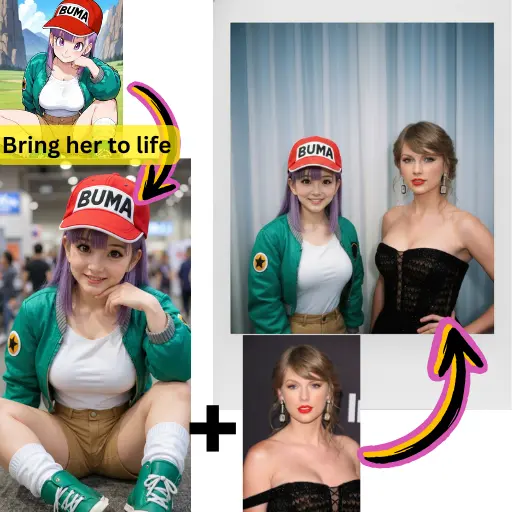
Minimax Hailuo 2.3 AI Video Generator produces cleaner frames with fewer artifacts. Skin tones, textures, and lighting all look more natural compared to earlier Hailuo versions.
Objects and characters maintain their shape and position throughout the clip. Minimax Hailuo 2.3 AI Video Generator reduces the flickering and warping that plagued older models.
When your prompt describes a change in setting or angle, Minimax Hailuo 2.3 AI Video Generator blends the shift smoothly instead of producing jarring cuts.
You do not need elaborate prompt engineering. Minimax Hailuo 2.3 AI Video Generator interprets straightforward descriptions and delivers visually appealing results on the first try.
Faces and body proportions stay stable frame to frame. Minimax Hailuo 2.3 AI Video Generator keeps your subjects recognizable throughout the entire clip.
Minimax Hailuo 2.3 AI Video Generator processes requests quickly, letting you test multiple prompt variations and compare results without long waits.
Type a scene description or upload a photo as a starting frame. Minimax Hailuo 2.3 AI Video Generator works well with both input types.
Open the model selector on AI Photo Editor and choose Minimax Hailuo 2.3. Adjust clip length and aspect ratio to fit your project.
Watch the preview, refine your prompt if needed, and download the finished video in full quality.
Minimax Hailuo 2.3 AI Video Generator is an updated video generation model from MiniMax. It builds on the Hailuo series with better visual quality, improved motion stability, and smoother transitions between scenes.
Yes. AI Photo Editor gives new users free credits to try Minimax Hailuo 2.3 AI Video Generator. You can start generating videos right away without a paid plan.
Minimax Hailuo 2.3 AI Video Generator delivers sharper visuals, more consistent character appearance, and smoother motion. Scene transitions are also noticeably cleaner than in version 2.0.
Yes. Upload any image and Minimax Hailuo 2.3 AI Video Generator will animate it into a video clip. The model preserves the original composition while adding natural movement.
Minimax Hailuo 2.3 AI Video Generator produces clips of several seconds. You can extend them using the video extension feature available on AI Photo Editor.
It performs well with multi subject scenes and detailed environments. Minimax Hailuo 2.3 AI Video Generator maintains spatial relationships and keeps backgrounds stable during motion.
Product showcases, social media clips, character animations, and landscape scenes all produce strong results. Minimax Hailuo 2.3 AI Video Generator adapts to a wide range of visual styles.
Videos generated through AI Photo Editor can be used in commercial work. Check the current terms of service for specific licensing details related to Minimax Hailuo 2.3 AI Video Generator output.