AI Image to Image — Photo Transformation Free

Free photo transformation using Flux, Qwen & Seedream AI. Transform any image into stunning new creations.

0

Image to Image AI Transformation Gallery and Ideas

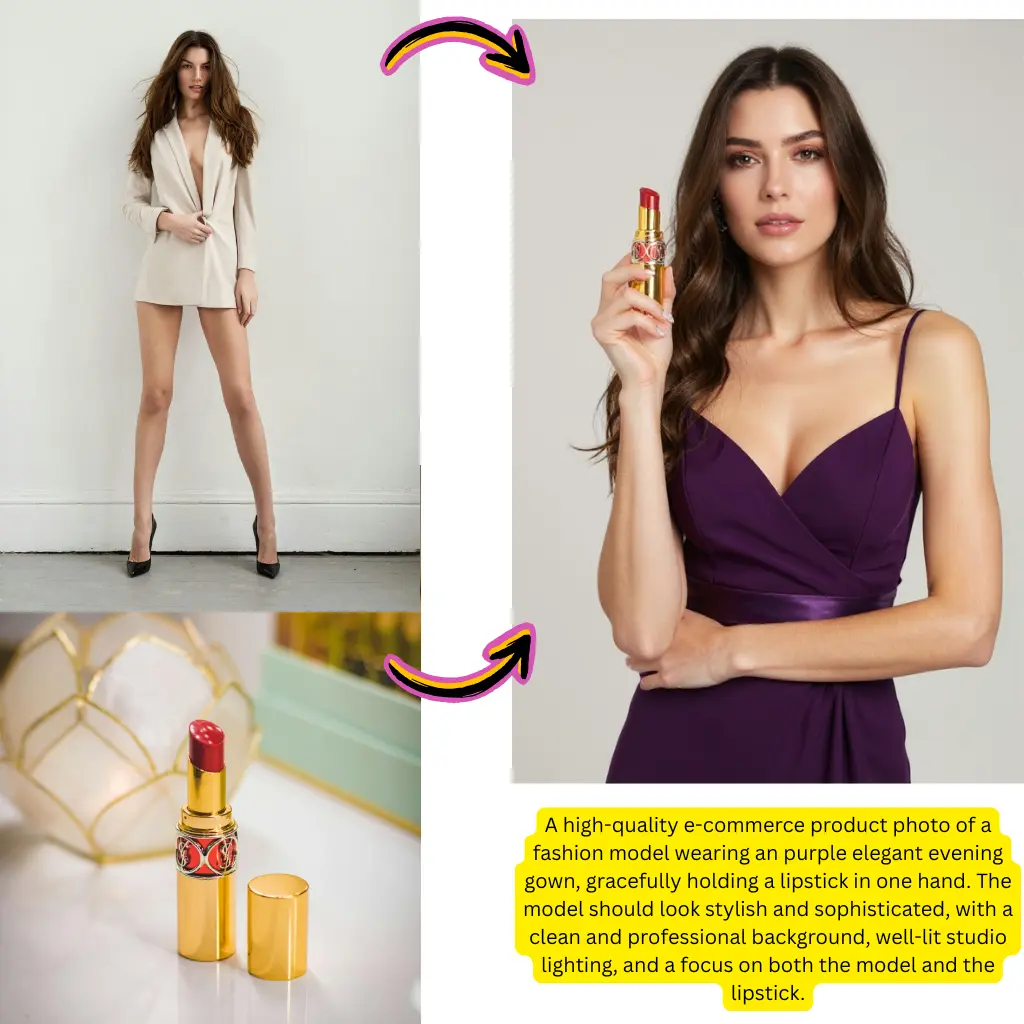
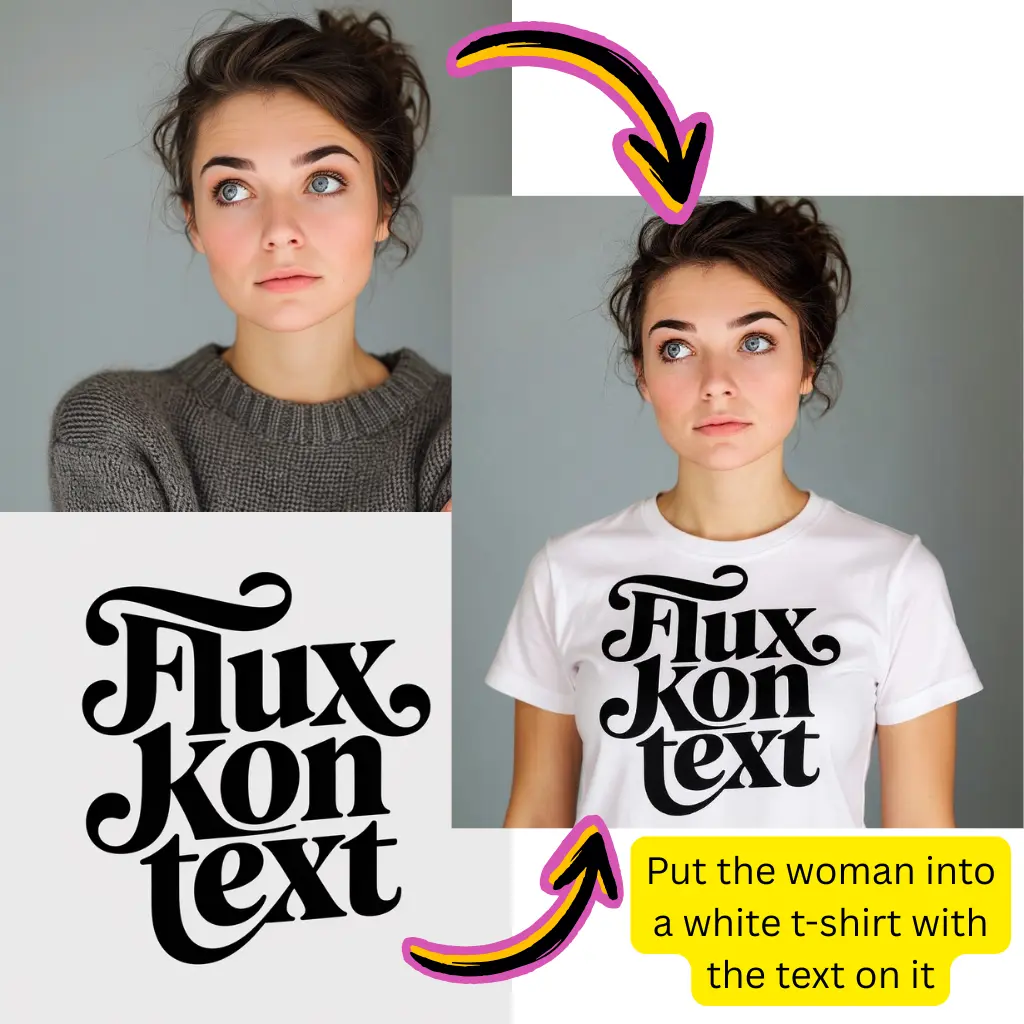
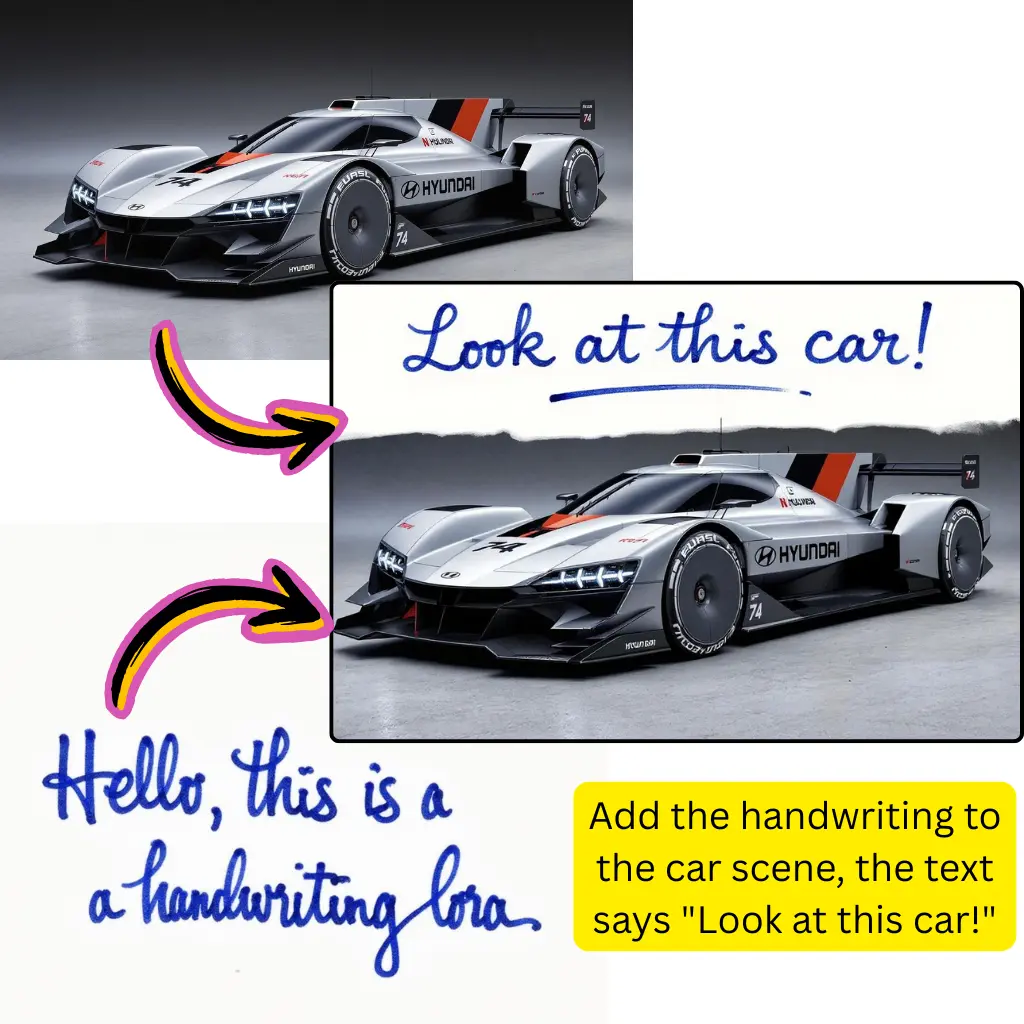
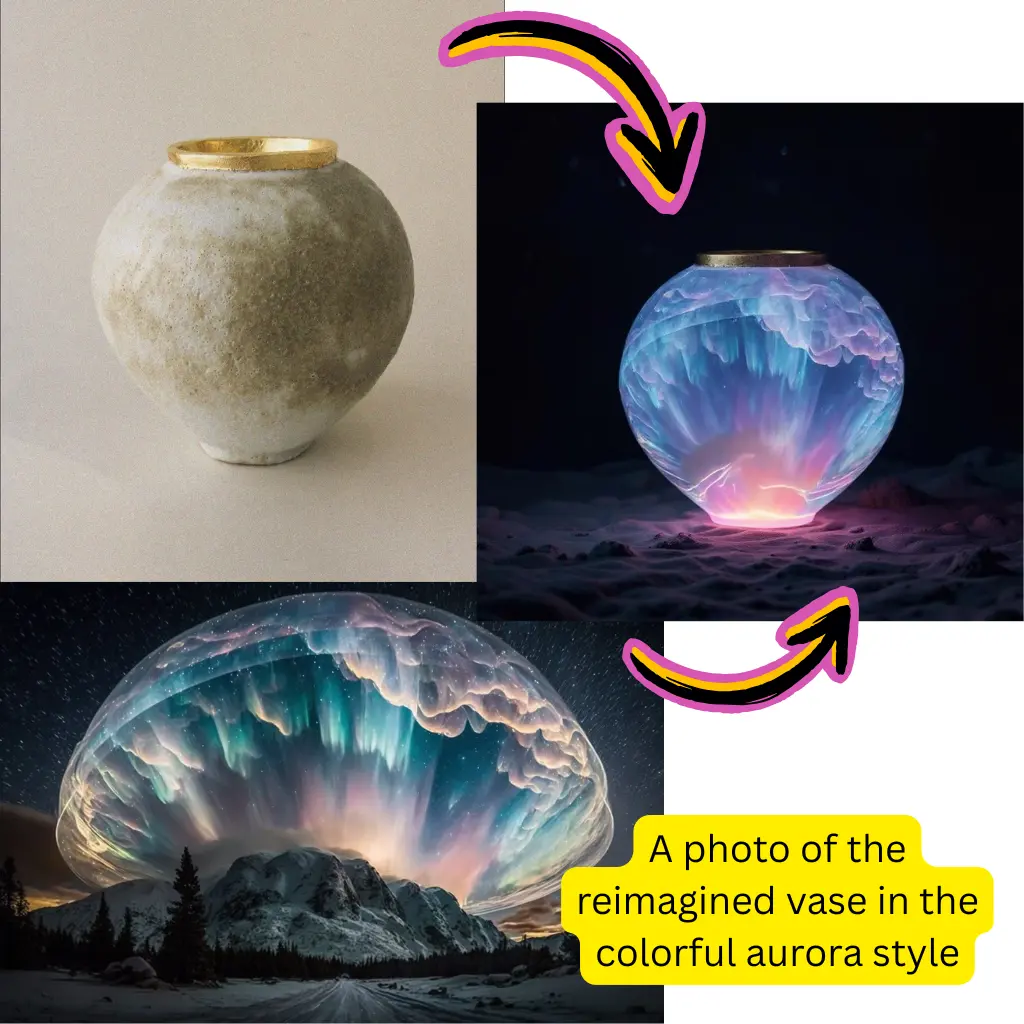
Explore creative transformations made with Image to Image AI. See how photos become paintings, sketches, stylized portraits, and entirely new visual concepts.

Comparison of Best AI Photo Editor Image to Image Models

Original Image

Original Image

Change the clothes to sports

Generated Results

Nano Banana Result
Nano Banana
Nano Banana Pro Result
Nano Banana Pro
Grok Imagine Result
Grok Imagine
GPT Image 1.5 Result
GPT Image 1.5
Flux.2 Dev Result
Flux.2 Dev
Ideogram Result
Ideogram
Seedream 4.5 Result
Seedream 4.5
Flux.2 Pro Result
Flux.2 Pro

What Image to Image AI Does to Your Photos

Image to Image AI takes an existing photo and transforms it based on your text instructions. Change the art style, swap seasons, alter moods, or reimagine the entire composition while keeping the core structure of your original image intact.
Best Image AI Editor free online. Free AI photo editor for picture & image editing. Create with AI image generator, image to image AI & image text editor AI. AI Background Remover & AI Background Changer
01Style Transfer with Precision02Powered by Multiple AI Models03Structural Awareness Built In
01

Style Transfer with Precision

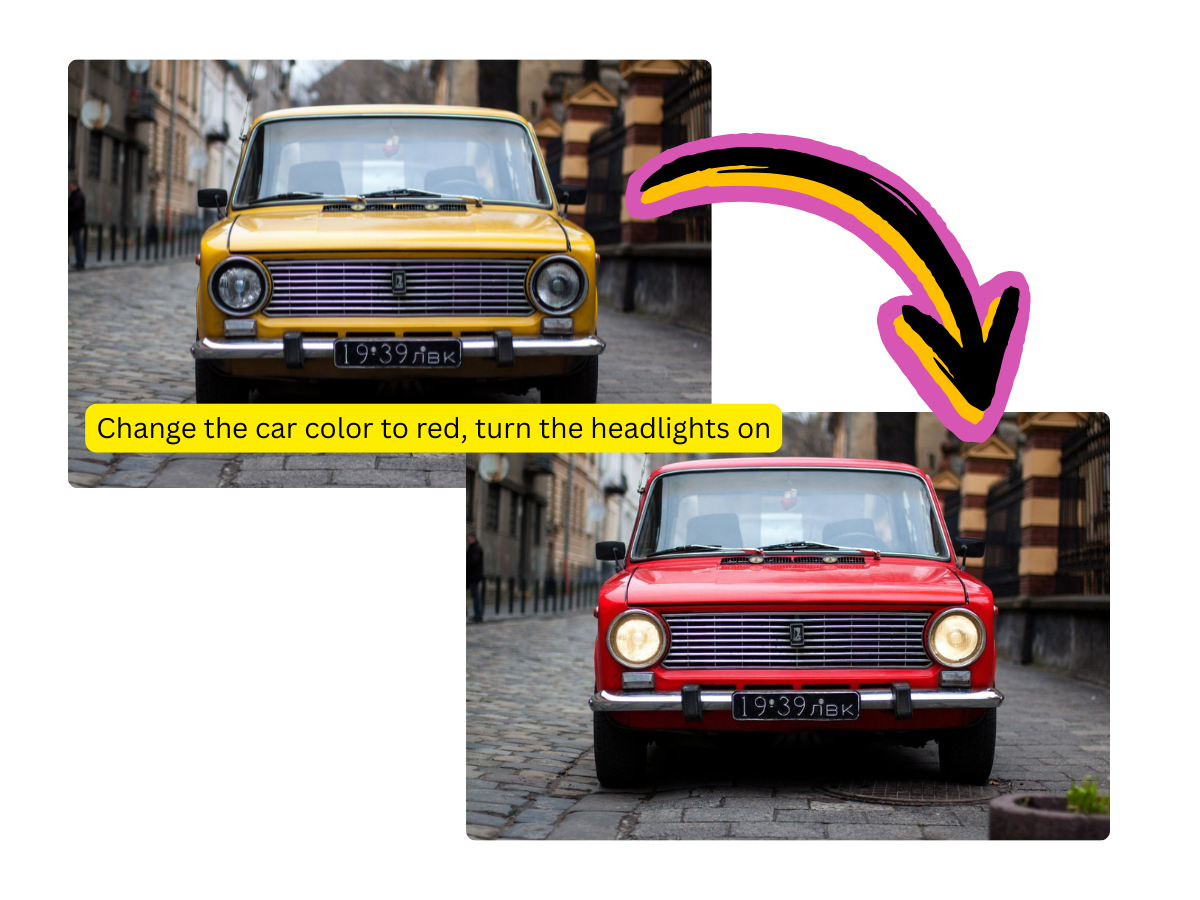
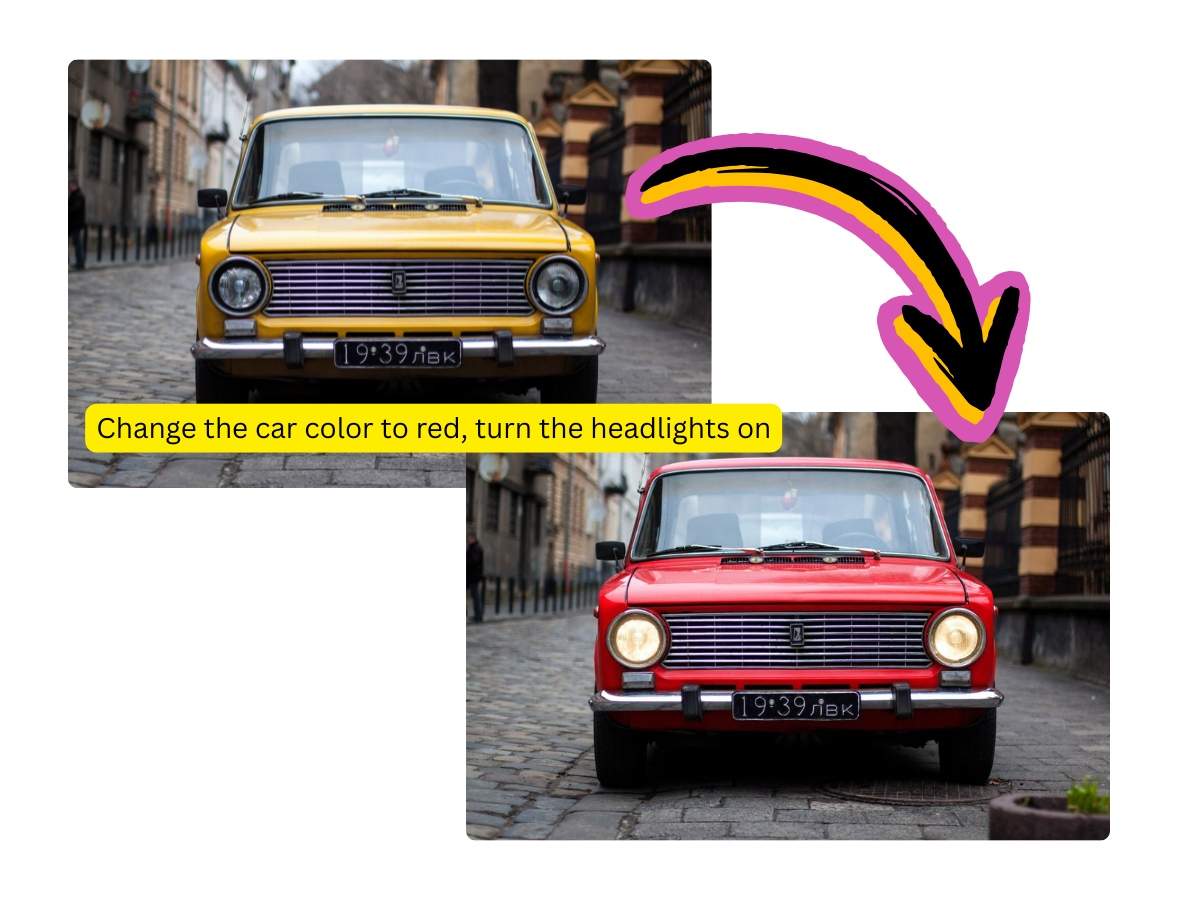
Image to Image AI converts your photos into watercolors, oil paintings, anime, pencil sketches, and dozens of other artistic styles. The original composition stays recognizable while the visual treatment changes completely.
02

Powered by Multiple AI Models

Image to Image AI runs on Flux, Qwen, and Seedream models. Each model brings different strengths, giving you more creative options for how your transformed image looks.

03

Structural Awareness Built In

Unlike text to image generation, Image to Image AI understands the layout of your original photo. Subjects stay in position, proportions are maintained, and the transformation respects the spatial relationships in your image.

Why Creators Rely on Image to Image AI for Visual Projects

Starting from an existing image gives you far more control than generating from scratch. Image to Image AI bridges the gap between your reference photo and your creative vision.
Turn References into Final Art
01

Turn References into Final Art

Snap a quick photo or sketch and let Image to Image AI transform it into polished artwork. Concept artists, illustrators, and designers use this workflow to accelerate their creative process.

Create Consistent Visual Series
02

Create Consistent Visual Series

Apply the same transformation style across multiple photos to build a cohesive collection. Image to Image AI keeps the artistic treatment uniform when you use similar prompts.

Experiment Without Losing the Original
03

Experiment Without Losing the Original

Your source image is never modified. Image to Image AI generates a new version each time, so you can try dozens of creative directions without any risk to your original file.

How to Transform Photos with Image to Image AI

Reimagine any photo in three steps. Upload, describe, and download your transformed creation.
01
Upload Your Source Image

Upload Your Source Image

Drop any photo into Image to Image AI. Portraits, landscapes, product shots, and sketches all work as starting points for transformation.

02
Describe the Transformation You Want

Describe the Transformation You Want

Write a prompt explaining how you want the image changed. Mention the target style, mood, color palette, or any specific modifications. Image to Image AI interprets your instructions and applies them.

03
Review and Download the Result

Review and Download the Result

Check your transformed image, adjust the prompt for different results if needed, and download the final version in full resolution.

Frequently Asked Questions About Image to Image AI

Answers to common questions about transforming and restyling photos with Image to Image AI.
Q1

What is Image to Image AI and how does it differ from text to image?

Image to Image AI uses your existing photo as a starting point and transforms it according to your prompt. Text to image creates from scratch. The key advantage of Image to Image AI is that your original composition, poses, and layout are preserved during the transformation.

Q2

What AI models power Image to Image AI on this platform?

Image to Image AI runs on Flux, Qwen, and Seedream models. You can select different models to compare results, as each one interprets style transfers and transformations differently.

Q3

Can Image to Image AI change the art style of a photograph?

Yes. Image to Image AI excels at style transfer. You can convert photos into watercolor paintings, oil portraits, anime illustrations, comic book art, pencil drawings, and many other visual styles.

Q4

Does Image to Image AI preserve the original image structure?

It does. Image to Image AI maintains the spatial layout, subject positions, and proportions of your source photo. The transformation changes the visual style without rearranging the composition.

Q5

What types of images work best with Image to Image AI?

Clear photos with good lighting produce the best transformations. Portraits, landscapes, architecture, and product shots all respond well. Very dark or heavily compressed images may produce less detailed results.

Q6

Is Image to Image AI free to use?

New users receive free credits to try Image to Image AI. You can transform several photos before deciding whether a paid plan fits your creative workflow.

Q7

Can I use Image to Image AI to create variations of the same photo?

Absolutely. Run the same source image through Image to Image AI with different prompts to generate multiple creative variations. This is useful for exploring different visual directions for a project.