


01
Natural Language Editing
Tell Flux Kontext AI Image Editor what to change in plain English. No masks, no layers, no sliders. Just describe the edit and the model handles the rest.
Edit images using natural language with Flux Kontext AI Image Editor. Describe what to change and the model understands the full context of your image before making precise modifications.
Browse real edits made with Flux Kontext AI Image Editor and find inspiration for your own context aware image transformations.
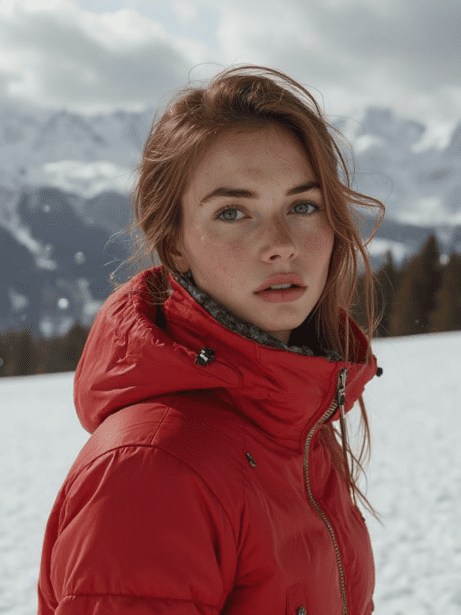
Original Image

Change the clothes to sports
Generated Results








Tell Flux Kontext AI Image Editor what to change in plain English. No masks, no layers, no sliders. Just describe the edit and the model handles the rest.
Maintain the same character appearance across multiple edits. Flux Kontext AI Image Editor preserves identity, clothing, and style between variations.
Flux Kontext AI Image Editor delivers results up to eight times faster than comparable models, making real time creative iteration practical.

Flux Kontext AI Image Editor automatically identifies which parts of the image to modify and which to preserve. You never need to draw selection masks or define edit regions manually.

Apply the visual style of one image to another while keeping the original content intact. Flux Kontext AI Image Editor blends styles naturally without artifacts.

With generation times measured in seconds rather than minutes, Flux Kontext AI Image Editor fits into deadline driven workflows where every minute counts.

Drag and drop or browse to upload the photo you want to edit. Flux Kontext AI Image Editor accepts all common image formats.

Write what you want to change in natural language. Be specific about the modification while the model preserves everything else automatically.
Review the edited image, request additional changes if needed, and download the final result in high quality.
Flux Kontext AI Image Editor is a context aware image editing model from Black Forest Labs, launched in May 2025. It understands the full scene of your image and makes targeted edits based on natural language instructions without requiring manual masks or selections.
Traditional editors require you to manually select areas, apply filters, and adjust settings. Flux Kontext AI Image Editor lets you describe changes in plain language and handles the technical execution automatically while understanding the context of the entire image.
Yes. Black Forest Labs benchmarks show Flux Kontext AI Image Editor completing edits up to eight times faster than comparable models. This speed advantage makes it practical for workflows that require rapid iteration.
Yes. One of its core strengths is preserving character identity across edits. You can change outfits, backgrounds, and poses while keeping the same person looking consistent throughout a series of images.
Flux Kontext AI Image Editor handles outfit changes, background replacements, style transfers, object additions or removals, lighting adjustments, and seasonal or time of day changes particularly well.
AI Photo Editor provides free credits for new users to try Flux Kontext AI Image Editor. You can upload images and test edits immediately without creating an account.
Yes. You can upload JPG, PNG, and WebP files. The editor processes all standard web image formats and outputs high quality results regardless of the input format.
Provide a reference image or describe the target style in your prompt. Flux Kontext AI Image Editor analyzes the visual characteristics and applies them to your image while preserving the original content and composition.