
01
One Click Background Removal
The AI Background Remover processes your photo the moment you upload it. No tracing, no lasso tool, no manual work. The background disappears automatically.
Remove photo backgrounds automatically with AI. Get clean cutouts, transparent PNGs, or replace with white, black, or custom colors instantly.
Click or drag to upload image
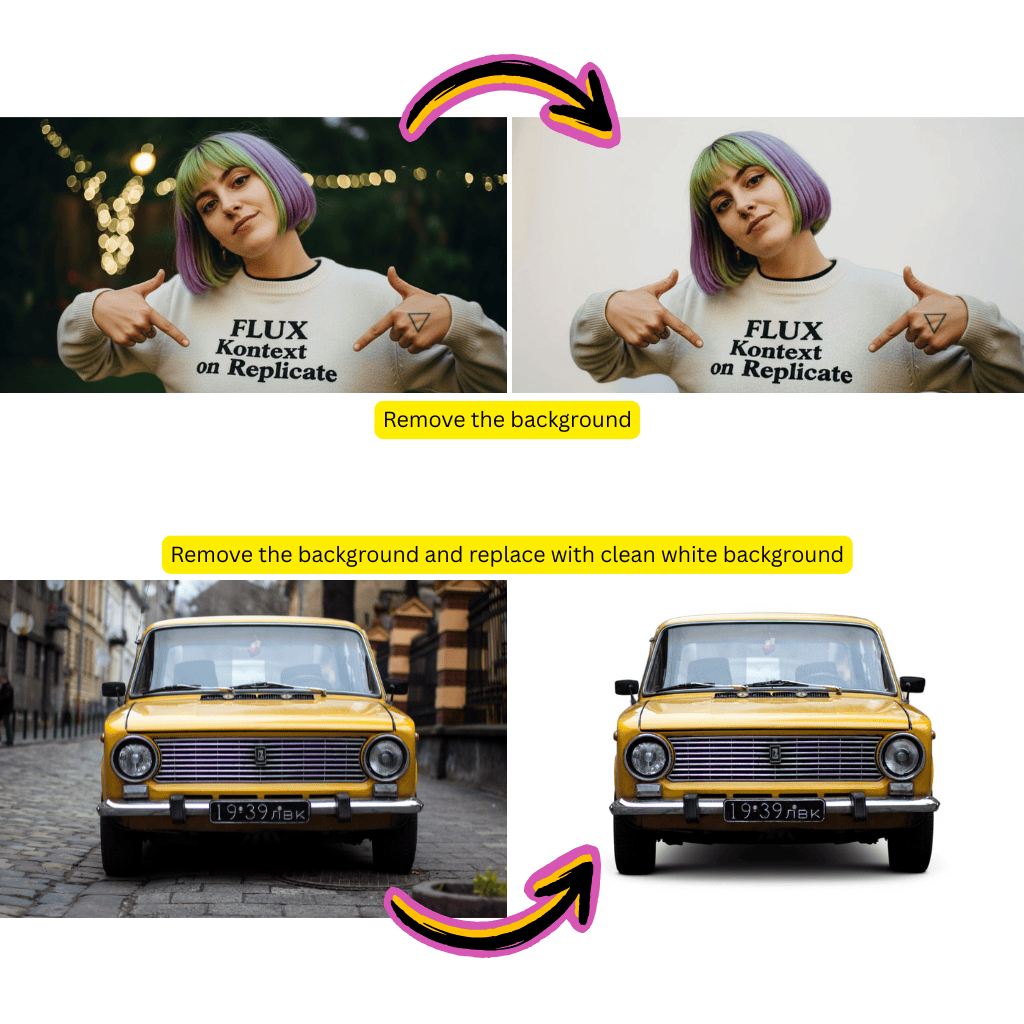
The AI Background Remover processes your photo the moment you upload it. No tracing, no lasso tool, no manual work. The background disappears automatically.
Fine details like hair strands, jewelry, and translucent fabrics stay intact. The AI Background Remover distinguishes foreground from background at the pixel level.
Export as a transparent PNG, add a solid white or black background, or pick any custom color. The AI Background Remover gives you the format you need.
Need a cutout for a design project? The AI Background Remover delivers clean transparent PNGs ready for Canva, Figma, Photoshop, or any design tool.
Process dozens of product images quickly. The AI Background Remover keeps quality consistent across your entire catalog without manual adjustments.
The AI Background Remover runs entirely in your browser. Works on any device with an internet connection, whether you are on a laptop, tablet, or phone.
Drop your photo into the AI Background Remover. Portraits, product shots, pets, logos, and more are all supported.
The AI Background Remover analyzes your photo, identifies the subject, and removes the background automatically. Processing takes just a few seconds.
Pick transparent, white, black, or a custom color background. Then download your clean image in full resolution.
The AI Background Remover handles complex scenes well, including multiple subjects, intricate hair, and overlapping objects. Edge quality rivals manual selection in most cases.
Yes. Transparent PNG is the default output. The AI Background Remover preserves the alpha channel so your cutout works perfectly in any design application.
It works great for product photos. Many e-commerce sellers use the AI Background Remover to create clean white background images that meet Amazon, eBay, and Shopify listing standards.
You can upload images up to 10MB. The AI Background Remover processes them at full resolution so you do not lose any detail in the output.
You can process images one after another quickly. The AI Background Remover handles each photo in seconds, making batch workflows efficient even without a dedicated batch mode.
No. The AI Background Remover outputs images at the same resolution as your original upload. There is no downscaling or compression applied during processing.
The AI Background Remover uses specialized edge detection for hair and fur. Individual strands are preserved rather than clipped, giving you natural looking cutouts.