Photo to Video AI — Transform Images into Videos Free

Transform photos into dynamic videos with free AI. Create stunning video content instantly.

How Image to Video AI Transforms Your Photos

Image to Video AI takes any still photograph and converts it into a fluid, natural looking video. The technology analyzes composition, depth, and subject matter to generate realistic motion that feels intentional rather than artificial. Whether you start with a portrait, landscape, or product shot, the output maintains the original quality while adding life to every frame.
Best Image AI Editor free online. Free AI photo editor for picture & image editing. Create with AI image generator, image to image AI & image text editor AI. AI Background Remover & AI Background Changer
01Intelligent Motion from a Single Frame02Multiple AI Models at Your Fingertips03Preserve Original Image Quality Throughout
01

Intelligent Motion from a Single Frame

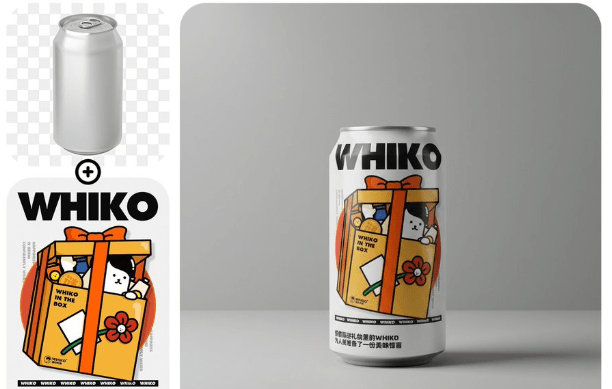
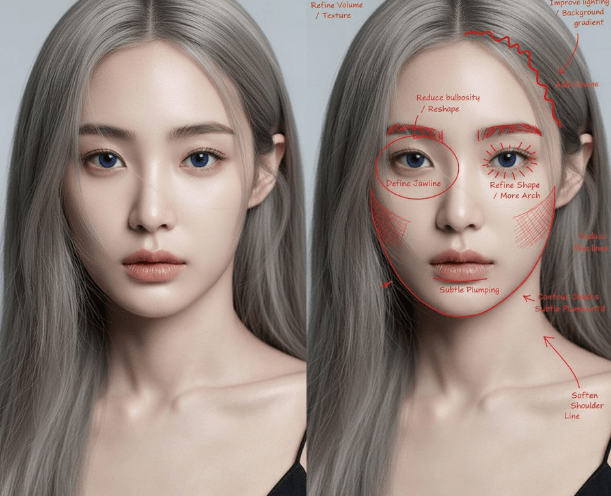
Image to Video AI reads the visual cues in your photo and decides how elements should move. Clouds drift, hair sways, water ripples. The motion is derived from what the image actually contains, not from a generic animation template.
02

Multiple AI Models at Your Fingertips

Choose from leading models including Kling, Gemini, Wan, and Seedance. Each model brings a different strength, and Image to Video AI lets you switch between them to find the perfect match for your project.

03

Preserve Original Image Quality Throughout

Your source photo stays sharp. Image to Video AI generates new frames that match the resolution and color profile of your original, so the final video looks like it was captured on camera rather than synthesized.

Why Creators Rely on Image to Video AI

From social media managers to e-commerce teams, Image to Video AI saves hours of production work while delivering scroll stopping results.
Turn a Photo Library into a Video Archive
01

Turn a Photo Library into a Video Archive

Every photo you already own becomes raw material for video content. Image to Video AI lets you repurpose existing assets instead of planning new shoots, cutting production costs dramatically.

Engage Audiences with Moving Visuals
02

Engage Audiences with Moving Visuals

Static images get scrolled past. Image to Video AI converts those same images into motion content that holds attention longer on social feeds, product pages, and email campaigns.

No Video Editing Skills Required
03

No Video Editing Skills Required

You do not need to learn timeline editors or keyframe animation. Image to Video AI handles the technical work so you can focus on choosing the right photo and describing the motion you want.

How to Use Image to Video AI in Three Steps

Getting started with Image to Video AI takes less than a minute. No software to install, no account setup required for your first generation.
01
Upload Your Photo

Upload Your Photo

Drag and drop any image into the editor. Image to Video AI accepts common formats including JPG, PNG, and WebP. Higher resolution photos produce better video output.

02
Describe the Motion You Want

Describe the Motion You Want

Write a short prompt explaining how the scene should move. Mention camera direction, subject action, or atmosphere. Image to Video AI uses your description to guide the animation.

03
Generate and Download Your Video

Generate and Download Your Video

Click generate and wait a few moments. Preview the result, adjust your prompt if needed, and download the final video file ready for publishing anywhere.

Frequently Asked Questions About Image to Video AI

Find answers to common questions about using Image to Video AI for your creative projects.
Q1

What types of images work best with Image to Video AI?

Image to Video AI works with any photo, but images with clear subjects and good lighting produce the most impressive results. Landscapes, portraits, product shots, and architectural photos all convert well into video.

Q2

Is Image to Video AI free to use?

Yes. AI Photo Editor gives you free credits to try Image to Video AI without any payment. You can generate your first videos immediately and upgrade later if you need higher volume.

Q3

How long are the videos created by Image to Video AI?

Generated videos typically range from 3 to 10 seconds depending on the model you select. You can extend clips or combine multiple generations to build longer sequences.

Q4

Which AI models power Image to Video AI?

Image to Video AI gives you access to multiple models including Seedance, Kling, Wan, Gemini Veo, and more. Each model has different strengths for various types of content.

Q5

Can Image to Video AI handle product photography?

Absolutely. Product photos convert particularly well because Image to Video AI can add subtle rotation, zoom effects, and environmental motion that make items look more appealing in ads and listings.

Q6

Does Image to Video AI add a watermark to the output?

Free generations may include a small watermark. Upgraded plans provide clean output without any watermarks, suitable for commercial use and professional publishing.

Q7

What resolution does Image to Video AI output?

Output resolution depends on the model selected. Most models generate video at 720p or 1080p. The quality scales with your input image, so starting with a high resolution photo gives the best results.

Q8

Can I control the camera movement in Image to Video AI?

Yes. Your text prompt guides the camera behavior. Describe panning, zooming, orbiting, or tracking movements and Image to Video AI will follow your direction when generating the clip.