

01
Style Transfer That Preserves Motion
Video to Video AI applies your chosen aesthetic across every frame while keeping the original movement untouched. The result looks like it was shot in the new style from the start.
Transform existing videos with Video to Video AI. Apply new visual styles, enhance quality, and modify scenes while preserving the original motion and structure.
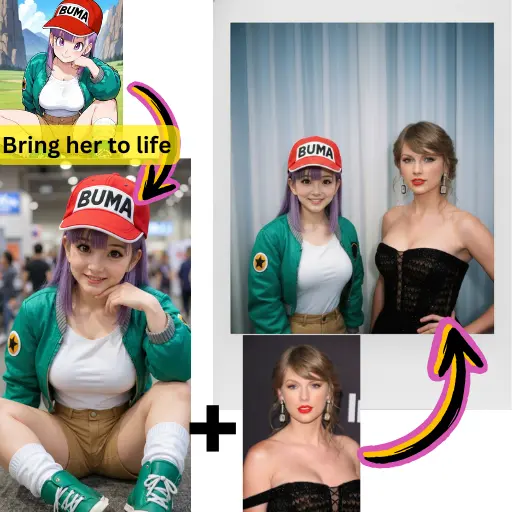
Video to Video AI applies your chosen aesthetic across every frame while keeping the original movement untouched. The result looks like it was shot in the new style from the start.
Change backgrounds, swap seasons, alter lighting conditions, or modify objects in the scene. Video to Video AI makes these edits while maintaining the natural flow of the footage.
Beyond style changes, Video to Video AI can sharpen details, improve color balance, and reduce noise. Feed it rough footage and get back a polished version.
Take one video and create multiple versions with different visual styles using Video to Video AI. A corporate clip becomes a social media reel, a tutorial becomes an animated explainer.
Shot in the wrong lighting? Need a different color palette? Video to Video AI corrects these issues after the fact, saving you the cost and time of going back on location.
Test how your video looks in dozens of different styles within minutes. Video to Video AI lets you experiment freely before committing to a final direction.
Drag and drop your video file into AI Photo Editor. Video to Video AI accepts most standard video formats and resolutions.
Write a prompt explaining the new style, mood, or changes you want. Be specific about colors, lighting, and artistic direction for the best results from Video to Video AI.
Run the transformation and compare the result with your original. Download the transformed video or adjust your prompt for a different take.
Video to Video AI is a tool that transforms existing video footage by applying new visual styles, enhancing quality, or modifying scene elements while preserving the original motion and timing.
Yes. AI Photo Editor gives new users free credits to test Video to Video AI. Upload a video and see the transformation results before committing to a paid plan.
No. Video to Video AI preserves the original movement, timing, and structure of your footage. Only the visual appearance changes based on your prompt.
Video to Video AI can apply cinematic color grading, convert footage to animation or illustration styles, change seasons and weather, alter lighting, and modify the overall aesthetic of any scene.
Yes. Beyond style transfer, Video to Video AI can enhance sharpness, improve color accuracy, and reduce visual noise in your source video.
Video to Video AI works with most common video formats. Upload your file directly to AI Photo Editor and the platform handles the conversion automatically.
Video to Video AI processes clips of several seconds per transformation. For longer videos, you can split them into segments and transform each one separately.