


01
Text and Image Input Support
Wan AI Video Generator accepts both written descriptions and uploaded photos. Describe a scene in words or provide a reference image and the model generates a matching video clip.
Create videos from text prompts and images with Wan AI Video Generator. Alibaba's reliable base model makes AI video generation accessible to everyone.
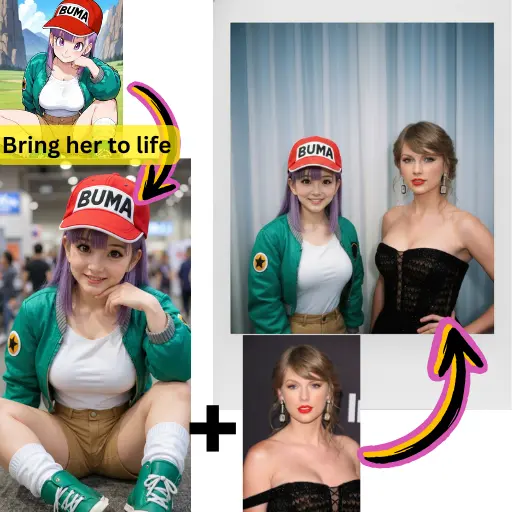
Wan AI Video Generator accepts both written descriptions and uploaded photos. Describe a scene in words or provide a reference image and the model generates a matching video clip.
You do not need video editing experience to use Wan AI Video Generator. The model handles the technical complexity while you focus on the creative direction.
Wan AI Video Generator delivers reliable results across repeated generations. The same prompt produces similar quality each time, making it easy to plan your content workflow.
Wan AI Video Generator works right in your browser with no software to install. Write a prompt, click generate, and get a video. The learning curve is practically flat.
Whether you are making social media content, product teasers, or creative experiments, Wan AI Video Generator provides a dependable starting point that you can build on.
Use Wan AI Video Generator to create a base clip, then enhance it with upscaling, extension, or style transfer tools available on AI Photo Editor.
Type a text prompt describing the video you envision or upload an image as a starting point. Wan AI Video Generator handles both input methods equally well.
Select Wan AI Video Generator in the model picker. Set your desired aspect ratio and clip duration before starting the generation.
Watch the generated clip, make prompt adjustments if needed, and download the final file for use in your project.
Wan AI Video Generator is Alibaba's base video generation model. It creates video clips from text prompts and images, designed to be accessible and reliable for users at any skill level.
Yes. AI Photo Editor provides free credits for new users to try Wan AI Video Generator. You can generate videos immediately without entering payment information.
Wan AI Video Generator is the base model offering solid quality and accessibility. Wan 2.6 is the upgraded version with higher visual fidelity, longer clips, and improved motion. Both are available on AI Photo Editor.
Yes. Upload any image and Wan AI Video Generator will animate it into a video clip with natural motion while preserving the original visual elements.
Wan AI Video Generator produces clips of several seconds. You can extend them using the video extension tools on AI Photo Editor for longer content.
Absolutely. Wan AI Video Generator is designed with accessibility in mind. Simple prompts produce good results, and you do not need any prior video editing experience.
Wan AI Video Generator handles realistic, cinematic, animated, and artistic styles. Specify the look you want in your prompt and the model adapts accordingly.
Yes. Generate a clip with Wan AI Video Generator, then use upscaling, extension, or style transfer tools on AI Photo Editor to refine and enhance the result.