
01
Smart Subject Detection
The AI Background Changer identifies people, products, and objects in your photo with pixel level accuracy. Hair, fur, and transparent edges are preserved naturally.
Swap any photo background instantly with free AI. Upload images, choose presets, or generate custom scenes. Perfect for e-commerce and social media.
Click or drag to upload image
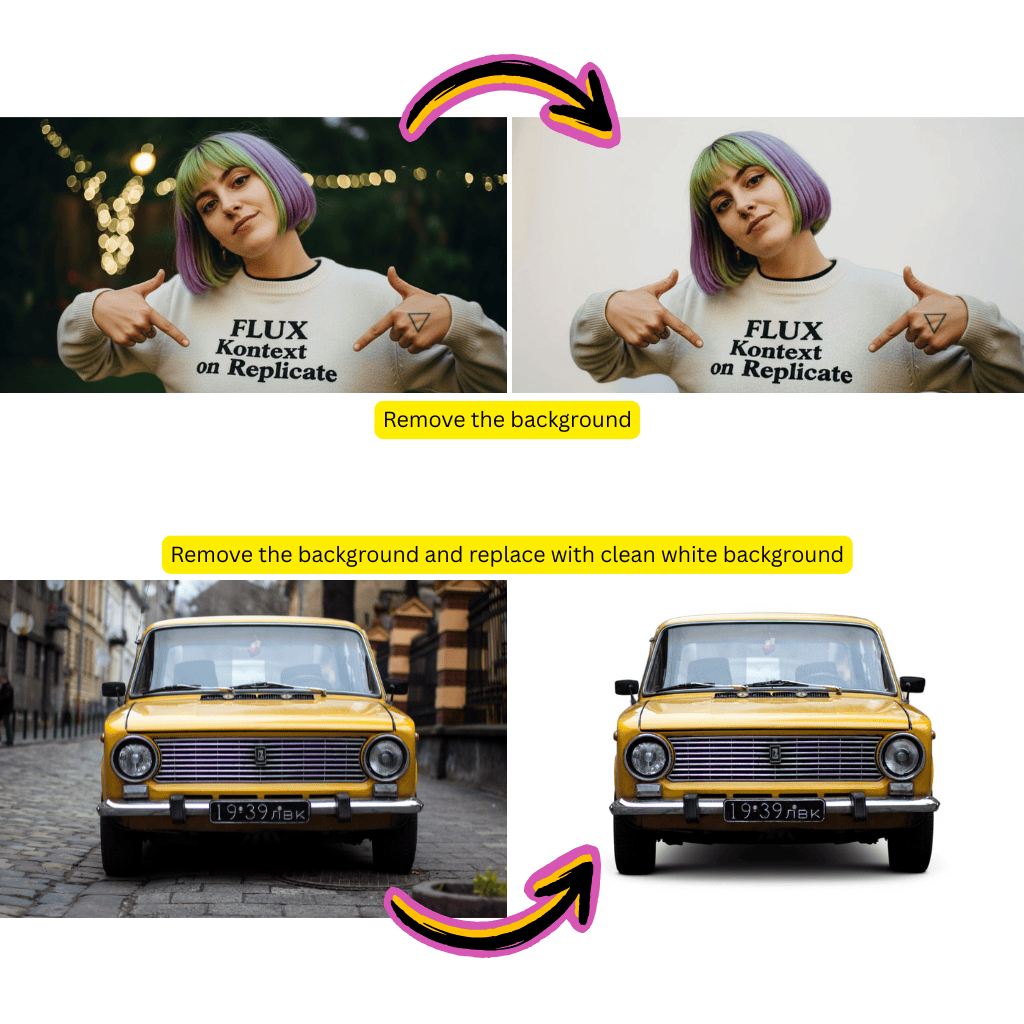
The AI Background Changer identifies people, products, and objects in your photo with pixel level accuracy. Hair, fur, and transparent edges are preserved naturally.
Type a description and the AI Background Changer creates a matching scene behind your subject. Beach sunsets, studio setups, city skylines, or anything you can describe.
Pick from solid colors, gradients, and popular scene templates. The AI Background Changer applies them instantly with proper lighting and shadow matching.
The AI Background Changer gives your product photos clean white or lifestyle backgrounds that meet marketplace requirements. No studio rental needed.
Apply the same background to an entire batch of images. The AI Background Changer keeps colors and lighting uniform so your feed looks cohesive.
Dropped onto a new background, your subject still looks like it belongs there. The AI Background Changer adjusts shadows and ambient light automatically.
Drag your image into the AI Background Changer or click to browse. JPG, PNG, and WebP formats are all supported.
Select a preset color, upload your own background image, or type a scene description. The AI Background Changer handles the rest.
Preview the result, make adjustments if needed, and download the final image in high resolution.
Yes. New users get free credits to try the AI Background Changer without creating an account. You can upgrade later if you need to process more images.
The AI Background Changer accepts JPG, PNG, and WebP uploads. Output images can be downloaded in PNG for transparent backgrounds or JPG for solid backgrounds.
Yes. The AI Background Changer uses advanced edge detection that preserves individual strands of hair, fur, and semi transparent objects like glass or fabric.
Select the transparent option from the preset backgrounds. The AI Background Changer will remove the background completely and export a PNG with an alpha channel.
Absolutely. Many sellers use the AI Background Changer to create clean white backgrounds for Amazon, Shopify, and Etsy listings. It meets standard marketplace image requirements.
Yes. The AI Background Changer detects multiple subjects in a single photo and separates them from the background together, keeping their relative positions intact.
Type a description like beach at sunset or modern office and the AI Background Changer will generate a matching scene. You can also upload your own background image.
No. The AI Background Changer processes images at their original resolution. Your subject stays sharp and detailed after the background swap.