
01
Try Any Hairstyle on Your Photo
Upload a selfie and the AI Hairstyle Changer applies your chosen cut realistically. Bob, pixie, layers, braids, buns, and more are all available to preview.
Preview hairstyles and colors on your photo with AI. Try cuts, lengths, and shades before your salon visit. See your new look now!
Click or drag to upload image
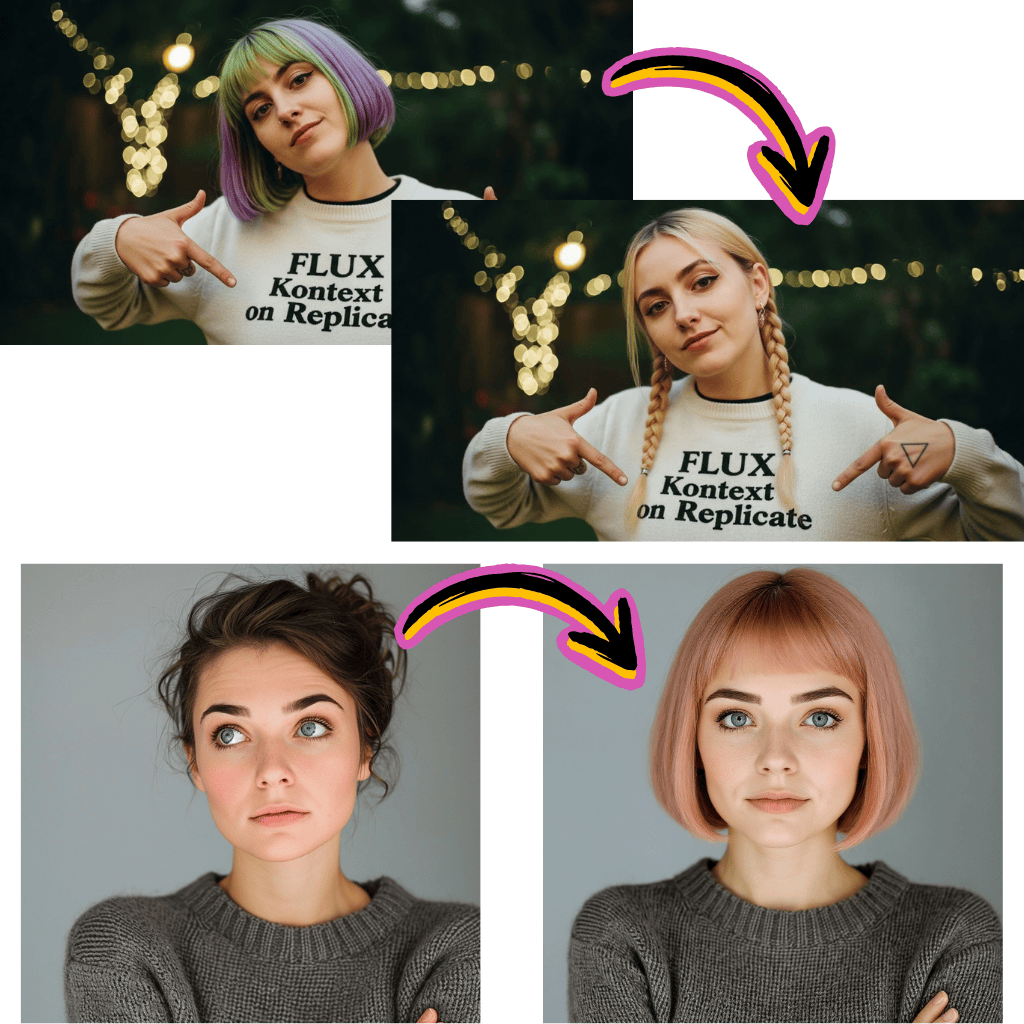
Browse hairstyle transformations created with the AI Hairstyle Changer. Find your next look before booking a salon appointment.
Upload a selfie and the AI Hairstyle Changer applies your chosen cut realistically. Bob, pixie, layers, braids, buns, and more are all available to preview.
Curious about going blonde, red, or silver? The AI Hairstyle Changer shows you how over 30 hair colors look on your face shape and skin tone.
The AI Hairstyle Changer offers styles for everyone. Select male, female, or skip the filter entirely to browse the full catalog of available looks.
See the result before you commit. The AI Hairstyle Changer shows you exactly how a new cut or color will look, so there are no surprises in the salon chair.
Save the AI Hairstyle Changer preview and bring it to your appointment. Your stylist gets a clear reference instead of vague descriptions.
Wondering if curtain bangs or a wolf cut suits you? The AI Hairstyle Changer lets you try every trending style risk free in under a minute.
Use a front facing photo with good lighting. The AI Hairstyle Changer works best when your face and current hair are clearly visible.
Browse the style selector for cuts like bob, curly, or undercut. Then choose a hair color from over 30 shades. The AI Hairstyle Changer combines both choices.
The AI Hairstyle Changer generates your makeover in seconds. Download the image or try another combination until you find the perfect match.
The AI Hairstyle Changer produces photorealistic previews that account for your face shape, skin tone, and lighting conditions. Results are close enough to show your stylist as a reference.
Yes. The AI Hairstyle Changer includes over 30 color options from natural shades like brunette and auburn to bold choices like blue, pink, and rose gold.
It works for everyone. You can filter styles by gender or browse the full collection. Undercuts, mohawks, bobs, braids, and ponytails are all available.
A front facing selfie with even lighting gives the best results. Avoid hats, sunglasses, or heavy shadows that might obscure your face and hairline.
Yes. You can generate as many combinations as you like. Switch between cuts and colors freely to compare different looks side by side.
New users get free credits to try the AI Hairstyle Changer. You can preview several hairstyle and color combinations before deciding whether to upgrade.
Download the generated image directly to your phone or computer. You can then show it to your stylist at your next appointment or send it ahead of time.