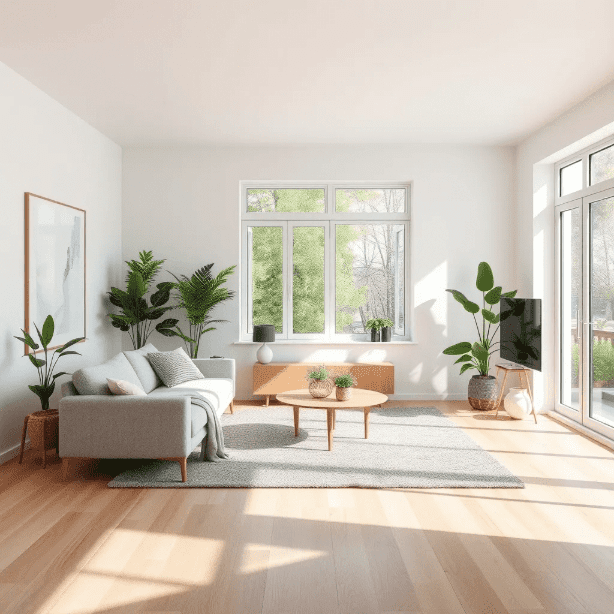
AI Real Estate Photo Editor — Property Photos and Virtual Staging

Transform dull listing photos into magazine-worthy property visuals. The AI real estate photo editor handles virtual staging, sky replacement, lighting enhancement, and clutter removal in seconds.

0

AI Real Estate Photo Editor Gallery — Property and Interior Styles

Browse property photos and virtual staging examples created with our AI real estate photo editor. See living rooms, kitchens, bedrooms, and exterior transformations. Click any image to copy the prompt.

What the AI Real Estate Photo Editor Does for Listings

The AI real estate photo editor turns underperforming listing photos into visuals that sell. Empty rooms get virtual furniture. Dark interiors get balanced lighting. Overcast exteriors get blue skies. Every enhancement is designed to help buyers see the potential.
Best Image AI Editor free online. Free AI photo editor for picture & image editing. Create with AI image generator, image to image AI & image text editor AI. AI Background Remover & AI Background Changer
01Virtual Staging Without Physical Furniture02Lighting Enhancement for Dark Interiors03Sky Replacement and Exterior Polish
01

Virtual Staging Without Physical Furniture

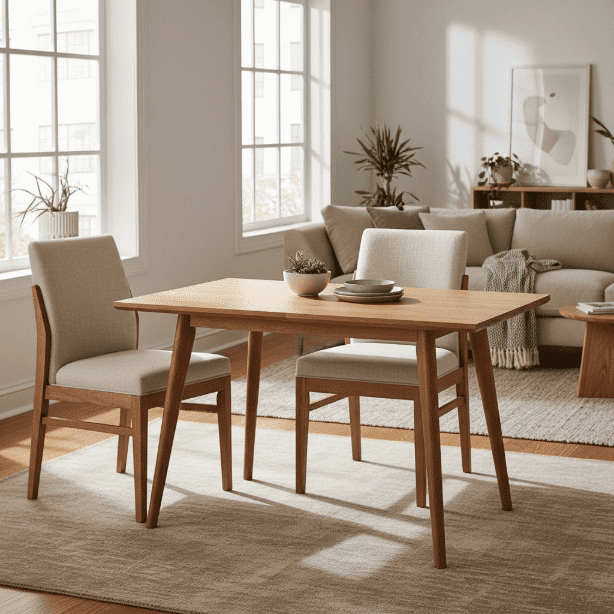
Empty rooms struggle to attract buyers. The AI real estate photo editor adds realistic furniture, decor, and styling that helps viewers imagine living in the space. Modern, traditional, or minimalist staging options are all available.
02

Lighting Enhancement for Dark Interiors

Poorly lit rooms look smaller and less inviting. The AI real estate photo editor brightens spaces, balances window exposure, and creates the warm, welcoming atmosphere that drives buyer interest.

03

Sky Replacement and Exterior Polish

Overcast skies make properties look gloomy. The AI real estate photo editor swaps gray skies for blue ones, enhances curb appeal, and makes exterior shots look like they were taken on the perfect day.

Why Agents Use the AI Real Estate Photo Editor

Physical staging costs three to six thousand dollars per property. The AI real estate photo editor delivers comparable visual impact for under a hundred dollars, and the turnaround is minutes instead of days.
Listings That Sell Faster
01

Listings That Sell Faster

Properties with professionally enhanced photos receive more online views and sell faster. The AI real estate photo editor gives every listing the visual advantage that premium properties enjoy.

Fraction of Traditional Staging Cost
02

Fraction of Traditional Staging Cost

Physical staging runs thousands per property. The AI real estate photo editor produces similar visual results at a fraction of the price, making professional presentation accessible for every listing.

Same Day Turnaround
03

Same Day Turnaround

Physical staging takes days to coordinate. The AI real estate photo editor processes photos in seconds, letting agents list properties the same day they photograph them.

How to Enhance Property Photos with the AI Real Estate Editor

Three steps from raw listing photos to buyer-ready visuals.
01
Upload Your Property Photos

Upload Your Property Photos

Interior shots, exterior views, or empty rooms. The AI real estate photo editor works with any property type: houses, apartments, condos, and commercial spaces.

02
Describe the Enhancement You Need

Describe the Enhancement You Need

Tell the editor what to do: 'add modern furniture to this empty living room', 'brighten the kitchen and fix the window exposure', or 'replace the overcast sky with a sunny blue sky'.

03
Download Listing Ready Photos

Download Listing Ready Photos

Review the enhanced photos, make adjustments if needed, and download files ready for MLS listings, Zillow, Realtor.com, or your agency website.

Common Questions About the AI Real Estate Photo Editor

Answers to frequently asked questions about AI property photo enhancement and virtual staging.
Q1

Can the AI real estate photo editor add furniture to empty rooms?

Yes. Describe the furniture style you want and the editor places realistic pieces that match the room's proportions, lighting, and architecture. Modern, traditional, Scandinavian, and other design styles are all supported.

Q2

Is virtual staging with the AI real estate photo editor legal for listings?

Virtual staging is widely accepted in real estate marketing. Most MLS systems and platforms allow virtually staged photos as long as they are clearly labeled. Always check your local regulations and disclose that staging is digital.

Q3

Can the AI real estate photo editor fix dark or poorly lit rooms?

Yes. The editor brightens interiors, balances exposure between windows and room interiors, and creates natural-looking lighting that makes spaces feel larger and more inviting. It handles the common problem of blown-out windows with dark room interiors.

Q4

Does the AI real estate photo editor replace overcast skies?

Yes. Upload an exterior shot with gray skies and the editor replaces them with realistic blue skies and appropriate cloud formations. The lighting on the building adjusts to match the new sky for a natural result.

Q5

How does the AI real estate photo editor compare to physical staging?

Physical staging typically costs three to six thousand dollars per property and takes days to arrange. The AI real estate photo editor produces visually comparable results for a fraction of the cost in minutes. Physical staging has the advantage of being real for in-person showings.

Q6

Can the AI real estate photo editor remove clutter from rooms?

Yes. Describe what you want removed and the editor cleanly erases personal items, excess furniture, or clutter while filling the space naturally. This is useful for occupied properties where physical decluttering is impractical.

Q7

What property types does the AI real estate photo editor handle?

Single-family homes, apartments, condos, townhouses, commercial offices, retail spaces, and luxury properties. The editor adapts its enhancement approach to match the property type and target buyer demographic.

Q8

Can the AI real estate photo editor maintain consistency across room angles?

Use similar prompts for different angles of the same room and the editor maintains consistent furniture placement and styling. For best results, describe the same design direction across all shots of a single space.

Q9

Is the AI real estate photo editor free for agents?

New users receive free credits to test the editor on their listings. Process several property photos to evaluate the quality before choosing a plan that fits your listing volume.

Q10

Can the AI real estate photo editor enhance exterior curb appeal?

Yes. Beyond sky replacement, the editor can enhance landscaping appearance, improve driveway and walkway visibility, and adjust overall exterior lighting to make properties look their best from the street.

Q11

What file formats does the AI real estate photo editor accept?

Upload JPG, PNG, or WebP files. The editor handles standard real estate photography resolutions and outputs files suitable for MLS listings, property websites, and print marketing materials.

Q12

Can the AI real estate photo editor change the wall color or flooring?

Yes. Describe the change you want: 'paint the walls warm white' or 'replace carpet with light oak hardwood'. The editor applies realistic material changes that help buyers visualize renovation potential.