Photo to Video AI — Transform Images into Videos Free

Transform photos into dynamic videos with free AI. Create stunning video content instantly.

What Picture to Video AI Does for Your Content

Picture to Video AI converts any still picture into a short animated video clip. The tool analyzes the visual elements in your picture and generates frame by frame motion that looks organic and intentional. It works across all picture types, from casual snapshots to professional studio shots, and produces output suitable for social media, advertising, and web content.
Best Image AI Editor free online. Free AI photo editor for picture & image editing. Create with AI image generator, image to image AI & image text editor AI. AI Background Remover & AI Background Changer
01Automatic Scene Understanding02Smooth Frame Interpolation03Works with Any Picture You Have
01

Automatic Scene Understanding

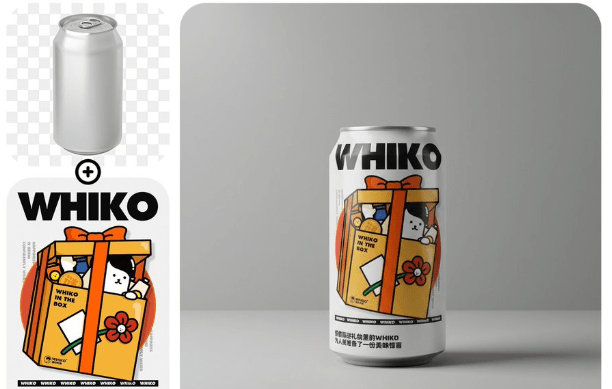
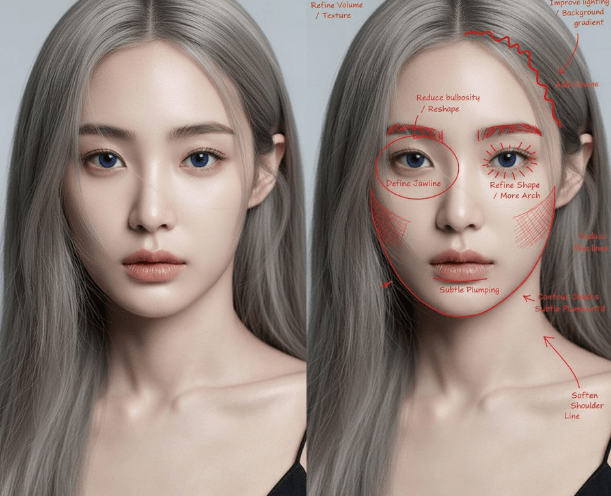
Picture to Video AI identifies objects, people, and environments in your picture automatically. It knows the difference between a sky that should drift slowly and a person who should move with purpose, applying appropriate motion to each element.
02

Smooth Frame Interpolation

The AI generates intermediate frames that create fluid motion between the starting state and the animated result. Picture to Video AI avoids the jerky, unnatural movement that plagues simpler animation tools.

03

Works with Any Picture You Have

Phone snapshots, DSLR photos, screenshots, digital art. Picture to Video AI adapts to whatever you feed it. The model adjusts its approach based on the content and quality of your input picture.

Benefits of Choosing Picture to Video AI

Picture to Video AI removes the barriers between having a great picture and having a great video. No filming, no editing timeline, no rendering queue.
Instant Video from Pictures You Already Own
01

Instant Video from Pictures You Already Own

Your camera roll is full of potential video content. Picture to Video AI unlocks that potential by converting existing pictures into animated clips, giving you fresh content without a single new photo shoot.

Professional Motion Without Professional Tools
02

Professional Motion Without Professional Tools

Creating smooth video animation traditionally requires After Effects or similar software plus hours of learning. Picture to Video AI delivers comparable results through a simple prompt and click interface.

Content That Performs Better Everywhere
03

Content That Performs Better Everywhere

Animated content gets more views, more shares, and more clicks than static pictures. Picture to Video AI helps you create the motion content that platforms prioritize in their algorithms.

How to Convert Pictures with Picture to Video AI

Turn any picture into a video in three easy steps using Picture to Video AI. Everything happens online, no app download needed.
01
Upload Your Picture

Upload Your Picture

Drop your picture into the editor. Picture to Video AI accepts JPG, PNG, and WebP files. Any resolution works, though higher quality pictures produce smoother video output.

02
Write Your Animation Prompt

Write Your Animation Prompt

Describe how you want the picture to move. Mention specific actions, camera movements, or mood changes. Picture to Video AI translates your words into precise frame by frame animation.

03
Generate and Save Your Video

Generate and Save Your Video

Click generate and your animated video appears within moments. Review the result, make prompt tweaks for different effects, and download the final MP4 file for immediate use.

Picture to Video AI Questions You Might Have

Clear answers about Picture to Video AI capabilities, pricing, and how to achieve the best results with your pictures.
Q1

How does Picture to Video AI work?

Picture to Video AI analyzes the visual content of your picture, identifies objects and depth layers, and generates new frames that show realistic motion. The result is a short video clip that brings your still picture to life.

Q2

Can I try Picture to Video AI for free?

Yes. AI Photo Editor provides free credits for new users. You can convert several pictures into videos at no cost to evaluate the quality before choosing a paid plan.

Q3

What picture quality do I need for Picture to Video AI?

Picture to Video AI works with any quality level, but higher resolution pictures with good lighting produce the best video output. Even phone camera snapshots can yield impressive results.

Q4

Does Picture to Video AI support batch processing?

Currently, Picture to Video AI processes one picture at a time. You can queue multiple generations and work through your picture collection efficiently by preparing prompts in advance.

Q5

What video length does Picture to Video AI create?

Each generation produces a clip between 3 and 10 seconds depending on the model selected. For longer videos, generate multiple clips and combine them using any standard video editor.

Q6

Can Picture to Video AI animate drawings and illustrations?

Yes. Picture to Video AI works with digital art, illustrations, and hand drawn pictures in addition to photographs. The animation style adapts to match the visual style of your input.

Q7

Is the video output from Picture to Video AI watermarked?

Free tier generations may include a watermark. Paid plans remove the watermark entirely, giving you clean video files ready for commercial use and professional distribution.

Q8

Which AI models can I use with Picture to Video AI?

Picture to Video AI connects you to multiple models including Seedance, Kling, Wan, and Gemini Veo. Switch between models to compare results and find the best match for each picture.