


01
ComfyUI Workflow Integration
Qwen Image Edit leverages ComfyUI pipelines under the hood, giving you access to professional node based processing without needing to configure anything yourself.
Professional Qwen image editor with ComfyUI workflow. Lightning-fast processing powered by Qwen AI and diffusers for exceptional results.
Browse edits made with Qwen Image Edit and learn prompt strategies that get the most out of Alibaba's powerful editing model.
Original Image

Change the clothes to sports
Generated Results








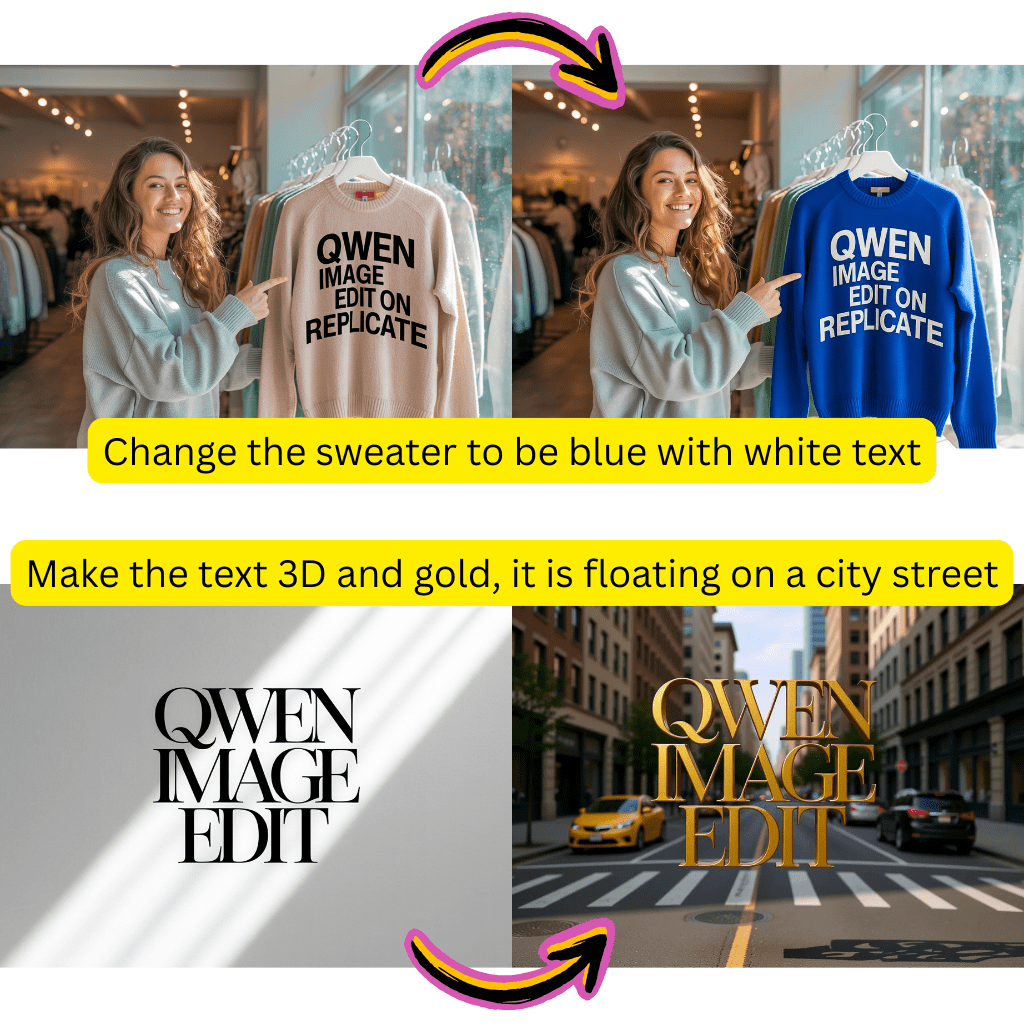
Qwen Image Edit leverages ComfyUI pipelines under the hood, giving you access to professional node based processing without needing to configure anything yourself.
Optimized with GGUF quantization and Hugging Face diffusers, Qwen Image Edit returns results significantly faster than many comparable models while maintaining output quality.
Qwen Image Edit handles text within images with exceptional clarity. Signage, watermarks, and typographic elements render cleanly across multiple languages including Chinese, English, and Japanese.
Qwen Image Edit isolates the exact region you want to change and leaves everything else untouched. Background swaps, object removal, and color adjustments happen with pixel level accuracy.
Write your prompts in English, Chinese, or other supported languages. Qwen Image Edit processes instructions natively in multiple languages without translation artifacts.
Built on open weights available through Hugging Face and GitHub, Qwen Image Edit benefits from continuous community improvements and transparent development.
Select a photo from your device or drag it into the editor. Qwen Image Edit accepts standard formats including JPG, PNG, and WebP.
Describe the changes you want in natural language. Be specific about what to modify and what to preserve. Qwen Image Edit follows detailed instructions well.
Check the edited result, iterate on your prompt if needed, and download the final image at full quality.
Qwen Image Edit is an AI image editing model created by Alibaba Cloud as part of the Qwen multimodal family. It specializes in precise, instruction based photo editing with support for ComfyUI workflows and multiple languages.
Yes. AI Photo Editor offers free credits for new users to try Qwen Image Edit. You can start editing immediately without creating an account or installing any software.
Qwen Image Edit stands out with its ComfyUI integration, multilingual prompt support, and strong text rendering capabilities. It is particularly effective at handling complex editing instructions that involve multiple changes in a single prompt.
Yes. Qwen Image Edit natively understands Chinese, English, Japanese, and several other languages. You can write editing instructions in your preferred language without losing accuracy.
Thanks to GGUF optimization and efficient diffuser pipelines, Qwen Image Edit processes most edits within seconds. It is one of the faster editing models available on AI Photo Editor.
Yes. Text rendering is one of its strengths. Qwen Image Edit produces clean, readable text on signs, labels, and other surfaces within generated or edited images, supporting multiple scripts and languages.
Absolutely. Qwen Image Edit handles background replacement, lighting adjustment, and product isolation with the precision needed for ecommerce and marketing visuals.
Qwen Image Edit uses ComfyUI based processing pipelines for its editing workflow. On AI Photo Editor, this runs automatically behind the scenes so you get the benefits of node based processing without any manual setup.