


01
Gemini 3 Powered Processing
Nano Banana 2 AI runs on Google's Gemini 3 Pro backbone, giving it deeper scene understanding and the ability to handle multi step editing instructions in a single prompt.
Transform images with Nano Banana Pro powered by Gemini 3 Pro. Free background removal, smart enhancement, and instant results. LM Arena verified quality.
Explore real outputs created with Nano Banana 2 AI and discover prompt techniques that bring out its best results.
Original Image

Change the clothes to sports
Generated Results








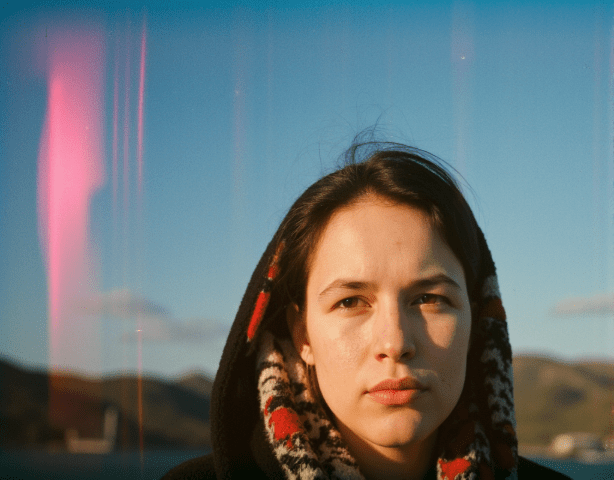
Nano Banana 2 AI runs on Google's Gemini 3 Pro backbone, giving it deeper scene understanding and the ability to handle multi step editing instructions in a single prompt.
The second generation model produces noticeably cleaner outputs with fewer artifacts, improved skin tones, and more natural lighting compared to its predecessor.
Nano Banana 2 AI has been independently tested on LM Arena benchmarks, confirming its competitive standing against premium models from other providers.

Describe a scene in detail and Nano Banana 2 AI translates your words into visuals with remarkable fidelity. Complex compositions with multiple subjects come out coherent and well balanced.

Upload a photo and tell Nano Banana 2 AI what to change. It modifies only the parts you specify while preserving the rest of the image naturally.

Go beyond still images. Nano Banana 2 AI connects with Veo 3.1 to turn your edited photos into short animated clips, all within the same workflow.

Upload an existing photo for editing or start from scratch with a text prompt. Nano Banana 2 AI supports both image to image and text to image workflows.

Open the model selector on AI Photo Editor and pick Nano Banana 2 AI. It is listed alongside other available models for easy comparison.

Review the output, tweak your prompt if needed, and save the final image. Each iteration with Nano Banana 2 AI takes just seconds.
Nano Banana 2 AI is Google's second generation image model powered by Gemini 3. Compared to the original Nano Banana, it produces sharper images, follows complex prompts more accurately, and handles human features with fewer artifacts.
Yes. AI Photo Editor gives new users free credits to try Nano Banana 2 AI without any signup. You can start generating and editing images immediately.
Nano Banana 2 AI excels at background changes, style transfers, object removal, portrait retouching, and full scene generation from text descriptions. Its Gemini 3 backbone gives it strong understanding of spatial relationships.
Nano Banana 2 AI integrates with Veo 3.1 for video output. You can take any image you create or edit and convert it into a short animated clip directly on AI Photo Editor.
Generation with Nano Banana 2 AI typically completes within a few seconds. The Gemini 3 infrastructure keeps processing times short even for detailed prompts.
You can upload JPG, PNG, and WebP files for image to image editing. For text to image generation, simply type your prompt and Nano Banana 2 AI creates the visual from scratch.
Nano Banana 2 AI produces output quality suitable for social media content, marketing materials, product mockups, and creative projects. Its LM Arena verified performance puts it on par with many premium models.
The model preserves character identity and style elements well across sequential edits. This makes Nano Banana 2 AI useful for creating series of related images with a cohesive look.