


01
All in One Editing Workspace
The AI Picture Editor brings background removal, enhancement, object removal, and style transfer together. One upload, multiple edits, no app switching.
Free AI picture editor with one-click enhancements. Edit photos, remove backgrounds, create stunning images in seconds. Try it now.
Discover what the AI Picture Editor can do. Browse real editing examples from background swaps to complete style transformations.
Original Image

Change the clothes to sports
Generated Results






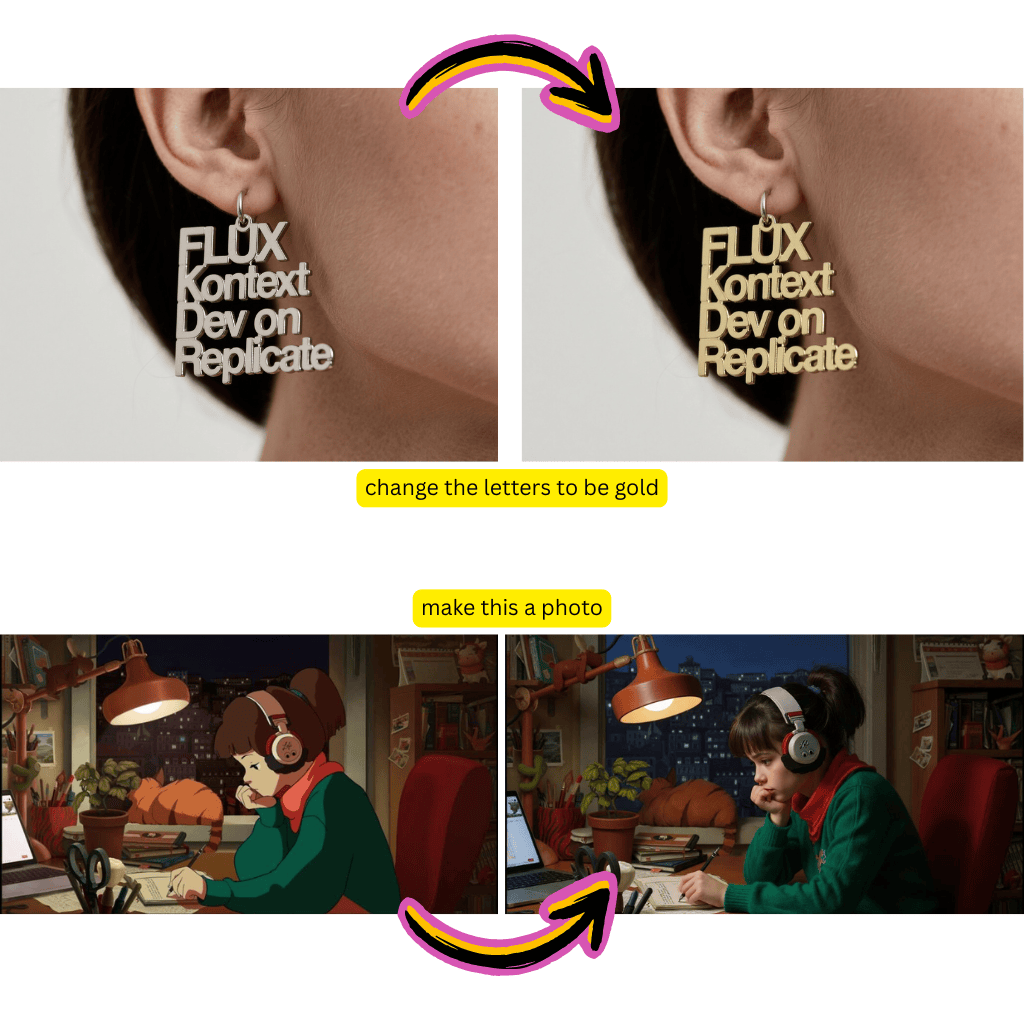
The AI Picture Editor brings background removal, enhancement, object removal, and style transfer together. One upload, multiple edits, no app switching.
Tell the AI Picture Editor what you want in plain English. Type instructions like remove the person on the left or make the sky more dramatic and watch it happen.
Every edit the AI Picture Editor makes can be reviewed before saving. Your original image stays untouched until you are satisfied with the result.
The AI Picture Editor understands what you want from simple descriptions. Complex edits that would take hours in traditional software happen in seconds.
The AI Picture Editor runs in your browser. Edit pictures on your laptop, tablet, or phone without installing anything or worrying about system requirements.
Whether you are editing one photo or fifty, the AI Picture Editor applies the same level of precision. No variation in quality between edits.
Drag and drop your image or click to browse. The AI Picture Editor supports JPG, PNG, and WebP formats.
Type what you want changed. The AI Picture Editor interprets your instructions and applies the edits automatically.
Check the result, request additional changes if needed, and download your edited picture in full quality.
The AI Picture Editor handles background removal, color correction, object removal, style transfer, enhancement, and creative effects. You describe the edit and the AI executes it.
Absolutely. The AI Picture Editor uses natural language instructions instead of complex tool panels. If you can describe what you want, you can use it.
No. The AI Picture Editor processes images at their original resolution. Your edited picture maintains the same quality as the original upload.
Yes. Describe what you want removed and the AI Picture Editor erases it while filling in the background naturally. Works for people, text, logos, and unwanted objects.
The AI Picture Editor uses text instructions instead of manual tools. You describe the result you want rather than performing each step yourself. It is faster for most common edits.
Yes. The AI Picture Editor is browser based and works on any device with an internet connection. No app download required.
New users get free credits to try the AI Picture Editor. You can edit several photos before deciding whether to upgrade for higher volume usage.